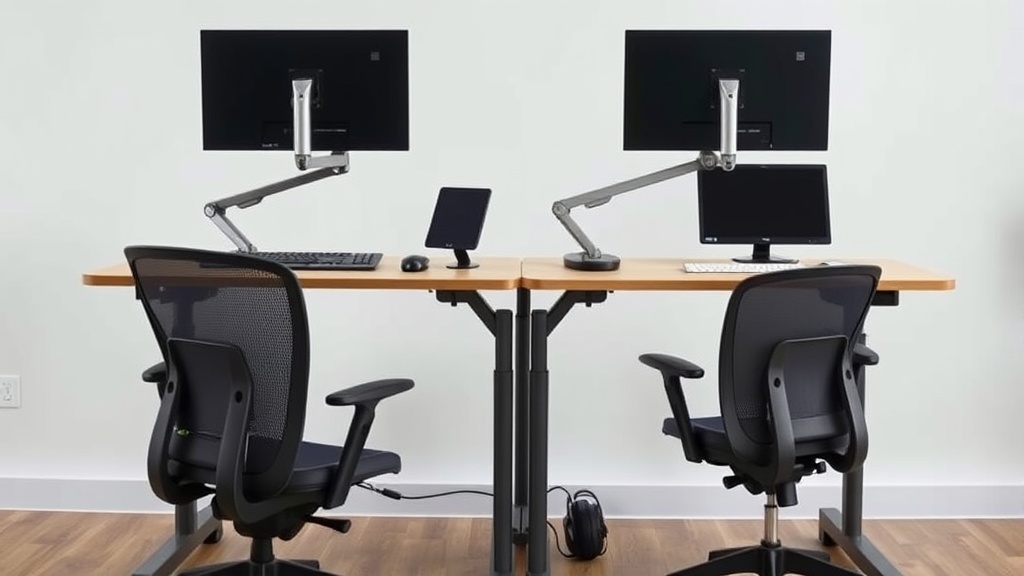
Ergonomic Solutions for Small Home Office Setups
When working from home in a small space, finding ergonomic furniture and accessories that fit your physical needs without overcrowding your room is a daily puzzle. The challenge is real: tight quarters often mean compromises that can lead to discomfort, poor posture, and even long-term health issues after hours spent at your desk. This article breaks down practical ergonomic strategies to help you get the most comfort and support from a compact setup—without relying on oversized, expensive gear or falling for marketing hype.
What Ergonomics Means for Small Home Offices
Ergonomics is about designing your workspace to conform to your body, rather than forcing your body to conform to the workspace. For small home offices, this means prioritizing measurements and adjustability above all. You want furniture that suits your body’s proportions—especially seat depth, lumbar support range, and armrest adjustability—to avoid slouching or awkward reaches throughout the day.
Unlike flashy marketing promises, real ergonomic comfort over 8 hours means focusing on physical fit and support rather than gimmicks. Pressure-mapping studies have shown that mismatched chair dimensions increase localized pressure points, causing fatigue and discomfort. Proper fit spreads your body weight evenly and encourages blood circulation.
How to Choose Ergonomic Furniture for Tight Spaces
Here are the key aspects to evaluate for chairs, desks, and accessories in a small home office:
1. Seat Depth and Width
- Why it matters: Seat depth affects thigh support. Too deep, and you’ll lose back contact with lumbar support; too shallow, and your thighs won’t get proper support, increasing pressure behind the knees and causing circulation issues.
- What to look for: Chairs with adjustable seat depth in the range of 15-19 inches work for most adults. Also measure the space you have so the chair fits without blocking walkways.
2. Lumbar Support Adjustability
- Why it matters: Lumbar curves vary among individuals. A lumbar support fixed at one height or firmness can cause discomfort in the lower back after hours of sitting.
- What to look for: Adjustable lumbar support height and firmness options are ideal. Look for mechanisms that allow ±3-4 inches of vertical adjustment.
3. 4D Armrests
- Why it matters: Arms that are too high, low, or too far in/out encourage shoulder tension and repetitive strain.
- What it looks like: 4D armrests can be adjusted in height, depth, width, and swivel angle. This flexibility keeps your elbows close to your torso and forearms parallel to the desk.
4. Desk Size and Height Adjustability
- Why it matters: Desk height dictates your elbow angle and wrist posture. Too high or low causes shoulder strain and wrist extension.
- What to look for: Compact desks with adjustable height (either manual crank or electric) can help maintain a 90±5 degree elbow angle. Also consider desk surface area—big enough for monitors and writing, but not overwhelming your space.
5. Monitor Placement and Ergonomic Accessories
- Why it matters: Neck and eye strain arise when monitors are too low, high, or far away.
- Tips: Use a monitor riser or adjustable arm to keep the top of your screen at eye level and about an arm’s length away. Keyboard trays can free up desk space, and vertical mousepads reduce wrist deviation.
Comparison of Ergonomic Chair Features for Small Home Offices
| Feature | Description | Typical Adjustment Range | Why It Matters for Small Spaces |
|---|---|---|---|
| Seat Depth | Distance from backrest to seat front | 15” to 19” adjustable | Ensures proper thigh support without overextending into room space |
| Lumbar Support Height | Vertical location of lumbar curve | 3-4” adjustable | Tailors lumbar support to individual spine curvature in limited seat space |
| Armrest Adjustability | Height, width, depth, and pivot angle | 4D (all directions) | Prevents shoulder tension by accommodating narrow desk layouts |
| Seat Width | Width of the seat cushion | Typically 17” to 20” | Fits smaller spaces without cramping user’s hips |
| Chair Depth | Overall front to back size | Compact (18”-20”) recommended | Fits well in tight room corners without blocking pathways |
How to Arrange Your Small Home Office for Ergonomic Efficiency
Getting ergonomic furniture is just one part of the solution—you also need to arrange your setup smartly:
-
Prioritize the Desk and Chair Placement
Place your desk in a way that you can sit with feet flat on the floor or a footrest and knees bent at 90˚. Avoid placing the setup too close to a wall so armrests and movement are not restricted. -
Use Vertical Space
Consider wall-mounted shelves or monitor arms to elevate screens and free up desktop real estate. This keeps your work area uncluttered and within ergonomic reach. -
Select Multipurpose and Compact Furniture
Desks with integrated storage or fold-out keyboard trays save space while maintaining ergonomic angles for typing and mousing. -
Add a Footrest If Needed
A small under-desk footrest supports your feet if your chair height adjustment doesn’t make your sitting position comfortable. -
Implement Good Lighting
Position the desk near natural light (without screen glare), and add adjustable task lighting to reduce eye strain without cranking up overhead brightness.
Common Pitfalls in Small Space Ergonomics and How to Avoid Them
-
Ignoring Adjustability in Favor of Style
A sleek chair or desk might look great but rarely fits everyone’s body proportions. Always try before you buy or ensure return policies cover comfort issues. -
Overlooking Fit Metrics (Seat Depth, Armrest Range)
Don’t get caught up in marketing buzzwords like “ergonomic” or “office-friendly” without checking physical measurements. Your body’s dimensions matter more than claims. -
Filling Every Inch — No Room to Move
Crowding your work area inhibits natural posture adjustments during the day. Allow minimal clearance around seating and desk to stand and stretch easily. -
Neglecting the 8-Hour Reality
A chair that feels okay for 30 minutes may cause soreness after 8 hours. Prioritize proven ergonomic features backed by pressure-mapping or user reviews emphasizing sustained comfort.
Frequently Asked Questions
Q: How important is armrest adjustability in small home office chairs?
A: Very important — 4D armrests help you maintain proper arm positioning, reducing shoulder strain, especially when space restricts your desk depth and reach.
Q: Can a compact desk still be ergonomic?
A: Yes, as long as it offers height adjustability and enough surface area for your essentials. Combining with adjustable monitor arms and keyboard trays can optimize ergonomics in limited space.
Q: What’s the best way to check if a chair’s seat depth is right?
A: Sit all the way back on the chair and check if 2-3 fingers fit comfortably between the front edge of the seat and the back of your knees. Adjustable seat depth chairs offer the best fit for different body lengths.
In summary, ergonomic small home office setups demand careful consideration of fit measurements and adjustable features to support your body throughout a full workday. Focusing on seat depth, lumbar support, and armrest range while optimizing desk size and placement can create comfortable, productive work zones even in the smallest rooms. Avoid hype-driven purchases by measuring your space and your body, and seek furniture that adapts to you rather than forcing you to adapt.
