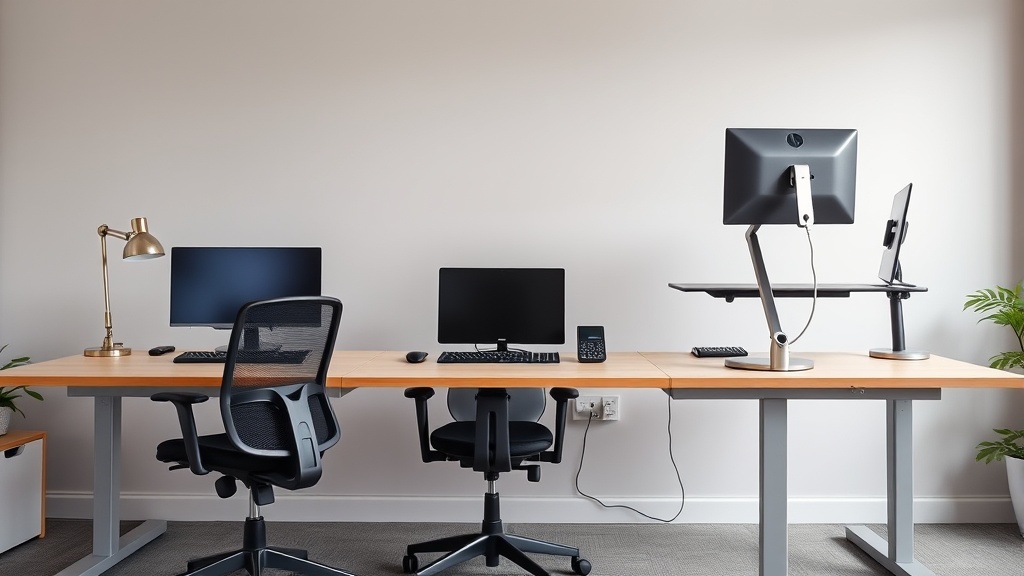
Creating a Clutter-Free Ergonomic Workspace at Home
If you work from home or spend long hours at your desk, you’ve likely noticed how clutter and poor ergonomics can compound the fatigue and discomfort you feel by the end of the day. Even high-end ergonomic chairs and desks won’t help much if your workspace is piled with unnecessary items or poorly organized to fit your body’s needs. Creating a clutter-free ergonomic workspace is essential not only for comfort but also for sustained productivity and physical health during extended work sessions.
In this article, we’ll break down what makes a workspace truly ergonomic and clutter-free, how to achieve that balance, and the specific features to look for in your furniture and accessories that support 8 hours or more of daily use.
What Is a Clutter-Free Ergonomic Workspace?
A clutter-free ergonomic workspace is an environment designed intentionally to reduce physical strain and mental distraction. It prioritizes furniture and layout choices that align with your body mechanics — such as seat depth, lumbar support adjustability, and armrest mobility — while minimizing excess and disorganized items that create distractions or restrict movement.
Ergonomics focuses on fitting the workspace to your body, reducing musculoskeletal stress, and sustaining good posture. Clutter management complements this by ensuring your essential tools are easy to access without overcrowding your desk, which can force awkward reaching or lead to poor posture adaptations.
How It Works: Ergonomics Meets Clutter Management
To create a sustainable home workstation, consider the following core principles:
-
Measured Fit for Furniture: Sitting in a chair that matches your body dimensions matters more than expensive branding. Look for chairs with adjustable seat depth (the distance from the backrest to the seat’s front edge), range-tunable lumbar support, and 4D armrests (height, width, depth, pivot) to maintain correct alignment. A desk should allow your forearms to rest parallel or slightly angled while supported by armrests or the surface.
-
Pressure-Mapping Awareness: While often used in clinical or design settings, pressure mapping data can be loosely interpreted when choosing chairs and cushions. Materials that distribute pressure evenly prevent numbness and hotspots during extended sitting.
-
Clutter Minimization: Keep only essential items at arm’s reach. Use storage solutions such as vertical shelves, drawer organizers, or cable management systems to clear your desktop. Less clutter means fewer distractions and more freedom to position yourself properly.
-
Understanding Marketing vs. Reality: Marketing claims often highlight sleek looks or “feature-packed” options but rarely discuss comfort over an 8+ hour day. Real ergonomic fit often comes down to adjustability and user trial rather than shiny extras.
When to Use This Setup
If you:
- Work 4+ hours daily at home.
- Have experienced neck, shoulder, or lower back pain.
- Find yourself feeling fidgety or tired halfway through your workday.
- Have multiple devices or papers that clutter your desk.
- Seek a productive environment that supports health.
Steps to Create Your Clutter-Free Ergonomic Workspace
1. Assess Your Body’s Dimensions and Workspace Needs
Measure your seated elbow height, popliteal height (back of knees to floor), and torso length to guide furniture size choices. Assess how much desk space you need for monitors, keyboard, writing, and reference materials.
2. Choose the Right Chair
- Seat Depth: Aim for a seat depth where about 2-4 inches (5-10 cm) of space remain between the seat front and your knees when seated with your back against the lumbar support.
- Lumbar Adjustability: Lumbar supports should be adjustable vertically and in firmness or curvature to match the natural S-shape of your lower spine.
- 4D Armrests: Look for armrests adjustable in four directions to support your forearms fully without raising your shoulders.
- Material & Padding: Consider breathable mesh for heat dissipation; pressure mapping-informed cushions can reduce hotspots.
3. Setup Your Desk and Monitor Placement
- Desk surface height should allow your forearms to rest parallel or at a slight downward angle.
- Monitor height set so the top of the screen is at or slightly below eye level.
- Keep frequently used items within 20 inches of your seated position without overextending.
4. Declutter Your Workspace
- Use drawer organizers for pens, chargers, cables, and notebooks.
- Implement cable management clips or sleeves to route cords out of sight.
- Use vertical racks for documents or folders rather than spreading papers horizontally.
- Keep only immediate tools you use often on the desktop.
5. Regularly Review and Tweak
Ergonomics is not “set and forget.” Pay attention to discomfort signals and adjust your chair, monitor, or desk organization monthly or quarterly. Clutter can slowly creep in, so schedule short weekly tidying sessions.
Comparison Table: Key Features to Evaluate for Ergonomic Chairs and Desk Setups
| Feature | Why It Matters | Ideal Specs | Common Pitfall |
|---|---|---|---|
| Seat Depth | Supports full thigh without compressing knees | 16-18 inches adjustable | Fixed seat too deep or shallow |
| Lumbar Support Range | Aligns with natural curve to reduce strain | Adjustable vertically 4-6 inches | Fixed lumbar insufficient |
| Armrest Adjustability | Prevents shoulder elevation or slouching | 4D: height, width, depth, pivot | Only height adjustable |
| Desk Height | Allows correct forearm angle | Usually 28-30 inches; adjustable | Too high/low forces slouching |
| Desktop Area | Limits unnecessary reach/fidgeting | At least 40x24 inches | Excess clutter reduces usable space |
| Surface Material | Comfort & durability | Matte, non-reflective finish | Glossy or slippery surfaces |
Common Pitfalls to Avoid
- Choosing a chair based on appearance rather than adjustability and measured fit.
- Overloading the desk with rarely used gadgets or paperwork leading to poor posture.
- Ignoring symptoms of discomfort and continuing poor positioning.
- Believing marketing hype on “magic cushions” or gadgets that do not account for body fit.
- Skipping cable management, which can cause both messy desks and desk ergonomics disturbances.
Frequently Asked Questions
Q: How often should I adjust my chair or desk setup?
A: Ideally, review your setup monthly or anytime you experience discomfort. Small tweaks make big differences over time.
Q: Is a clutter-free desk mandatory for ergonomic health?
A: While not mandatory, reducing clutter helps maintain proper posture by preventing awkward reaching and distractions that encourage bad habits.
Q: Can a small workspace be ergonomic?
A: Yes, but it requires prioritizing essentials, using vertical storage, and selecting furniture with compact yet adjustable features suited to your size.
Investing time in creating a clutter-free ergonomic workspace at home isn’t just about comfort; it’s about supporting your body through demanding work hours. Through careful measurement, furniture choices emphasizing adjustability, and intentional decluttering, you set the stage for higher productivity and healthier days at your desk.
