
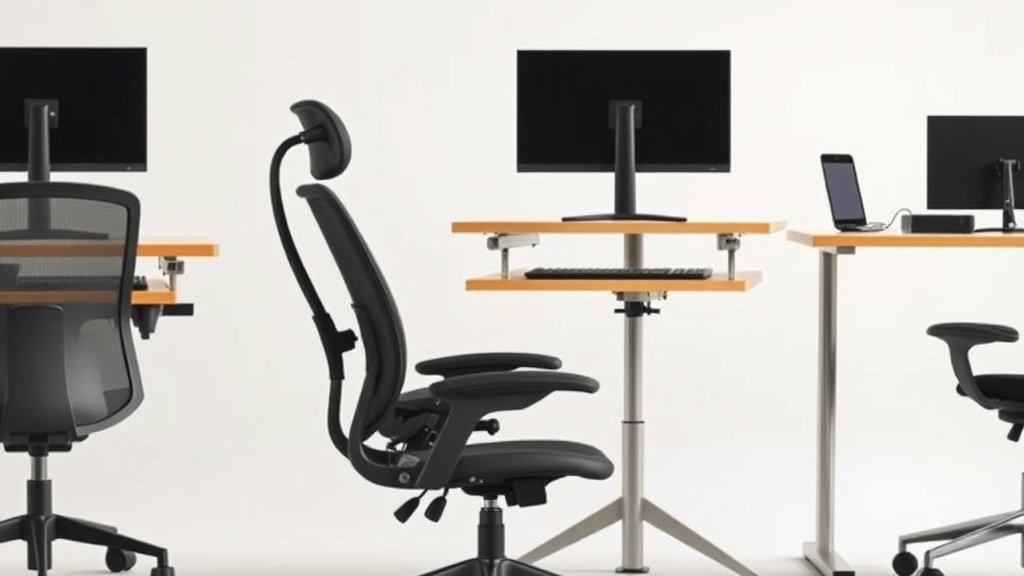
Choosing the Best Ergonomic Office Chair for Lower Back Support
If you spend eight or more hours a day at a desk, choosing the right ergonomic office chair isn’t just about comfort in the moment—it’s about protecting your lower back from cumulative strain and long-term injury. Many office chairs claim to offer “excellent lumbar support,” but marketing terms rarely tell you whether a chair actually fits your body or holds up through long periods of use. This article breaks down what true ergonomic lower back support means, how to evaluate chairs based on fit and adjustability, and how to separate practical benefits from hype so you can choose the best chair for your lower back health.
What Is Ergonomic Lumbar Support?
Ergonomic lumbar support refers to a chair design tailored to maintain or restore the natural inward curve of your lower spine (the lumbar lordosis). Proper support keeps spinal discs properly spaced, reduces muscle fatigue, and prevents common issues like lower back pain and stiffness. Not all lumbar supports are created equal: some are fixed curved pads, others are adjustable or inflatable, and some integrate with the chair’s backrest contour.
However, the key point is fit. Lumbar support is only effective if it matches the height and depth of your lower back curve. A chair with a rigid lumbar pad too high or too low on your back, or one that cannot be adjusted to your anatomy, will fail to provide relief during extended sitting periods.
How Lumbar Support Works in an Office Chair
The best ergonomic chairs use a combination of:
- Adjustable lumbar support height and depth: To align support precisely to the curve of your spine.
- Backrest tilt with tension adjustment: To encourage active sitting and reduce pressure on spinal discs.
- Seat depth adjustment: So your thighs are fully supported without pressure behind the knees, which indirectly affects lumbar positioning.
- Firm but cushioned padding: To cradle your lower back without sinking or applying painful pressure.
Pressure-mapping studies in workplace ergonomics labs have shown chairs that enable lumbar support customization reduce muscle activation and spinal loading compared to fixed-support designs. This corresponds with less fatigue and pain reported by users over 8+ hour workdays.
When and Why to Choose an Ergonomic Chair with Lumbar Support
If you experience any of the following, a chair with effective lumbar support is critical:
- Chronic or frequent lower back pain during or after work.
- Previous diagnosed lumbar disk issues such as herniation or degeneration.
- Sedentary work exceeding 6 hours per day.
- Poor posture or difficulty maintaining an upright seated position.
- A need to prevent musculoskeletal injury and maintain spinal health for long-term desk work.
Even if you feel fine now, investing in a chair with adjustable, well-fitted lumbar support is a preventative measure. Everyday static sitting is one of the major contributors to cumulative spinal stress, so getting it right from day one pays off later.
Key Fit Features Beyond Lumbar Support
Choosing a chair solely on lumbar support misses other crucial ergonomic factors that contribute to long-term comfort and spinal health:
- 4D Armrests: Adjustable in height, width, depth, and rotation to support your arms naturally and reduce shoulder tension.
- Seat Depth Adjustability: To ensure your thighs are fully supported without pressure behind the knees, which can affect pelvic tilt and lumbar curve.
- Backrest Recline with Locking Positions: To encourage micro-movements and reduce static muscle load.
- Pressure Distribution: Cushions should distribute pressure evenly to avoid discomfort and improve blood flow, which can be assessed in product reviews mentioning pressure mapping or user feedback.
Comparison Table: Key Ergonomic Features for Lower Back Support
| Feature | Why It Matters | What to Look for | Typical Range/Specs |
|---|---|---|---|
| Lumbar Support Height | Aligns with your lumbar curve | Adjustable height (usually 6-10 inches) | Adjustable or contour fit |
| Lumbar Support Depth | Matches how far your spine protrudes anteriorly | Depth adjustment or inflatable support | 0.5 - 2 inches depth adjustment |
| Seat Depth | Supports thighs fully without knee pressure | Adjustable seat pan depth | ~16-20 inches, adjustable in 1-3 inch increments |
| Armrest Adjustability | Supports forearms, reduces shoulder strain | 4D adjustability (height, width, depth, rotation) | Full 4D or at least height + width |
| Backrest Tilt & Tension | Allows posture shifting, reduces fatigue | Recline with lock, tension control | Lock at 90°-135°, adjustable tension |
| Cushioning & Pressure Distribution | Reduces pressure points and encourages circulation | Medium-firm, high-density foam or mesh | Varies, look for reviews mentioning pressure mapping |
How to Choose the Right Chair for Your Lower Back: Step-by-Step
-
Measure Your Fit Dimensions
Before shopping, measure your lumbar curve height (from seat pan to curve apex), thigh length, and shoulder width to compare with chair specs. Remember fixed measurements may not fit everyone. -
Prioritize Adjustable Lumbar Support
Look for chairs allowing vertical and depth adjustments, ideally with the option to fine-tune support firmness. -
Test Seat Depth and Armrests
The seat should support most of your thigh length without edge pressure behind knees, and armrests should be adjustable in multiple planes to let your shoulders relax. -
Consider Backrest Mechanics
Chairs with a recline feature that lets you lean back and lock in angles around 100°-135° reduce spine compression during breaks. -
Check Cushioning and Material
Choose a cushion that strikes a balance between firmness and comfort; too soft leads to sinking and poor support, too firm causes pressure points. -
Look Beyond Marketing: Read Pressure Mapping and Long-Term User Reviews
Independent test data and real-world experience reveal whether lumbar support holds up over 8+ hours daily. Marketing claims often omit real-use durability or precision fit. -
Try Before You Buy If Possible
Whenever possible, test a chair for prolonged sitting. An obvious comfort on first use may not translate to eight hours later.
Common Pitfalls When Choosing a Lumbar-Support Office Chair
-
Assuming ‘Ergonomic’ Means Good Lumbar Support
The term is loosely applied in marketing; true ergonomic lumbar support requires adjustability and fit. -
Ignoring Seat Depth
Even the best lumbar pad won’t help if your seat is too long or short, messing with pelvic tilt. -
Overlooking Armrest Adjustability
Fixed or poorly adjusted armrests cause shoulder hunching and fatigue that affects your lower back posture indirectly. -
Falling for Cushions That Are Too Soft or Too Hard
Memory foam that’s too soft can let you sink and lose lumbar support; overly hard cushions cause discomfort and pressure sores. -
Buying on Looks or Price Alone
The cheapest or prettiest chair often lacks the micro-adjustments and durability needed to protect your lower back over years. -
Not Considering Your Desk Set-up
The best chair works with your desk height and monitor position to maintain neutral spine alignment; this holistic view is essential.
Summary
True ergonomic lumbar support comes from a chair that can be tailored to your body’s unique curve, with enough adjustments to maintain that support comfortably all day. Fit matters as much as features: seat depth, armrest adjustability, backrest recline, and pressure distribution combine to make the difference between a chair that feels good briefly and one that protects your spine workday after workday.
Use the step-by-step approach above to evaluate your needs and potential chairs alongside real user data—don’t rely purely on marketing hype. Your lower back will thank you.
Frequently Asked Questions
Q: How do I know if the lumbar support on a chair fits me?
A: Measure the height of your lumbar curve from the seat pan and compare it to the chair’s lumbar support range. Also, try to adjust the support (height and depth) to feel it pressing into your lower back without discomfort.
Q: Can a mesh backrest provide good lumbar support?
A: Yes, if the mesh backrest includes an adjustable lumbar pad or a contoured frame that matches your back shape. The material alone isn’t enough; fit and adjustability are crucial.
Q: What’s the difference between vertical and depth lumbar support adjustments?
A: Vertical adjustment moves the support pad up or down to match your lumbar curve height, while depth adjustment changes how far the support presses into your back, customizing support firmness and contour match. Both are important for a comfortable fit.
See also: Customizing Chairwise Chairs for Personalized Comfort and Support
Related reading
- Chairwise Chairs with Lumbar Support for Improved Posture
- Choosing the Best Ergonomic Chair for Long Home Office Hours
- Ergonomic Office Chairs Designed for Long Hours at Work
- 10. Gaming chairs vs office chairs: what you are actually buying
- Customizing Chairwise Chairs for Personalized Comfort and Support
Our picks worth a closer look
- Ergonomic Office Chair, High Back Desk Chair with Flip-up Arms, 300 LBS Mesh ComCheck on Amazon → — see current price and specs.
- Nexthro Ergonomic Office Chair,Mesh Office Chair with Lumbar Support,High Back DCheck on Amazon → — see current price and specs.
- 750lbs Big and Tall Office Chair with Wide Thick Seat Cushion,Ergonomic Mesh OffCheck on Amazon → — see current price and specs.
- NOUHAUS +Posture Ergonomic Rolling Office ChairCheck on Amazon → — see current price and specs.
- Autonomous ErgoChair Pro Ergonomic Office ChairCheck on Amazon → — see current price and specs.