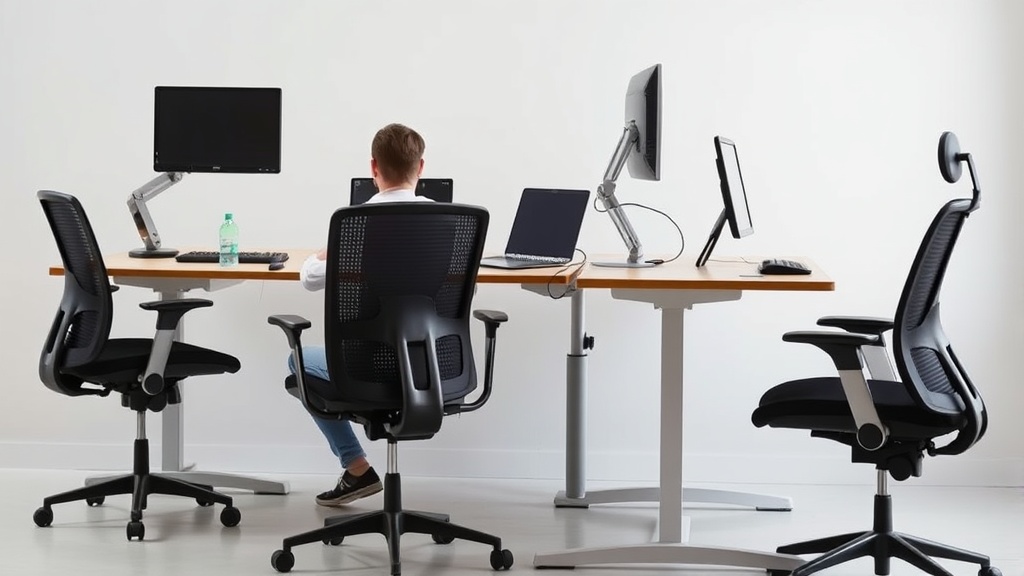
Sitting at a desk for 8 hours a day is a reality for millions of workers. The problem? Without proper setup and posture, those long hours can lead to chronic pain, fatigue, and even injury. This guide shows you exactly how to sit for a full workday without wrecking your body—covering ergonomic furniture features, posture adjustments, and the limitations of marketing claims versus what really feels sustainable hour after hour.
The Problem with Sitting 8 Hours a Day
Extended sitting creates pressure points, restricts blood flow, and puts strain on your spine and joints. Chairs that look good online or check all the marketing buzzwords can still miss key adjustments like proper seat depth or lumbar support range — resulting in discomfort after just a few hours. The goal: a sitting strategy that maintains comfort, minimizes strain, and supports your body throughout the workday. Let’s break down how to do this.
How to Sit for 8 Hours Without Wrecking Yourself: Step-by-Step
1. Choose a Chair with Measured Fit, Not Just “Adjustable”
A good ergonomic chair offers much more than “adjustable armrests” or “mesh back.” Deep dive into these specifics:
-
Seat Depth: Ideally, the seat depth allows you to sit with your back against the lumbar support while maintaining 2 to 3 inches (5–8 cm) of space between the seat edge and the back of your knees. Too shallow and your thighs aren’t fully supported; too deep and you lose lumbar contact.
-
Lumbar Adjustability Range: The lumbar support must be adjustable vertically and in firmness to fit the natural curve of your lower back. Chairs advertising “lumbar support” often have a fixed bump that’s either too high or low.
-
Armrest 4D Travel: Armrests should adjust in four directions—height (up/down), width (in/out), depth (forward/back), and pivot (rotation)—to let you align your elbows, shoulders, and wrists correctly without shrugging or overreaching.
2. Use Pressure-Mapping to Find Your Ideal Contact Points
Some office setups now offer pressure-mapping technology that shows you exactly where your body exerts the most force on the chair. This data helps prevent localized pressure points that lead to numbness or pain. Even without access to pressure-mapping tools, be mindful of feeling “pins and needles” or numbness in buttocks, thighs, or lower back as signs to adjust your posture or chair.
3. Position Your Desk and Monitor for Neutral Posture
Your sitting setup is incomplete without the right desk and monitor height for neutral posture:
- Feet flat on the floor or footrest
- Knees roughly at hip height or slightly lower
- Elbows close to the body and bent around 90 degrees
- Wrists straight and resting lightly on the keyboard or armrests
- Monitor top at or just below eye level to avoid neck strain
4. Take Regular Microbreaks and Incorporate Dynamic Sitting
Even the best chair can’t fix the problems caused by prolonged static posture. Every 30 to 60 minutes, stand up, walk, stretch, or do seated movements to promote blood flow and reset your posture.
Dynamic sitting—subtly shifting your position while seated—also helps. This might mean gently rocking your pelvis, adjusting your armrest position, or changing your seat angle slightly.
5. Recognize Marketing Copy vs. Real Use Experience
Chairs advertised as “breathable mesh” or “ergonomic with multiple adjustments” often sound perfect but don’t guarantee comfort across an 8-hour day. Customer reviews and independent health studies can expose limitations in real use:
- Mesh chairs may feel cooler but offer less pressure dispersion than thick, high-density foam seats.
- Too many adjustments mean nothing if you don’t actually use them—or if the range is minimal and ineffective.
- Just because a chair is marketed with lumbar support doesn’t mean it fits your spine’s curve.
Test chairs when possible, ideally for a full workday, or buy from places that allow returns after extended trials.
Chair Features Compared: What Matters Most for 8-Hour Sitting
| Feature | Why It Matters | Ideal Specification | Trade-Offs/Comments |
|---|---|---|---|
| Seat Depth | Supports full thigh length without pressure behind knees | Adjustable, 16-18 inches (40-46cm) with 2-3 inch clearance from knee | Fixed seats often too shallow or deep for many users |
| Lumbar Support Adjustability | Aligns with natural spine curvature to prevent slouching | Vertical adjustment range of 2-4 inches; adjustable firmness | Fixed or low-range supports can cause discomfort |
| Armrest Adjustability (4D) | Keeps elbows and wrists in neutral position reducing strain | Height, width, depth, and pivot adjustment | Fixed armrests cause shoulder tension or poor wrist alignment |
| Cushioning/Material | Distributes pressure, manages temperature | High-density foam or multi-layer cushion; breathable fabric | Mesh offers breathability but may feel less cushioned |
| Recline and Tilt Lock | Allows good posture shifts without loss of support | Multi-position recline lock, tilt tension control | Some tilt mechanisms feel unstable or too stiff |
What Sitting 8 Hours Without Wrecking Yourself Looks Like in Practice
Putting this all together, your ideal 8-hour sitting day includes:
- Sitting in a chair that fits your body dimensions (e.g., seat depth and lumbar support can be adjusted)
- Maintaining a neutral posture with elbows close, shoulders relaxed, feet flat, and neck neutral
- Using armrests in a way that supports your forearms and wrists without lifting your shoulders
- Taking scheduled breaks to stand, stretch, and move around frequently
- Incorporating micro-adjustments and dynamic sitting to avoid stiffness and pressure buildup
Common Pitfalls to Avoid
- Ignoring Seat Depth: A common mistake is assuming “adjustable seat height” is enough. Without seat depth fitting your thigh length, your legs tire and circulation suffers.
- Using Armrests as a Crutch: Don’t rest your full weight on armrests; instead, use them as guides to keep elbows aligned. Otherwise, you risk shoulder tension.
- Overreliance on Recline: Reclining without lumbar support shifts strain to your lower back or neck.
- Skipping Breaks: Even perfect ergonomics cannot fully offset static sitting. Relying on a “perfect chair” alone won’t protect you.
- Choosing Style Over Function: Trendy-looking chairs often sacrifice ergonomic function — test before buying or seek data-driven reviews.
Frequently Asked Questions
Q: How often should I stand or move during an 8-hour workday?
A: Aim to take a brief break every 30 to 60 minutes—stand, stretch, or walk for a couple of minutes to improve circulation and reset posture.
Q: Can I use a chair without lumbar support if I add a cushion?
A: While a lumbar cushion can help, an integrated adjustable lumbar support that aligns with your spine usually offers better long-term comfort and posture.
Q: Are soft mesh chairs better than cushioned ones for long sitting?
A: Mesh chairs typically offer breathability but less pressure distribution. Cushioned chairs with high-density foam tend to provide better support over long hours, though preferences vary by person.
Sitting for 8 hours doesn’t have to wreck your body if you invest in a chair and setup designed for measured fit, adjust properly, and work with your body—not against it. The right features combined with mindful habits make all the difference day after day.
