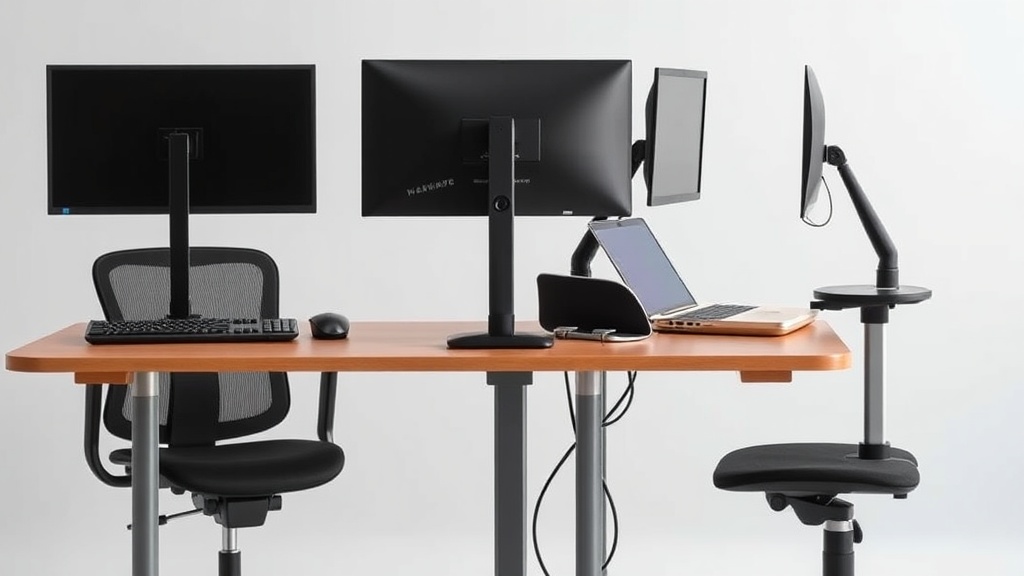
If you spend your workday typing, wrist strain and discomfort can sneak up quickly—even if you don’t notice it at first. The problem often lies in the keyboard, which may not be designed to support your natural hand position, leading to tension, numbness, or even long-term issues like carpal tunnel syndrome. Choosing the right keyboard geared toward ergonomic comfort can make a substantial difference in reducing wrist strain and maintaining productivity over an 8-hour workday.
What Makes a Keyboard Comfortable for Typing and Wrist Health?
Comfortable typing that reduces wrist strain is less about flashy features and more about the precise fit and design that respects your natural posture. The key factors to consider include:
- Ergonomic Layout: Split, tented, or curved keyboards that align with natural hand and wrist positions.
- Key Travel and Feedback: Soft but responsive keys reduce finger fatigue while preventing hard bottom-out.
- Wrist Support: Proper wrist rest placement and cushioning to keep your wrists neutral, not bent upward or sideways.
- Adjustability: Tilt and height adjustments that let you find the sweet spot for your desk setup.
- Build Quality and Size: Compact keyboards reduce reach and awkward hand placement, while durable construction endures daily use without other ergonomic features breaking or sagging.
See also: Choosing the Best Ergonomic Keyboard for Typing Comfort
How Ergonomic Keyboards Reduce Wrist Strain
The typical flat keyboard forces your hands and wrists to remain in an unnatural position, often bent outward (ulnar deviation) and with pressure on the carpal tunnel. Ergonomic keyboards aim to:
- Maintain Neutral Wrist Alignment: By splitting the keyboard or angling the keys, these keyboards reduce wrist bending.
- Reduce Finger Extension Strain: Key placement that matches finger natural arcs reduces overextension.
- Prevent Excessive Pressure: Soft, cushioned wrist rests and indirect key presses prevent repetitive pressure injuries.
Pressure mapping studies show that when wrist supports and curved layouts are used, pressure on critical wrist nerves and tendons drops significantly. This translates to less discomfort and better focus during an 8-hour workday.
Key Features to Evaluate When Selecting an Ergonomic Keyboard
- Split and Tented Design: Helps reduce wrist pronation and ulnar deviation by allowing a more natural hand posture.
- Adjustable Tent Angle and Height: Some models let you set the split tent angle and height for precise customization matching your arm length and desk height.
- Compact Layout vs Full Size: A tenkeyless (TKL) or 75% layout with no or fewer navigation keys minimizes reaching and wrist twisting.
- Soft Key Action with Adequate Travel: Mechanical switches with light actuation force or well-damped membrane switches can prevent finger fatigue.
- Quality Wrist Rest: Cushioning that supports without elevating your wrists disproportionately.
- Connectivity and Compatibility: Wired keyboards avoid wireless latency; but quality Bluetooth options add convenience.
- Material and Build Quality: Keycaps and chassis should withstand long-term use.
Comparison Table: Popular Ergonomic Keyboard Features
| Feature | Split Keyboard | Tented Keyboard | Curved Keyboard | Standard Ergonomic | Compact Layout |
|---|---|---|---|---|---|
| Ergonomic Hand Alignment | Excellent | Excellent | Good | Moderate | Depends on model |
| Adjustable Tent Angle | Usually yes | Yes | Rarely | No | Usually no |
| Wrist Rest Included | Usually yes | Usually yes | Sometimes | Sometimes | Rarely |
| Key Travel Distance | Medium to High | Medium to High | Medium | Medium | Short to Medium |
| Ideal Desk Size | Medium-large | Medium-large | Medium | Any | Small to Medium |
| Key Feedback | Mechanical or Membrane | Mechanical | Membrane or Mechanical | Membrane or Mechanical | Varies |
| Best For | Severe pain, numbness | Long-term comfort | General strain | Occasional strain | Space-conscious users |
| Price Range | Moderate-High | Moderate-High | Moderate | Moderate | Low-Moderate |
How to Test an Ergonomic Keyboard Before Buying
Before committing, try these:
- Check for Neutral Wrist Position: Place your hands on the keyboard and see if your wrists stay straight, not bent outward or upward.
- Test Key Resistance: Type a few sentences to feel if the keys are too stiff or too soft.
- Evaluate Wrist Rest Comfort: Rest your palms on the wrist pad and check if it supports without raising wrists too much.
- Adjust Angles and Tilt: Explore the keyboard’s adjustable legs or split tenting to replicate your desk and chair height setup.
Remember, marketing copy might brag about “ergonomic” or “maximum comfort,” but these terms can be vague. Actual 8-hour comfort depends on fit, not hype.
When to Choose Ergonomic Keyboards
- You experience wrist, hand, or forearm pain while typing.
- Your work involves prolonged typing during a workday (6+ hours daily).
- You have a history or risk of repetitive strain injuries.
- Your current keyboard feels cramped, presses hard, or isn’t adjustable.
- You want to proactively prevent future wrist issues.
Common Pitfalls When Selecting and Using Ergonomic Keyboards
- Ignoring Adjustability: Not using or ignoring adjustable angles can nullify ergonomic benefits.
- Choosing Overly Large Keyboards: Large, wide keyboards can force stretching and awkward wrist angles.
- Neglecting Wrist Rest Quality: Hard or incorrectly positioned wrist rests can cause pressure rather than relieve it.
- Not Considering Keyboard Placement: Even a perfect keyboard won’t help if your desk height or chair position is off.
- Relying Only on Keyboard Ergonomics: Pay attention to mouse use and overall posture too.
Practical Tips for Reducing Wrist Strain Beyond Keyboard Choice
- Take regular breaks with wrist stretches every hour.
- Maintain a neutral forearm posture by adjusting chair and desk height.
- Use a chair with armrest 4D adjustability (height, width, depth, and pivot) to support your forearms.
- Incorporate pressure-mapping: some workplaces offer tools to measure wrist pressure zones which can help pinpoint problem areas.
- Consider wrist splints or braces if recommended by a healthcare professional.
Frequently Asked Questions
Q: Can ergonomic keyboards completely prevent wrist strain?
A: No keyboard can guarantee complete prevention, but ergonomic designs significantly reduce risk when combined with proper desk setup, breaks, and posture.
Q: Are split keyboards better than curved or tented keyboards for wrist health?
A: Split keyboards generally offer better hand alignment but may require a learning curve. Curved and tented options still provide substantial benefit and might suit users preferring less radical changes.
Q: Is a wrist rest necessary for every user?
A: Not always. Some users find wrist rests helpful to maintain neutral posture, while others may feel restricted or develop pressure spots. Adjust based on comfort and use pressure-mapping tools if possible.
Choosing a keyboard is a highly personal decision, but by focusing on ergonomic fit — especially features that ensure neutral wrist posture and appropriate key travel — you can find a solution that supports comfortable, pain-free typing for the long haul. Remember, no quick fix replaces mindful setup and consistent ergonomics habits during your workday.
Related reading
- Ergonomic Keyboards That Reduce Wrist Strain Effectively
- Choosing the Best Ergonomic Keyboard for Typing Comfort
- Keyboards with Split Design for Enhanced Typing Comfort
- 26. Split keyboards for wrist pain: who they actually help
- Split Keyboards for Wrist Pain: Which Models Actually Work (Lab + 60-Day Testing)
