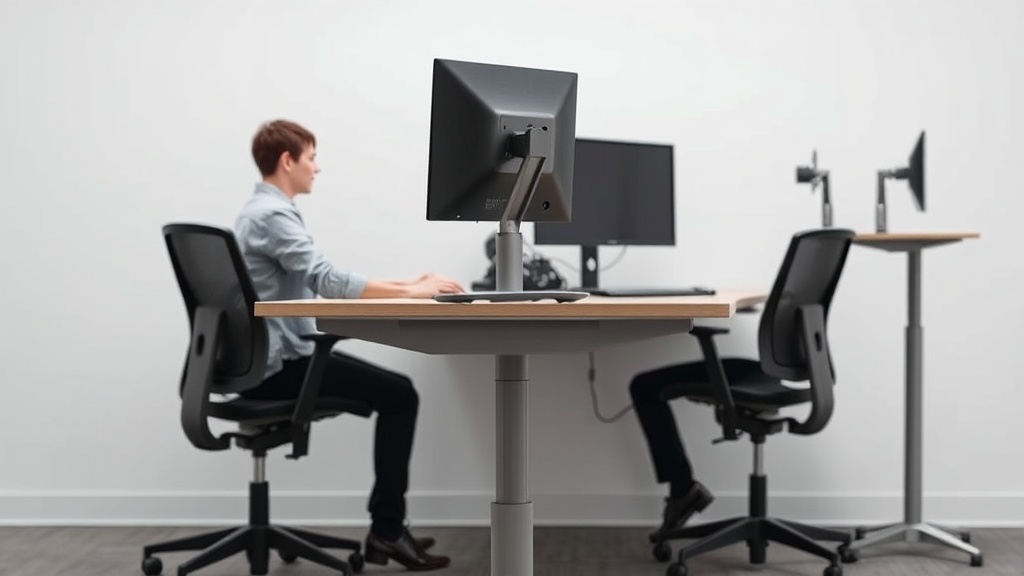
Standing desks have gained popularity as a solution for combating the sedentary lifestyle associated with desk work. But does swapping your chair for a standing position really boost your productivity? If you’re a desk worker struggling with the afternoon slump, back pain, or just a neutral feeling of fatigue during long hours at your workstation, understanding the science behind standing desks can help you make an informed choice that fits your needs—not just marketing hype.
What Standing Desks Are
Standing desks are work surfaces designed to allow you to stand while working, either exclusively or in alternation with sitting. They can be fixed height, adjustable manual, or electric-powered for easy movement between sitting and standing positions. The idea is to reduce the amount of time spent sitting, which research suggests can negatively affect health and alertness.
However, the effectiveness of standing desks depends on several ergonomic factors—not just standing alone—such as the desk height, monitor placement, and your ability to adjust and maintain good posture.
See also: Using Standing Desks to Boost Calorie Burn and Energy Levels
The Science Behind Standing Desks and Productivity
Reduced Sedentary Time and Its Impact
Prolonged sitting is linked to increased risks of metabolic issues, cardiovascular problems, and even decreased cognitive function due to reduced blood flow and muscle inactivity. Using a standing desk encourages muscle engagement, promotes circulation, and can reduce discomfort associated with long periods of immobility.
Cognitive Benefits: Alertness and Energy
Standing has been shown in some studies to improve short-term alertness and cognitive performance. Increased blood flow to the brain and increased muscle activity can help you feel more energized, less lethargic, and focused during critical tasks. This can translate into noticeable productivity gains when performing tasks requiring sustained attention or creativity.
Changes in Fatigue and Discomfort Levels
Although standing might initially increase muscle fatigue—especially in the calves and lower back—over time, many users report a reduction in general discomfort and stiffness, which can otherwise detract from concentration and efficiency.
The Role of Ergonomics: Measured Fit Matters
Simply standing is not a guarantee of productivity improvement. The details of ergonomic fit—such as the adjustable height range of the desk, monitor height positioning, and the use of anti-fatigue mats—play a significant role in whether a standing desk improves or worsens your workday experience.
How Standing Desks Work to Increase Productivity
-
Alternating Positions to Reduce Sedentary Time: Adjustable desks allow you to switch between sitting and standing, reminding you to move and shift posture regularly, which helps maintain energy.
-
Enhanced Circulation: Standing engages leg muscles and improves circulation, which supports brain function and decreases risks of discomfort associated with stationary postures.
-
Posture Improvement: Standing desks, when adjusted correctly, encourage a neutral spine posture, reducing the compression on spinal discs that sitting sometimes creates.
-
Encouragement of Micro-movements: While standing, people tend to make small weight shifts or gentle movements that keep muscles activated, countering the inactivity of sitting.
When to Use a Standing Desk for Best Results
- During Tasks Requiring Focus and Alertness: Standing can help maintain higher levels of attentiveness and prevent afternoon energy slumps.
- For Email or Reading Tasks: Standing while skimming or reading can reduce the monotony and fatigue.
- As Part of a Movement Strategy: Use standing desks in combination with scheduled breaks to walk or stretch for a comprehensive approach to reducing sedentary behavior.
- If Experiencing Sitting-Related Discomfort: If sitting causes lower back pain or stiffness, standing desks can provide relief through posture change and muscle activation.
Common Pitfalls to Avoid with Standing Desks
- Standing Too Long Without Breaks: Prolonged standing can cause leg and foot fatigue, varicose veins, and discomfort.
- Ignoring Ergonomic Fit: Desk height too low or too high can lead to shoulder, neck, or wrist strain.
- Static Standing Posture: Failing to shift weight and move while standing negates benefits.
- Poor Monitor Setup: Without optimal monitor height and distance, neck strain can increase.
- Expecting Immediate Results: Productivity improvements often require weeks of adjustment.
Ergonomic Considerations: The Measured Fit of a Standing Desk Setup
To truly leverage standing desks for productivity, consider these adjustable features and fit matters:
| Feature | Importance | Recommended Specification | Practical Impact |
|---|---|---|---|
| Desk Height Adjustability | Critical for user fit | Adjustable range to allow elbow angle ~90° | Reduces shoulder and wrist strain |
| Monitor Height and Tilt | Prevents neck strain | Top of screen at or slightly below eye level | Supports neutral head posture and reduces fatigue |
| Anti-fatigue Mat | Relieves foot and leg pressure | 1–2 cm thick gel or foam mats | Makes standing for longer periods more comfortable |
| Footwear | Supports shock absorption | Comfortable, cushioned shoes or supportive insoles | Prevents foot and leg fatigue |
| Arm Support | Reduces upper body strain | Adjustable armrests aligned with desk height | Supports shoulders and arms during typing |
Seat Depth and Lumbar Adjustability in Dual Desk Usage
Some workers combine standing desks with sit-stand chairs or stools. When seated, the seat depth needs to fit your thigh length correctly (around 1–2 inches gap between seat edge and back of the knees) to avoid circulation issues. Meanwhile, lumbar adjustability is vital for maintaining the natural inward curve of the lower back, supporting a healthy spine throughout the day.
The Difference Between Marketing Claims and Real-World Use
Product descriptions often tout “increased productivity” from standing desks with little elaboration on ergonomics or user behavior. However, 8 hours/day at your workstation puts more physical demands on the body than a few minutes of trial or demo. Real-world use requires:
- Adjustability: The desk must accommodate the user’s height and work style.
- Movement: Encouraging sit-stand transitions and movement rather than static postures.
- Complementary Furniture: Supportive chairs for sitting, mats, proper footwear.
- Time: Gradual adaptation over days/weeks to maximize benefits and minimize fatigue.
In other words, standing desks are a tool—one of many—for improving productivity and comfort, but not a universal magic fix.
Frequently Asked Questions
Q: How long should I stand when using a standing desk?
A: Start with 15–30 minutes of standing alternating with sitting, and gradually increase standing time as your body adapts. Avoid standing still for more than 1 hour without a break.
Q: Can standing desks help with back pain?
A: They can help if used correctly and combined with good posture, ergonomic adjustments, and movement breaks. Standing relieves pressure on some spinal areas but may cause fatigue if overused.
Q: Do I need special shoes or mats to use a standing desk effectively?
A: Yes, supportive footwear and anti-fatigue mats can greatly reduce foot and leg discomfort, making longer standing periods more comfortable and sustainable.
Standing desks offer a scientifically supported method to break up sedentary time and potentially boost alertness and productivity—but only when ergonomically optimized and integrated mindfully into your work routine. Prioritize fit, movement, and gradual adjustment over hype to truly reap the benefits for your workday.
