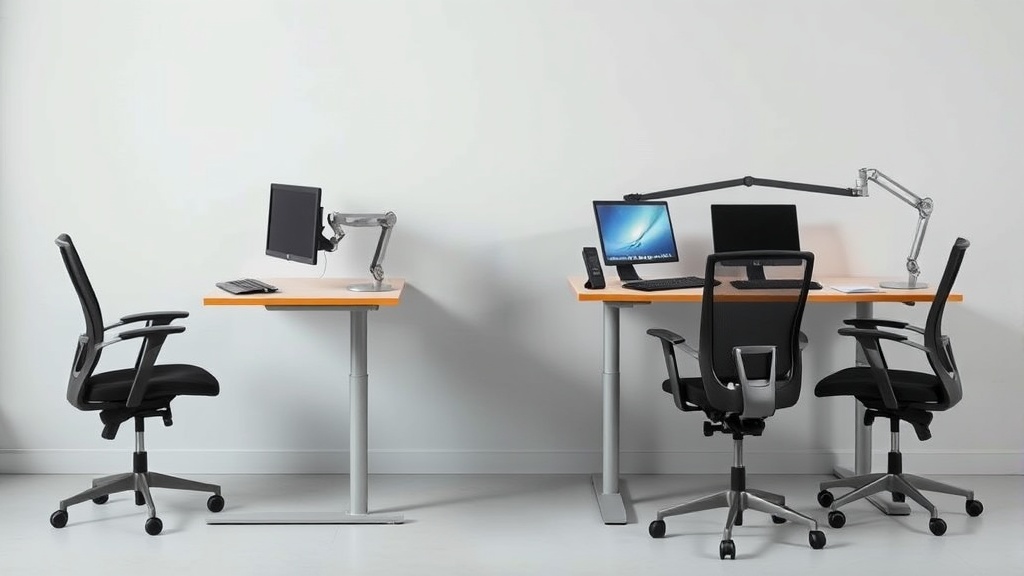
The Importance of Adjustable Desk Height for Home Offices
If you spend long hours working at a desk in your home office, you may be dealing with discomfort, aching muscles, or poor posture without fully realizing that an adjustable desk height could be the key to improving your daily experience. A desk that is too high or too low can cause strain in your back, shoulders, and neck, along with reduced productivity and focus. Unlike traditional fixed desks, adjustable desks allow you to tailor the height specifically to your body and work style, improving ergonomics and comfort over the long haul.
What Is an Adjustable Desk Height?
An adjustable desk height refers to the ability to change the working surface’s height to suit different users or postures. Modern adjustable desks usually come with electric motors or manual mechanisms that raise or lower the tabletop. This feature enables switching between sitting and standing positions or simply adjusting the desk height to fit your chair and armrest height for better ergonomic alignment.
How Adjustable Desk Height Works for Ergonomics
The value of an adjustable height desk is anchored in ergonomic principles—ensuring your workstation fits your body’s natural alignment rather than forcing your body into awkward postures. Here are the critical ergonomic factors impacted by adjustable desk height:
- Elbow Angle: Your elbows should be bent about 90 to 110 degrees when typing or using a mouse. If the desk is too low, you will need to slouch or hunch your shoulders. If it’s too high, you’ll raise your shoulders, causing strain.
- Wrist and Forearm Alignment: Forearms should be parallel to the floor, and wrists should remain straight while typing or using a mouse. This reduces the risk of repetitive strain injuries like carpal tunnel syndrome.
- Eye Level: Your computer monitor should be at or slightly below eye level. While desk height adjustment doesn’t control monitor height, having the desk at an appropriate height prevents compensatory postures like craning your neck.
- Pressure Distribution: When sitting, chair seat depth and lumbar support become relevant, but the desk height ensures that your arms have proper support and your shoulders aren’t elevated, which affects muscle tension and blood flow.
- Standing Variation: Being able to stand intermittently with the desk raised activates different muscle groups, reduces sitting fatigue, and improves circulation.
When to Use an Adjustable Desk Height in Your Home Office
Having an adjustable desk height is particularly important if:
- You spend 6 to 8+ hours working at your desk daily.
- Multiple people use the same workstation.
- You experience neck, shoulder, or wrist discomfort by the end of your workday.
- You want to alternate between sitting and standing to reduce sitting-related health risks.
- Your chair and armrest have adjustable features and you want to harmonize your entire setup ergonomically.
The goal is to achieve a workstation “fit” that involves not only the desk but complementary adjustments in your chair and monitor setup, facilitating neutral joint angles and reducing pressure points.
Measured Fit: Why Desk Height Alone Isn’t Enough
Adjustable desk height works best when you also consider these other adjustable elements:
- Seat Depth: The chair seat should support your thighs without pressure behind your knees. If the desk is too high and your seat is fixed, you might end up with dangling feet or a tilted pelvis.
- Lumbar Adjustability Range: Lumbar support needs to match the curvature of your lower back to prevent slouching, especially when seated.
- Armrest 4D Travel: Armrests that adjust in height, width, depth, and angle allow your arms to rest comfortably at desk height without reaching or shrugging shoulders. This complements desk height adjustments by maintaining proper shoulder and neck alignment.
Adjust the desk height first, then sync it with these chair features for a comprehensive ergonomic setup.
Pressure Mapping and Why It Matters
Pressure mapping technology measures how body weight distributes across a surface (e.g., chair seat or armrests). Uneven pressure from a fixed desk height or mismatched chair can lead to discomfort hotspots and circulation issues over an eight-hour workday.
For example, if your desk is too high, your forearms may press unevenly against armrests or tabletop edges, which amplifies pressure in localized areas, causing numbness or soreness. Pressure mapping insights reinforce the importance of adjustable desk height combined with matched ergonomic chairs and accessories to minimize concentrated pressure points.
Adjustable Desk Height vs Fixed Desk Height
| Aspect | Adjustable Desk Height | Fixed Desk Height | Practical Impact |
|---|---|---|---|
| Ergonomic Fit | Tailors to user, reduces strain | One-size-fits-none, may cause discomfort | Adjustable desks support healthier posture |
| Multiple Users | Easily shared and adjusted | Not user-friendly for shared spaces | Adjustable desks save money long-term by adapting |
| Sit-Stand Transition | Facilitates sit-stand work styles | Sitting only, contributes to sedentary behavior | Adjustable desks promote movement and reduce fatigue |
| Initial Cost | Higher investment | Generally lower upfront cost | Worth considering total health benefits over time |
| Workspace Flexibility | Adapt for different tasks or postures | Fixed height limits functional versatility | Adjustable desks are more future-proof |
Common Pitfalls When Using Adjustable Desks
- Ignoring Measured Fit: Simply adjusting desk height by guesswork often doesn’t solve ergonomic problems. Use tools like a goniometer, tape measure, or apps to measure seat depth, elbow angle, and armrest positions.
- Ignoring Chair and Monitor Placement: Without adequate chair adjustability or monitor height, an adjustable desk is less effective.
- Failing to Change Positions: Some users keep the desk at a fixed height or avoid standing portions altogether, missing out on movement benefits.
- Overlooking Pressure Points: Poor armrest shaping or hard desk edges can still cause discomfort regardless of desk height adjustment.
- Neglecting Fatigue: Adjusting height doesn’t eliminate the need for breaks; prolonged fixed posture, even with the right height, can cause stress.
How to Set Up Your Adjustable Desk Height for 8-Hour Days
Follow these steps for an optimal, comfortable workstation set up:
- Start Sitting: Adjust your chair seat depth so you have 1-2 inches clearance behind your knees, and lumbar support matches your lower back curve.
- Adjust Desk Height: With your chair height fixed, raise or lower the desk so your elbows form about a 90-degree angle when your hands are on the keyboard and mouse. Forearms should be parallel to the floor.
- Align Armrests: Adjust armrest height, width, depth, and angle so your arms rest lightly without shrugging. Your wrists should remain straight.
- Set Monitor Height: Position your monitor so that the top third of the screen is at eye level, preventing neck strain.
- Transition to Standing: Slowly raise the desk 5-6 inches above sitting height for standing, then adjust your anti-fatigue mat or footwear if needed, keeping the same ergonomic principles for elbows and wrists.
- Listen to Your Body: Move every 30-60 minutes, alternating sitting and standing, and keep posture neutral.
- Use Pressure-Mapping Insights if Possible: If you have access, analyze pressure points on your seating and armrest surfaces and tweak accordingly.
See also: Tips for Maintaining Good Posture While Working from Home
Frequently Asked Questions
Q: Can an adjustable desk height really prevent back pain?
A: Yes. By allowing you to maintain neutral joint angles and avoid awkward postures, adjustable desks reduce strain on your spine and muscles, which can significantly lower back pain risks with proper use.
Q: How often should I change between sitting and standing?
A: Aim to alternate every 30 to 60 minutes. Standing too long can cause fatigue similarly to sitting, so balance is key for optimal comfort.
Q: Do I need an ergonomic chair if I have an adjustable desk?
A: Absolutely. An adjustable desk works best in conjunction with an ergonomic chair featuring adjustable seat depth, lumbar support, and 4D armrests to create a balanced and comfortable workstation setup.
