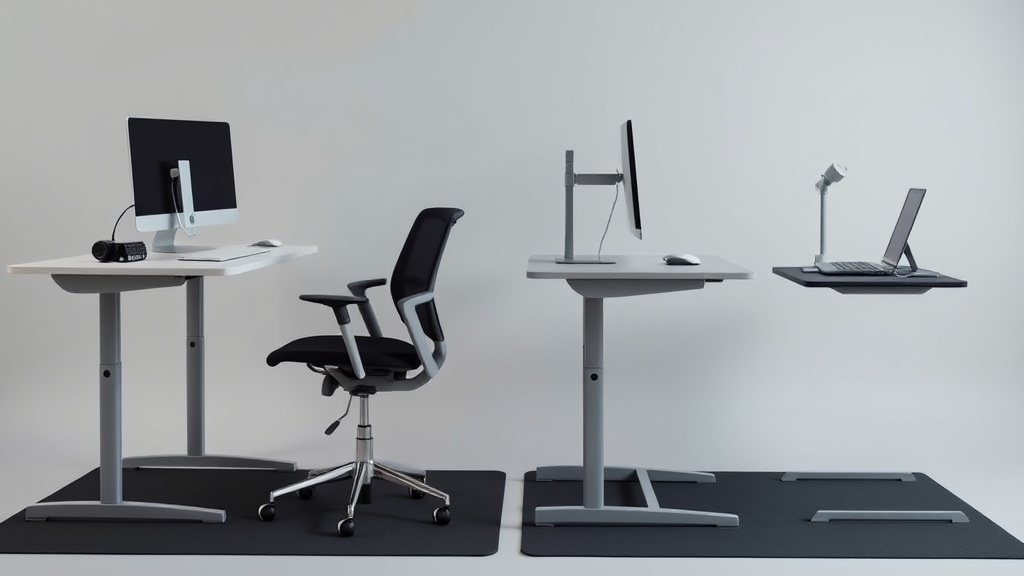
Standing at your desk for hours can lead to discomfort, foot fatigue, and lower back pain, even if you invest in a high-quality standing desk. The hard floor beneath you often exacerbates pressure points in your feet and legs, making it challenging to maintain proper posture throughout the workday. This is where standing desk mats come into play—they can improve comfort, reduce fatigue, and support healthier standing habits.
What Are Standing Desk Mats?
Standing desk mats are specialized floor mats designed to cushion your feet and legs while you stand at your desk. Unlike traditional floor mats, these incorporate materials and ergonomics tailored to long hours of standing. They vary in thickness, material, and design, but the best ones help improve blood circulation, reduce joint stress, and encourage subtle movements that prevent stiffness.
See also: Tips for Maintaining Good Posture While Working from Home
How Standing Desk Mats Work to Improve Comfort and Reduce Fatigue
When standing on a hard surface like hardwood or tile, pressure accumulates at your heels, arches, and balls of your feet. This pressure leads to discomfort, muscle fatigue, and eventually pain in your feet, legs, and lower back.
Standing desk mats work in several ways:
- Pressure distribution: The cushioned mat spreads your body weight more evenly across your feet, preventing high pressure points.
- Shock absorption: Soft but firm materials absorb shock, reducing the impact transmitted up the legs to joints.
- Encouraging micro-movements: Many mats have a slightly unstable or textured surface encouraging small foot and leg movements, which promote blood flow and reduce muscle fatigue.
- Anti-fatigue properties: By reducing strain on muscles and joints, mats make standing for hours more sustainable.
Key Features to Consider When Choosing a Standing Desk Mat
Thickness & Material
Thickness typically ranges from ½ inch to 1 ½ inches. Thicker mats provide more cushioning but may feel unstable or cause tripping hazards if too thick. EVA foam, polyurethane, gel-infused foams, and rubber are common materials.
- EVA foam: Lightweight, affordable, but may compress over time.
- Polyurethane: Durable with good cushioning and firmness balance.
- Gel-infused foam: Combines softness with cooling properties.
- Rubber: Durable and stable but heavier and less cushioning.
Surface Texture
A textured surface can improve grip and promote micro-movements, but if too aggressive, it might feel uncomfortable or cause foot fatigue. Some mats have slight contours or bumps designed to stimulate foot muscles.
Size & Shape
Choose a mat large enough to allow comfortable foot placement and movement—typically at least 20” wide by 32” long. Shapes vary; rectangular, oval, or with beveled edges to prevent trips.
Durability
Since standing desk mats will see daily use, durability matters. Materials that resist wear, compressing, and tearing are preferable. Some manufacturers provide warranties or highlight lifespan ratings.
Ease of Cleaning
Mats can accumulate dust, sweat, and dirt. Water-resistant or wipeable surfaces are easier to keep clean. Some foam mats can absorb moisture, leading to odors or deterioration.
When to Use a Standing Desk Mat
If you stand at your desk more than 1–2 hours per day, a mat is recommended to reduce fatigue and discomfort. Even if you alternate between sitting and standing, a mat eases the transition periods.
Using a mat is particularly beneficial for:
- People with foot, knee, or lower back pain who want to stand more comfortably.
- Workers on hard surfaces (tile, concrete, hardwood) where unforgiving floors cause discomfort.
- Office environments that encourage sit-stand desks as part of workplace ergonomics.
- Anyone experiencing tired or heavy legs at the end of the day standing.
How to Choose the Right Mat for Your Workflow: A Comparison Table
| Feature | Thin Foam Mats (½” thick) | Thick Cushioned Mats (1” - 1½”) | Gel or Memory Foam Mats | Rubber Mats |
|---|---|---|---|---|
| Comfort Level | Moderate, less cushion | High, plush feel | Very high, soft yet supportive | Firm cushioning |
| Stability | High; less ‘sinking’ | Moderate; can feel unstable | Moderate | High |
| Durability | Moderate; compress over time | Moderate to high | Moderate | Very high |
| Maintenance | Easy to clean; wipe surface | Might absorb sweat; needs airing | Usually wipeable; may trap heat | Easy to clean; water-resistant |
| Pressure Distribution | Basic; can fatigue after hours | Excellent; reduces pressure points | Excellent; contours well | Good; firmer feel |
| Encourages Micro-Movements | Limited | Moderate | Moderate | Low |
| Best for | Casual users, occasional standing | Users standing 4+ hours daily | Those needing extra cushioning | Durable use in heavy traffic |
| Drawbacks | Less cushion for longer sessions | Might be too soft; trip hazard | Can retain heat | Less cushioning, heavier |
Common Pitfalls When Using Standing Desk Mats
- Choosing a mat that’s too thin: It might not provide enough relief for lower body joints if standing for long durations.
- Going too thick without testing stability: A thick mat can cause balance issues or trip hazards.
- Ignoring individual foot shape and arch support: Flat mats may not fit those with specific issues like high arches or plantar fasciitis.
- Not paying attention to mat size: Too small mats restrict natural foot movement; too large may not fit your workstation.
- Failing to alternate sitting and standing: Mats reduce discomfort but won’t eliminate fatigue from standing too long.
- Neglecting mat maintenance: Sweat and dust buildup can cause odors or reduce mat lifespan.
Tips for Getting the Most Out of Your Standing Desk Mat
- Match mat type to standing duration: If you stand only 1–2 hours, a thinner foam mat may suffice. For 4+ hours, invest in thicker or gel-infused mats.
- Try before you buy: If possible, test different mat types to find the right balance of cushioning and stability.
- Use anti-fatigue mats strategically: Position anti-fatigue mats exactly where you place your feet when working to maximize benefits.
- Alternate postures: Combine mat use with regular sitting breaks and desk height adjustments.
- Wear supportive footwear: Standing desk mats complement but cannot replace good ergonomic shoes.
- Ensure your workstation is set up correctly: Desk height should allow elbows to rest at about 90°, shoulders relaxed, and weight distributed evenly.
Summary
Standing desk mats are an essential ergonomic accessory for anyone aiming to reduce discomfort and fatigue while standing at their desk. The right mat cushions the feet, improves circulation, and encourages subtle movements that counteract the strain of prolonged standing. Consider thickness, material, size, and durability relative to your usage patterns and workspace. By choosing thoughtfully and maintaining your mat, you can enhance comfort and sustain productive standing workdays.
Frequently Asked Questions
Q: How thick should my standing desk mat be for all-day standing?
A: For all-day standing or 4+ hours daily, mats between 1” and 1½” thick are usually recommended, as they provide better cushioning and pressure relief.
Q: Can a standing desk mat help with plantar fasciitis?
A: Yes, a cushioned mat that evenly distributes pressure can relieve foot pain caused by plantar fasciitis, but pairing mats with good arch-support shoes is important.
Q: How often should I replace my standing desk mat?
A: Depending on material and usage, replace mats every 2-4 years or if you notice compression, cracking, or loss of cushioning that reduces comfort.
