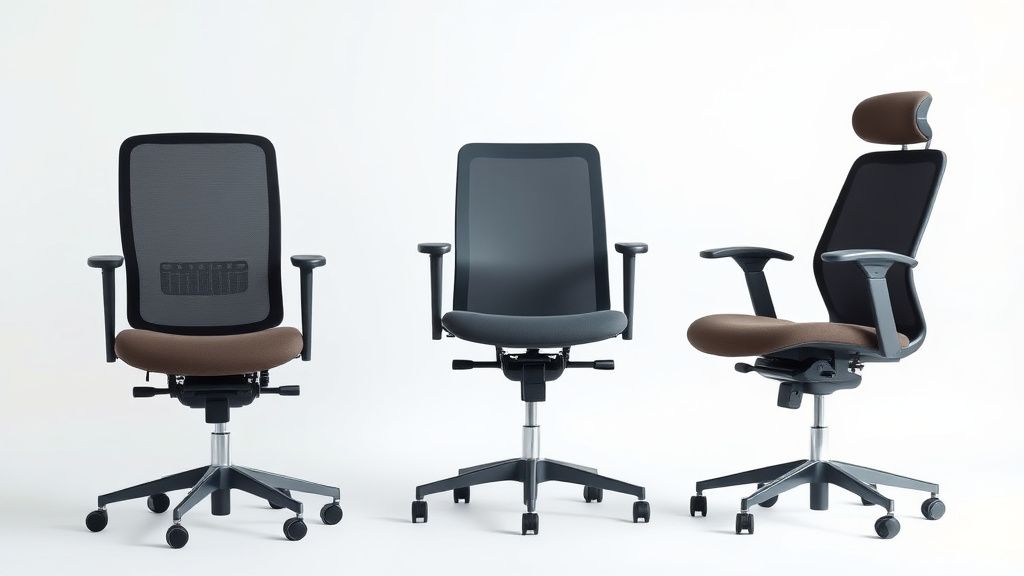
Sitting Smarter: A Beginner’s Guide to Ergonomic Seating Posture
Poor posture while sitting can lead to back pain, neck strain, and even long-term musculoskeletal issues. Whether you work at a desk, game for hours, or simply want to sit more comfortably, adopting an ergonomic seating posture is essential. This guide will walk you through the fundamentals of ergonomic sitting, the key features of supportive chairs, and what to look for when choosing the right seating solution.
Why Ergonomics Matter
Ergonomics is the science of designing workspaces and tools to fit the human body’s natural movements. Sitting with proper alignment reduces stress on muscles, joints, and ligaments, preventing fatigue and discomfort. Poor posture, on the other hand, can cause:
- Chronic back and neck pain from slouching or hunching forward.
- Reduced circulation due to pressure on blood vessels.
- Increased risk of repetitive strain injuries from awkward positioning.
An ergonomic chair helps maintain a neutral posture—where the spine retains its natural curves—while providing support where needed.
The Basics of Proper Sitting Posture
Follow these guidelines to sit correctly in any chair:
- Feet Flat on the Floor – Your feet should rest comfortably on the ground (or a footrest if needed), with knees bent at a 90-degree angle.
- Hips Back in the Seat – Sit all the way back in the chair to utilize lumbar support.
- Neutral Spine Alignment – Avoid slouching or over-arching your lower back. Your ears, shoulders, and hips should align vertically.
- Relaxed Shoulders – Keep shoulders down and back, not hunched toward your ears.
- Elbows at Desk Height – Adjust armrests so your elbows rest comfortably at a 90-degree angle when typing.
Even the best posture won’t eliminate discomfort if your chair doesn’t support it.
Key Features of an Ergonomic Chair
Not all office chairs are created equal. Look for these essential features in an ergonomic chair:
Adjustable Seat Height
A chair with pneumatic height adjustment allows you to set the seat so your feet rest flat on the floor. The ideal height keeps thighs parallel to the ground.
Lumbar Support
Proper lower back support maintains the spine’s natural curve. Some chairs offer adjustable lumbar pads or built-in contoured backrests.
Seat Depth and Width
The seat should be deep enough to support your thighs without pressing into the back of your knees. A seat that’s too shallow can cause pressure points.
Armrest Adjustability
Adjustable armrests help keep shoulders relaxed and elbows at a comfortable typing angle. Look for models with height, width, and pivot adjustments.
Breathable, Supportive Material
Mesh backs promote airflow, reducing heat buildup, while high-density foam cushions provide long-term comfort.
Recline and Tilt Mechanisms
A chair with a recline function allows slight backward movement, reducing pressure on the spine. A synchronous tilt mechanism keeps the seat and backrest aligned as you lean back.
Types of Ergonomic Chairs
Different seating needs call for different chair designs. Here are the most common types:
Task Chairs
Designed for office work, these chairs offer adjustability for prolonged sitting. They often include lumbar support, adjustable armrests, and breathable materials.
Kneeling Chairs
These chairs tilt the pelvis forward, encouraging a straighter spine. They reduce lower back pressure but may not be ideal for all-day use.
Saddle Chairs
Popular in healthcare and lab settings, saddle chairs promote an open hip angle, which can improve posture for those who lean forward frequently.
Gaming Chairs
Built for long sessions, gaming chairs often feature high backrests, neck pillows, and deep recline options. However, not all provide adequate lumbar support, so check ergonomic features carefully.
Balancing (Active Sitting) Chairs
Stools with a rounded base or wobble mechanisms engage core muscles, promoting movement while sitting. These are great for short-term use but may not suit an 8-hour workday.
What to Look for in an Ergonomic Chair
When shopping for an ergonomic chair, prioritize these factors:
- Adjustability – The more customizable (seat height, armrests, lumbar support), the better it can fit your body.
- Material Quality – Look for durable upholstery (mesh, leather, or high-density foam) that won’t sag over time.
- Weight Capacity – Ensure the chair supports your weight comfortably.
- Warranty – A longer warranty often indicates better build quality.
- User Reviews – Check feedback from people with similar body types or work habits.
Final Tips for Better Sitting Habits
Even the best ergonomic chair won’t help if you don’t move. Follow these additional tips:
- Take Breaks – Stand up and stretch every 30-60 minutes.
- Alternate Seating – Use a standing desk or balance stool for part of the day.
- Strengthen Core Muscles – A stronger core supports better posture naturally.
By combining an ergonomic chair with mindful sitting habits, you can reduce discomfort and improve long-term well-being. Invest in a chair that fits your body and work style—your back will thank you.
