
Monitor Arm Compatibility with Ultra-Wide and Curved Displays

By Nate Frost · Senior Editor
Published May 12, 2026 · Last reviewed May 12, 2026
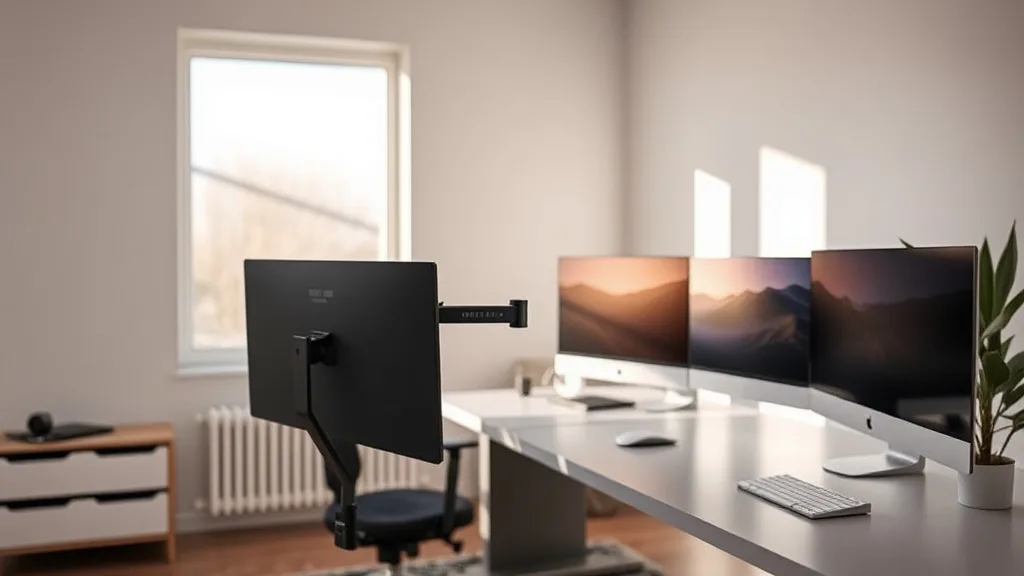
Monitor Arm Compatibility with Ultra-Wide and Curved Displays
If you’ve switched from a standard monitor to an ultra-wide or curved display, you’ve likely run into the challenge of finding a monitor arm that supports your larger, heavier screen while still allowing ergonomic adjustability. Many monitor arms are designed with traditional flat, 16:9 aspect ratio monitors in mind and may not offer the necessary range of motion, weight capacity, or mounting compatibility to accommodate ultra-wide and curved displays comfortably for long hours at your desk. This article demystifies the compatibility issues and provides practical advice on choosing the right arm to make your setup ergonomic and non-restrictive.
See also: Top Monitor Arms for Heavy Monitors: Stability and Flexibility
What Are Ultra-Wide and Curved Displays?
Before diving into arm compatibility, it’s important to understand what sets ultra-wide and curved monitors apart from standard displays.
- Ultra-Wide Displays: These monitors typically have an aspect ratio of 21:9 or wider, offering more horizontal screen space that fits well for multitasking, video editing, and immersive workflows. Sizes often range from 34 to 49 inches diagonally.
- Curved Displays: These have a subtle or pronounced curvature, measured by a radius (e.g., 1800R). The curve aims to reduce eye strain and provide more uniform viewing angles across the wider screen.
Both types tend to be larger and heavier than their flat, 16:9 counterparts.
Why Monitor Arm Compatibility Matters
If you plan to use a monitor arm with your ultra-wide or curved screen, compatibility is not just about whether the arm can hold the weight or mount to the VESA pattern. It’s also about whether the arm supports ergonomic positioning for long hours of desk work. This includes seat depth considerations, viewing distance adjustments, tilt and swivel range, and, importantly for curved screens, the ability to adjust the viewing angle to reduce distortion and eye strain.
How Monitor Arms Work
Monitor arms usually attach to the back of a display via VESA mounting holes standardized at 75x75 mm or 100x100 mm spacing, but ultra-wide and curved displays might require larger mounts or unique brackets.
Typical arm features:
- Weight capacity: The arm must support the monitor’s weight safely.
- Reach and height adjustability: To position the screen at eye level and proper distance.
- Tilt, swivel, and rotation: For angle adjustments that match your line of sight.
- Stability: Arms must hold heavier and wider monitors steady without sagging.
Key Compatibility Factors for Ultra-Wide and Curved Displays
1. Weight Capacity
Ultra-wide and curved monitors often weigh between 15 to 30 pounds or more. The monitor arm you pick must clearly state a weight range that includes your monitor. Exceeding this can cause sagging or even damage.
2. VESA Mount Compatibility
Most ultra-wide and curved monitors support standard VESA mounts, but the placement of these mounts on ultra-wide displays can be further to the edges or off-center due to larger back panels or speaker arrangements. Check:
- Mounting hole size (usually 75x75 or 100x100 mm).
- Mounting location (centered or offset) and compatibility with arm design.
If your monitor doesn’t have VESA holes, you will need a VESA adapter specific to your model.
3. Range of Motion and Ergonomics
Ergonomic adjustments are critical, especially for ultra-wide and curved displays viewed for 8+ hours daily.
- Seat depth / viewing distance: Ultra-wide monitors sometimes require more desk space or a specialized arm with extended reach.
- Tilt adjustability: Curved monitors need angle tuning to reduce glare and distortion across the curve.
- Swivel: You should be able to angle the monitor left and right comfortably without shifting your whole body.
- Rotation: Most ultra-wide monitors are landscape only, but curved screens sometimes offer portrait modes; check if rotation is supported.
4. Arm Stability & Build Quality
Larger screens exert more leverage on an arm’s pivots and joints. Less robust arms may sag or drift from position over time. Material quality (steel/aluminum), gas springs vs. tension springs, and firm locking mechanisms are all considerations.
Comparison Table: Monitor Arm Features for Ultra-Wide and Curved Displays
| Feature | Basic Monitor Arms | Enhanced Arms for Ultra-Wide / Curved | Best for |
|---|---|---|---|
| Weight Capacity | Up to 15 lbs (7 kg) | 20-35 lbs (9-16 kg) | Larger/Heavier ultra-wide and curved monitors |
| VESA Compatibility | 75x75 or 100x100 mm standard | Standard plus extended or adjustable mounting brackets | Monitors with offset VESA mounts |
| Reach / Extension | Limited (10-20 inches) | Extended arms (up to 30 inches reach) | Desks requiring extra depth for ultra-wide |
| Tilt Range | ~+/-15° | Wider tilt range (+/-30° or more) | Adjusting curved monitor angles comfortably |
| Swivel Range | ~+/-60° | ~+/-90° or more | Multi-angle viewing |
| Rotation (Landscape/Portrait) | Commonly supported | Sometimes limited due to screen size or curve | Users switching orientations |
| Stability & Locking | Basic tilt tension, some sagging | Gas springs, firm locking, heavy-duty construction | Long-term durability with heavy displays |
| Price Range | $30–$80 | $100–$200+ | Budget vs premium heavy-duty arms |
When to Use a Monitor Arm with Ultra-Wide or Curved Displays
If your display setup involves frequent adjustment, multiple users, or long hours of desk work, a monitor arm is highly recommended to prevent neck strain, improve posture, and create flexible workstation layouts. However, the arm must fit your specific display’s dimensions and weight.
You should consider a specialized arm if any of the following apply:
- Your ultra-wide or curved display exceeds 25 lbs / 11kg.
- The monitor’s VESA mounting hole isn’t centered.
- You want a wide range of tilt and swivel to accommodate the monitor curve.
- Your desk depth is limited, and you need significant forward/backward reach.
- Stability over hours is critical—heavy, sag-resistant arms improve long-term comfort.
Common Pitfalls and How to Avoid Them
1. Ignoring Weight Specifications
Using a monitor arm with a lower weight capacity than the display can cause sagging, damage to mount points, or worse a sudden drop. Always check your monitor weight with cables and accessories and compare with arm specs.
2. Overlooking VESA Mount Type and Position
Some ultra-wide monitors have non-standard or offset VESA mounts, making it challenging or impossible to attach some arms without adapters or specialized brackets.
3. Insufficient Range of Motion
Many monitor arms listed as “universal” do not provide adequate tilt or swivel to align perfectly with a curved display’s view zones, reducing ergonomic benefits during a full workday.
4. Poor Desk Compatibility
If your desk is narrow or thick, some clamp-style arms may not fit, or arms with limited horizontal extension may not position the wider screen comfortably.
5. Focusing on Price Over Quality
Cheap arms often use insufficient materials or simpler tension springs not meant to hold bigger screens for 8+ hours daily, which leads to sagging and the need for replacement.
Practical Steps to Choose the Right Monitor Arm for an Ultra-Wide or Curved Display
- Measure Your Monitor’s Weight and VESA Mount: Note the exact weight of your display with accessories and check the VESA mount size and placement.
- Measure Your Desk and Workspace: Ensure your desk thickness and clearance support the chosen mount (clamp, grommet, or wall mount).
- Choose Arms with Adequate Weight Capacity: Select a model rated comfortably above your monitor’s weight.
- Verify the Arm’s Reach and Articulation: Look for arms with long horizontal reach, wide tilt and swivel ranges.
- Check Reviews for Stability: User feedback on sagging and build quality under heavy loads is critical.
- Consider Additional Features: Cable management, easy installation, and smooth adjustment matter for daily use.
- Test Ergonomics Before Finalizing: If possible, try adjusting the arm to your preferred height and distance or confirm return policies if buying online.
Frequently Asked Questions
Q: Can I use a standard monitor arm with an ultra-wide monitor?
A: Sometimes, but only if the arm supports the monitor’s weight and the VESA mount is compatible. Many standard arms lack the reach and tilt range needed for comfortable ultra-wide use.
Q: What if my curved monitor doesn’t have a VESA mount?
A: You can usually purchase a third-party VESA adapter designed for your specific monitor model, but double-check compatibility and weight limits before buying.
Q: How important is arm adjustability for long hours at the desk?
A: Very important. Proper tilt, swivel, and height adjustments reduce strain on your neck, eyes, and shoulders over an 8-hour or longer workday, especially with ultra-wide and curved screens.