
Mechanical vs Membrane Keyboards for Office Efficiency

By Nate Frost · Senior Editor
Published May 12, 2026 · Last reviewed May 12, 2026
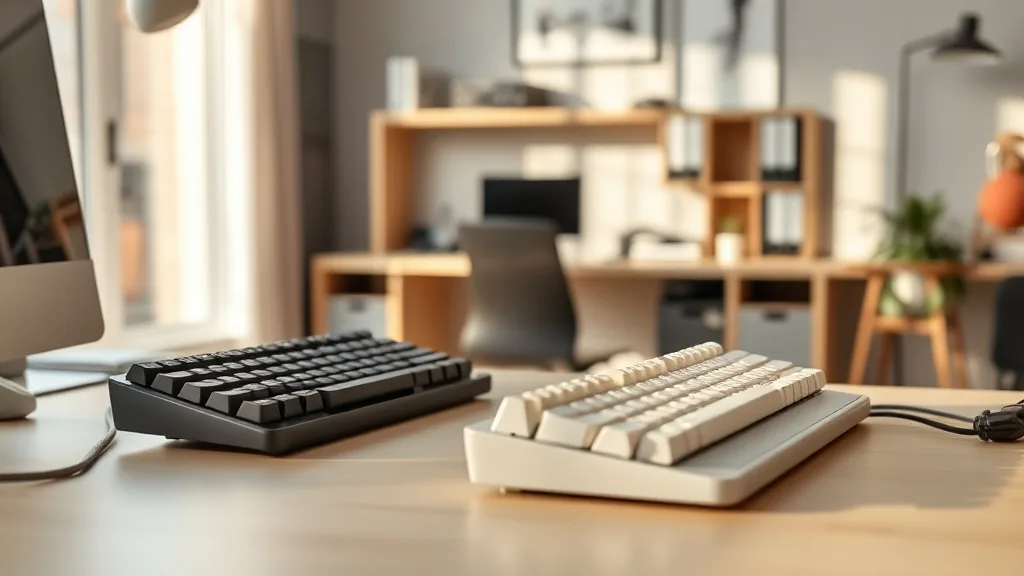
Mechanical vs Membrane Keyboards for Office Efficiency
If you spend eight or more hours a day typing at your desk, the keyboard you choose can have a surprising impact on your productivity, comfort, and even long-term health. The debate between mechanical and membrane keyboards isn’t just about tactile feel or noise — it’s about which technology supports sustained efficiency without causing fatigue or strain. This article breaks down how each keyboard type works, which suits different office needs, and what ergonomic factors to consider for all-day typing.
What Are Mechanical and Membrane Keyboards?
Mechanical keyboards use individual mechanical switches beneath each key. Each switch contains a movable stem, spring, and other components designed to provide a distinct tactile response and audible or silent feedback depending on the switch type.
Membrane keyboards, on the other hand, use a pressure pad system where keys press down on a flexible membrane layer that completes an electrical circuit. This design results in quieter typing but less tactile precision compared to mechanical switches.
See also: 30. Low profile mechanical vs rubber dome: the wrist data
How Each Keyboard Type Works and Feels in Office Use
| Feature | Mechanical Keyboard | Membrane Keyboard |
|---|---|---|
| Key Actuation | Physical switch actuates with distinct feedback | Membrane pressure completes circuit, softer feel |
| Tactile Feedback | Highly tactile or linear switches available | Generally softer, mushier keystrokes |
| Noise Level | Can be loud (clicky variants) or quiet (silenced) | Usually quiet and subdued |
| Durability | Rated for 50+ million keystrokes | Lower lifespan, typically 5-10 million keystrokes |
| Customization | Highly customizable keycaps and switches | Limited customization options |
| Ergonomics | Better feedback may reduce finger fatigue; heavier | Lighter, but may increase fatigue due to mushier keys |
| Typing Speed/Accuracy | Potentially higher due to tactile feedback | Slower or less precise for some typists |
| Maintenance | Easier to clean and repair individual keys | Difficult to clean under the membrane |
| Price Range | Moderate to high, depending on build quality | Generally low cost |
Mechanical Keyboard Mechanics
Each keypress needs to overcome a spring force, resulting in a satisfying click or bump that gives physical confirmation you’ve actuated the key. This can help prevent accidental presses and improve typing speed once accustomed.
The varied switch types (clicky, tactile, and linear) allow users to pick the feedback and noise level that suits their environment. For example, tactile but silent switches could balance feedback without disturbing colleagues.
Membrane Keyboard Mechanics
Membrane keyboards rely on depressing a soft, malleable membrane layer that connects circuits beneath the keys. The key travel tends to be mushier, and feedback is softer or nearly absent. This can make them quieter but also lead to “bottoming out” — the finger feeling like it hits a flat surface repeatedly.
This softer response may initially feel less fatiguing but can cause subtle strain over hours as fingers exert more effort for each keypress to be recognized.
When to Use Each Keyboard Type for Office Efficiency
Choose a Mechanical Keyboard If:
- You type intensively for several hours daily and seek responsive, consistent feedback that can reduce finger fatigue.
- You want the flexibility to swap out keycaps or switches to suit your ergonomic needs or typing preferences.
- You value durability and long-term investment — quality mechanical boards can last a decade or more under heavy use.
- Noise is manageable or you can choose quiet switch variants or use O-rings/dampeners.
Choose a Membrane Keyboard If:
- Your office environment requires a very quiet keyboard and you can’t afford any clicky noise.
- You mostly perform light typing duties or use keyboards intermittently rather than for prolonged stretches, so fine tactile feedback is less important.
- Budget constraints prioritize cost over long-term durability or specialized typing needs.
- You prefer a lighter keyboard that is easy to transport or swap out.
Measuring Fit and Comfort Beyond Switch Type
Regardless of mechanical or membrane, ergonomic fit is critical:
- Key spacing and layout: Ensure the keyboard spacing matches your natural hand posture to minimize wrist deviation.
- Key travel depth: Typical key travel for mechanical switches ranges from about 3.5-4mm, often deeper than membrane keys. Some users prefer shallower travel to reduce finger fatigue and improve speed.
- Adjustability: A keyboard with adjustable tilt and palm support further aids sustained comfort.
- Pressure mapping: While less common in consumer keyboards, some ergonomic tools assess finger pressure during typing to find keys that require less force or trigger fatigue.
Mechanical keyboards offer a natural advantage for users who benefit from greater feedback and actuation precision, but only if the keyboard is well matched in size, key travel, and wrist support. Membrane boards may feel less precise but bring quiet simplicity and low cost.
Common Pitfalls in Choosing for Office Efficiency
- Over-focusing on noise or feel without ergonomic fit: Even the best mechanical keyboard won’t prevent discomfort if the keyboard height or angle causes wrist strain.
- Ignoring the typing load and duration: A keyboard that feels good for a 30-minute email session may be fatiguing after 8 hours straight.
- Assuming all mechanical keyboards are loud or all membrane are soft: Switch and model choice matters enormously within each category.
- Neglecting maintenance: Mechanical keyboards can last long but require occasional cleaning; membrane keyboards are often less repairable and can become unresponsive with dirt buildup.
- Not considering software features: Some mechanical keyboards come with on-board programming and key remapping that can boost productivity but add complexity.
Summary Comparison for Office Use
| Factor | Mechanical Keyboard | Membrane Keyboard |
|---|---|---|
| Typing Feel | Crisp, tactile, customizable switches | Soft, less distinct feedback |
| Long-term Comfort | Potentially better with proper fit | Risk of finger fatigue with long use |
| Noise | Depends on switch type; can be loud | Typically quiet |
| Durability | High, lasts many years | Lower, may need replacing sooner |
| Maintenance | Easier to clean and repair | Harder to maintain |
| Price | Moderate to premium | Low cost |
| Ideal Usage Scenario | Heavy daily typists, programmers | Casual users, shared office spaces |
Mechanical keyboards offer the tactile precision and durability preferred by many heavy keyboard users, while membrane models provide quiet, affordable options for lighter or noise-sensitive environments. Whichever you choose, prioritize fit, adjustability, and realistic expectations for all-day use rather than marketing claims.
Frequently Asked Questions
Q: Are mechanical keyboards noisier than membrane keyboards?
A: They can be, especially with clicky switch types. However, many mechanical keyboards use quieter tactile or linear switches and can be further silenced with dampeners.
Q: Will a mechanical keyboard reduce finger fatigue compared to a membrane one?
A: Many users find mechanical switches with good tactile feedback reduce the effort per keystroke, lowering fatigue over long periods. However, fit and ergonomics are just as important.
Q: Are mechanical keyboards more expensive and harder to maintain?
A: Generally yes, mechanical keyboards have a higher upfront cost but last longer and allow individual key maintenance. Membrane keyboards are cheaper but often need full replacement sooner.