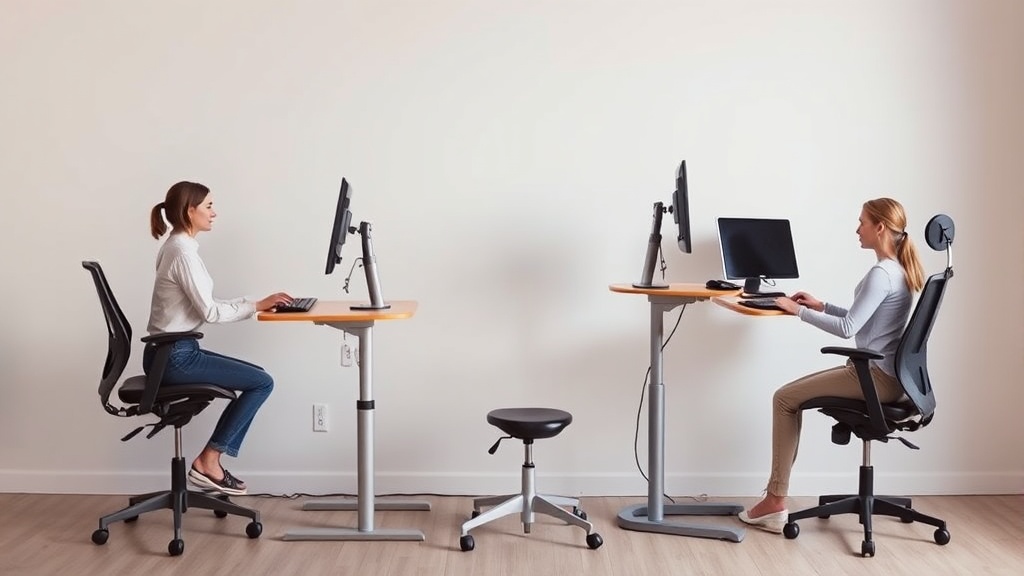
Improving Posture with Ergonomic Home Office Furniture
If you’re spending eight or more hours a day working at a home desk, you might be struggling with back pain, neck strain, or fatigue. These symptoms often stem from poor posture caused by improperly designed or poorly adjusted furniture. The right ergonomic home office setup isn’t just about comfort — it protects your musculoskeletal health, improves focus, and reduces the risk of chronic issues. However, marketing copy often oversells features that don’t translate to better posture over a full workday. This article unpacks the essentials of ergonomic furniture with a focus on what really improves posture during prolonged sitting, including seat depth, lumbar support range, and armrest adjustability.
See also: Chairwise Chairs with Lumbar Support for Improved Posture
What Is Ergonomic Furniture?
Ergonomic furniture is designed to fit the user’s body, accommodate natural movement, and support healthy posture. Unlike standard office chairs or desks that emphasize style or basic adjustability, ergonomic pieces aim to reduce physical strain by closely matching the furniture’s physical dimensions and mechanics to the human body’s needs — especially during extended periods of sitting.
Key ergonomic elements in chairs, for example, include adjustable seat depth, lumbar support that can be raised, lowered, or contoured to match the natural spine curve, and armrests that move in multiple directions (often called 4D armrests: height, width, depth, and pivot). Desks with adjustable height allow sitting and standing postures to alternate, which also helps posture.
How Ergonomic Furniture Works to Improve Posture
1. Proper Seat Depth
Seat depth refers to the distance from the back of the seat to its front edge. If the seat is too deep, it can force you to sit away from the backrest, losing lumbar support and encouraging slouching. If too shallow, it compresses behind the knees causing circulation issues.
Ideal seat depth: About 15 to 18 inches for most adults, but more importantly, it should allow you to sit with your back fully against the chair’s backrest while leaving roughly 1.5 to 3 inches between the seat edge and the back of your knees.
2. Adjustable Lumbar Support
Your lower back has a natural inward S-curve. Lumbar support in your chair should be adjustable not only in height but also in depth to match this curve. This support maintains the natural spinal alignment to prevent slouching and muscle fatigue.
A lumbar support that is too high or low can cause discomfort, and one without adequate adjustment often ends up not supporting your specific body shape. Chairs advertising ‘lumbar support’ are common, but the effectiveness depends heavily on the adjustment range and the firmness of the support.
3. 4D Armrests
Armrests contribute significantly to shoulder and neck posture. Fixed armrests or those with limited movement can promote tension in the shoulders if they don’t align well with your desk and your body.
4D armrests adjust in:
- Height (up/down to align with desk or elbow height)
- Depth (forward/backward to support forearms correctly)
- Width (inward/outward to accommodate different shoulder widths)
- Pivot/angle (to allow hands to rest naturally during typing or mouse use)
This range of motion helps reduce strain by supporting your arms in a relaxed position while preventing awkward shoulder rotations or elevations.
When to Use Ergonomic Furniture
- Extended sitting: Home office workers who spend 6+ hours per day sitting will benefit markedly.
- Existing discomfort: If you experience neck pain, lower back aches, or shoulder stiffness regularly, ergonomic furniture can alleviate symptoms.
- Preventative care: Even if you currently feel fine, long-term sitting without adequate support leads to posture degradation and musculoskeletal risks.
- Work-from-home demands: Many workers have shifted to home offices without ergonomic setups, increasing the incidence of work-related posture problems.
Common Pitfalls in Choosing Ergonomic Furniture
1. Relying on Marketing Labels
Claims like “ergonomic design” or “lumbar support” often lack specifics. A chair with ‘lumbar support’ might only have a fixed, small bulge that doesn’t align with your spine. Always check adjustment ranges and try to test or pressure-map the chair if possible (pressure-mapping shows how weight distributes, highlighting pressure points that indicate poor support).
2. Overvaluing Price or Style
Expensive or stylish chairs aren’t inherently ergonomic. It’s better to prioritize fit over brand or color. Features like a wide adjustability range and overall comfort will deliver more benefits to your posture over the long term.
3. Ignoring the Complete Setup
Even the best chair can’t compensate for a desk set too high or too low, or a monitor positioned incorrectly. Ergonomics is a system involving correct seat height, lumbar support, armrest placement, along with desk and monitor arrangement.
Ergonomic Chair Feature Comparison
| Feature | Basic Office Chair | Mid-Level Ergonomic Chair | High-End Ergonomic Chair |
|---|---|---|---|
| Seat Depth Adjustability | Fixed, often too deep or shallow | Some adjustability (usually 2-3 inches range) | Full depth adjustment (3-5 inches range) |
| Lumbar Support | None or fixed small cushion | Adjustable height or depth with moderate range | 4-direction adjustable lumbar support with firmer contouring |
| Armrest Adjustability | Fixed or 1-2 directions | 3D adjust (height, width, depth) | 4D armrests including pivot and rotation |
| Pressure Mapping Availability | None | Sometimes recommended by vendor | Often tested and documented by third parties |
| Recommended Use Duration | Short term or occasional use | 4-6 hours daily | 8+ hours daily, all-day support |
| Price Range | Low | Mid-range | Premium |
How to Set Up Your Ergonomic Home Office Chair for Posture
- Adjust Seat Height: Your feet should rest flat on the floor with knees at about a 90-degree angle. Use a footrest if needed. Proper height prevents pressure under thighs.
- Set Seat Depth: Slide the seat forward or backward so you can sit fully against the backrest, but maintain a small gap (about 2 inches) behind your knees.
- Position Lumbar Support: Adjust height and depth so that support presses gently into the inward curve of your lower back.
- Adjust Armrests: Move armrests so your elbows rest comfortably at about a 90-degree angle. Make sure shoulders relax and there is no hunching or shrugging.
- Monitor & Desk Setup: Ensure your monitor is at or just below eye level, and your desk height matches your armrest height to avoid leaning or wrist strain.
Summary
Good posture during long hours at a home office desk comes down to furniture that truly fits your body dimensions and allows for a dynamic sitting experience. Pay particular attention to seat depth, lumbar adjustability, and the full range of armrest motion. Don’t fall for vague ergonomic claims: test or research specific adjustment capacities and consider pressure-mapping feedback if available. Combined with a properly aligned desk and monitor, ergonomic furniture is an investment in your musculoskeletal health and day-to-day comfort.
Frequently Asked Questions
Q: Is an ergonomic chair necessary if I use a standing desk?
A: Yes. Even with a standing desk, you will sit sometimes. Having a well-fitted chair for breaks or alternate work is important to avoid poor posture during seated periods.
Q: How often should I adjust my ergonomic chair throughout the day?
A: You should fine-tune your chair setup whenever you feel discomfort or after changing your desk height or monitor setup. Small adjustments during the day encourage movement and reduce sustained pressure.
Q: Can I retrofit a non-ergonomic chair to improve posture?
A: To some extent—lumbar cushions, seat pads, and adjustable armrests can help. However, for full support over 8+ hour workdays, investing in a truly ergonomic chair with sufficient adjustments is recommended.
