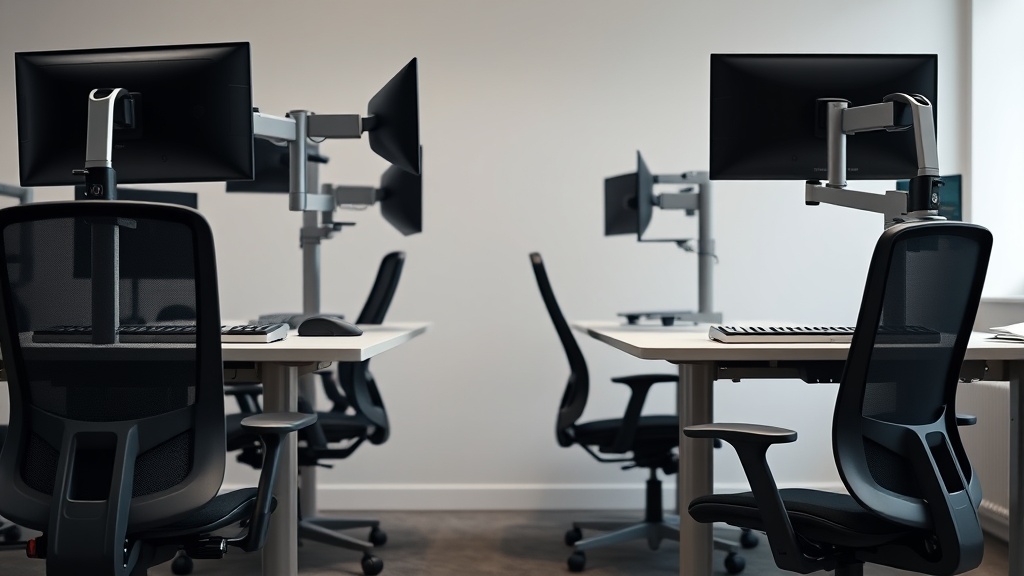
Impact of Workspace Lighting Color Temperature on Productivity
If you spend long hours at your desk, you’ve likely noticed how different lighting environments affect your focus and energy. Many desk workers overlook how the color temperature of their workspace lighting — measured in Kelvins (K) — can subtly, but significantly impact productivity, comfort, and even well-being during an 8-hour workday. This article breaks down what color temperature is, how it affects your brain and work quality, when to choose warmer versus cooler lighting, and common pitfalls to avoid. Measuring fit, pressure points, and realism in day-long comfort isn’t just for chairs — lighting plays a similar foundational role in your work experience.
What is Color Temperature?
Color temperature refers to the hue of a light source, expressed in degrees Kelvin (K). Lower values indicate warmer, more yellowish light; higher values mean cooler, bluish-white light. For example:
- Warm white: ~2700K to 3000K (similar to traditional incandescent bulbs)
- Neutral white: ~3500K to 4100K
- Cool white/daylight: ~5000K to 6500K (mimics natural daylight)
The color temperature you choose impacts how your eyes and brain interpret the environment, influencing alertness, mood, and focus.
See also: How Lighting Color Temperature Affects Home Office Productivity
How Workspace Lighting Color Temperature Affects Productivity
Biological and Psychological Impacts
The human circadian rhythm synchronizes with natural daylight — bright, cooler, bluer light cues alertness and activity, while warmer, dimmer light supports relaxation and winding down. Lighting in the workplace affects cognitive performance through:
- Alertness and reaction time: Cooler temperatures (5000–6500K) stimulate the brain’s alertness centers, making you less prone to fatigue and mental lapses.
- Mood and comfort: While cool white light increases alertness, excessive exposure or harsh lighting can cause discomfort. Warmer lighting tends to feel cozy and reduces eye strain, but may reduce immediate vigilance.
- Visual clarity: Higher color temperatures improve perceived contrast and can aid tasks requiring detail and accuracy.
Interaction with Workspace Ergonomics
While an ergonomic chair’s fit—seat depth, lumbar adjustability, and armrest flexibility—directly affects physical comfort, lighting “ergonomics” influence cognitive and ocular comfort. For example, a desk setup optimized to reduce posture-related fatigue can still falter if lighting causes glare or eye strain. Pressure-mapping in chair design is not unlike monitoring eye strain patterns under various lighting: both data-driven approaches identify hidden discomfort.
When to Use Different Color Temperatures
Different tasks and times of day call for color temperature adjustments to optimize performance and comfort.
| Scenario | Recommended Color Temperature | Why It Works | Potential Downsides |
|---|---|---|---|
| Morning focused work | 5000K - 6500K | Mimics daylight, boosts alertness | May feel harsh or clinical |
| Afternoon routine tasks | 4000K - 5000K | Balanced white light for comfort + focus | Slightly less stimulating |
| Late day/early evening work | 2700K - 3500K | Warmer tones signal wind-down phase, reducing stress | May decrease immediate focus |
| Creative or brainstorming sessions | Adjustable between 3500K - 5000K | Balanced warm and cool light fosters creativity without strain | Needs dimming or controls to adjust |
| Customer-facing or collaboration spaces | 3500K - 4100K | Neutral white looks natural and inviting | Might feel less energizing for intense focus tasks |
Adjustable color temperature lamps or smart lighting systems allow workers to tune the environment to their schedule and needs, optimizing both productivity and long-term comfort over an 8-hour day.
Common Pitfalls of Workspace Lighting Related to Color Temperature
- One-size-fits-all lighting: Many offices or home setups rely on fixed lighting at a single color temperature. Without an appropriate range, workers may suffer from increased fatigue or discomfort.
- Ignoring glare and brightness: The best color temperature is moot if lighting intensity or placement causes eye strain. Position lights to reduce reflections on screens and avoid overly bright point sources.
- Mismatch with screen displays: Most computer displays have their own color temperature settings. Extreme mismatch between display and room lighting can cause visual discomfort.
- Neglecting personal preference and sensitivity: Some people are more sensitive to cooler lighting and may experience headaches or irritability.
- Not adapting to time of day: Using bright blue-rich light late in the day can interfere with circadian rhythms and sleep quality.
Practical Tips for Selecting and Adjusting Workspace Lighting
- Measure Your Lighting Needs: Use a lux meter or smartphone app to check your desk’s current illuminance level. 300–500 lux is ideal for general office work.
- Choose Adjustable Lighting: Invest in lighting with variable color temperature controls — from 2700K (warm) to 6500K (cool). This gives flexibility for different tasks and times.
- Aim for Even Lighting: No harsh shadows or direct glare. Consider diffusers or indirect lighting panels.
- Match Screen Settings: Adjust your monitor’s color temperature or use ‘night mode’ features to minimize mismatch with room light.
- Listen to Your Body: If you feel eye strain, headaches, or fatigue, tweak color temperature before blaming productivity tools or furniture.
- Combine with Ergonomic Comfort: Adjust your chair and desk posture alongside lighting for the best all-day comfort.
Workspace Lighting Color Temperature Comparison Table
| Feature | Warm White (2700–3500K) | Neutral White (3500–4100K) | Cool White/Daylight (5000–6500K) |
|---|---|---|---|
| Visual Warmth | Cozy, yellowish | Balanced, natural | Bluish, stark |
| Alertness Impact | Low to moderate | Moderate | High |
| Eye Strain Risk | Low, but may reduce focus | Balanced | Higher if too intense |
| Best Use Case | Evening, relaxing tasks | General office work, collaboration | Early day, focused detailed work |
| Mood Influence | Soothing, calming | Neutral, practical | Stimulating, energizing |
| Compatibility with Screen | May require screen color adjustment | Good match with most screens | Can clash without screen calibration |
| Effect on Circadian Rhythms | Supports wind-down | Neutral effect | Resets circadian clock towards alertness |
Frequently Asked Questions
Q: Can workspace lighting color temperature really make a noticeable difference over an 8-hour workday?
A: Yes. Lighting that is too warm or too cool without adjustment can cause fatigue, decreased focus, or eye strain over long periods. Variable color temperature lighting helps maintain alertness and comfort.
Q: Should I use the same lighting color all day?
A: Ideally, no. Cooler light is better for mornings and focused tasks, while warmer light is more suited to late afternoons and winding down, respecting your circadian rhythm.
Q: How do I know if my lighting is causing discomfort?
A: Signs include frequent eye strain, headaches, difficulty focusing, and tiredness. Experiment with different color temperatures and brightness levels to find what feels best.
By paying attention to workspace lighting color temperature alongside ergonomics like chair fit and desk setup, desk workers can create healthier, more productive work environments that support all-day comfort and performance.
Related reading
- How Lighting Color Temperature Affects Home Office Productivity
- How Proper Lighting Influences Cognitive Performance at Work
- Daylight-Mimicking Desk Lamps to Improve Mood and Alertness
- Optimal Lighting Solutions to Enhance Workspace Productivity
- Impact of Natural Lighting on Workplace Wellness and Output
