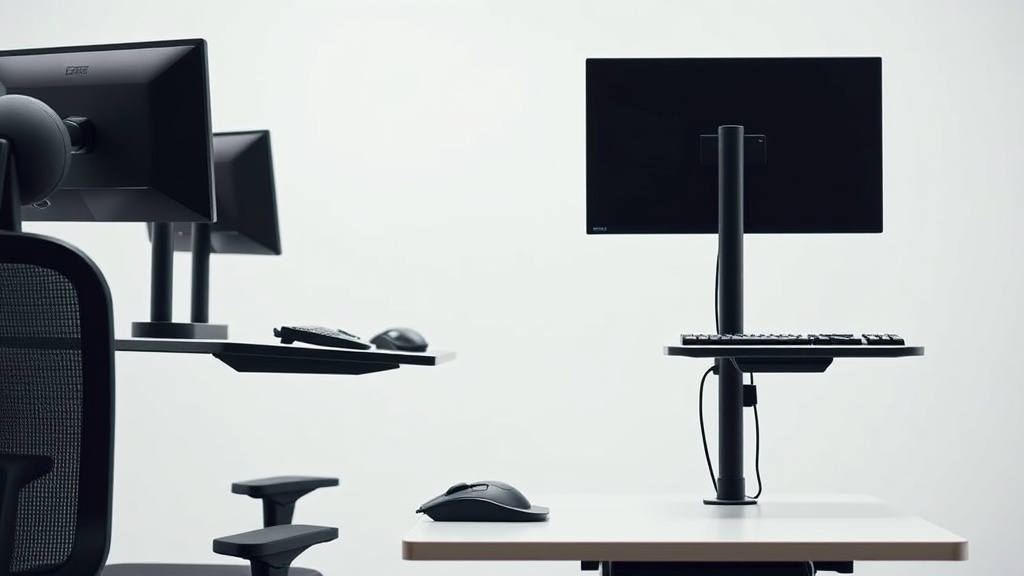
Choosing the right keyboard tray is more than just picking an accessory—it’s about preventing wrist strain, reducing shoulder tension, and supporting proper posture during long hours of typing. For desk workers spending 8+ hours a day at their computer, the difference between a poorly matched tray and a well-fitted ergonomic keyboard tray can be the difference between chronic discomfort and sustained productivity. The trick lies in knowing how to evaluate features like adjustability, fit, and stability, rather than relying on marketing promises.
What Is a Keyboard Tray and Why Does It Matter for Ergonomic Typing?
A keyboard tray is an accessory mounted under or attached to a desk that supports your keyboard and often your mouse, allowing you to position your typing surface at an optimal height and angle. Unlike a keyboard placed directly on the desk, trays enable finer adjustment to better fit your body mechanics.
Why care? Because standard desks are built with general dimensions in mind—often too high or awkward to maintain the “neutral wrist position” that reduces strain and promotes comfort over long typing sessions. A keyboard tray can help:
- Lower the keyboard to a height where your elbows are at roughly a 90-degree angle
- Tilt the keyboard to reduce wrist extension or flexion
- Allow closer positioning to your body to minimize reaching and shoulder strain
However, a keyboard tray isn’t a magic fix unless it fits your body well and integrates seamlessly with your workspace setup.
See also: Choosing the Best Ergonomic Keyboard for Typing Comfort
How Keyboard Trays Work: Key Ergonomic Features to Consider
1. Height Range and Adjustability
The primary ergonomic benefit comes from adjusting keyboard height. A good tray should offer a substantial range of height adjustment, typically spanning 6 to 12 inches below your desk surface, allowing you to set your forearms parallel to the floor.
However, height adjustability alone is not enough. Being able to lock the tray securely at your preferred height, so it doesn’t wobble during typing, is equally important.
2. Tilt and Negative Tilt Capability
Tilt adjustment allows you to angle your typing surface either upward or, ideally, downward (negative tilt). Negative tilt reduces wrist extension, which can contribute to repetitive strain injuries.
3D tilt mechanisms or multi-position stops offer more flexibility compared to fixed-angle trays.
3. Tray Size and Seat Depth (Fit)
The size of the tray affects how comfortably you can position both keyboard and mouse. Look for trays wide and deep enough to support your full keyboard and at least one hand on the mouse with some room to spare for natural arm movement.
This is important because if the tray is too shallow, your wrists may hang off the edge, increasing pressure on the wrist and forearm.
4. Mouse Platform Considerations
Separate or integrated mouse platforms both have pros and cons:
- Integrated platforms save desk space but might force awkward positioning if too narrow
- Adjustable or sliding platforms allow you to position the mouse exactly where you want for comfort
5. Mounting Type and Compatibility
Keyboard trays mount in various ways:
- Undermounts attach under your desktop; usually stable but require a thick enough desk
- Clamp-mounted trays don’t require drilling and are portable but may feel less solid
- Wall-mounted or articulated arms offer more extreme position versatility but need more space
Measure your desk thickness and clearance carefully before choosing.
Step-by-Step: How to Select the Best Keyboard Tray for Ergonomic Typing
Step 1: Measure Your Anthropometrics and Workspace
- Elbow height sitting: Sit with your arms relaxed and bent at approximately 90 degrees, then measure from floor to your elbow.
- Desk height: Measure from the floor to your desk surface.
- Leg clearance: How much vertical space do you have under your desk for a tray and your thighs?
- Available desk thickness and mounting space: Check possible clamp or bolt thickness compatibility.
These measurements inform the adjustability range your tray needs.
Step 2: Assess Essential Adjustability Features
- Confirm the tray’s height adjustment range covers the difference between your elbow height and desk height.
- Look for tilt options, especially negative tilt capability.
- Check if the tray locks securely at the desired height and angle to prevent wobbling.
Step 3: Consider Tray Dimensions and Mouse Placement
- Ensure the tray is wide and deep enough to fit your keyboard plus mouse comfortably.
- If you use a numeric keypad or oversized keyboard, verify they fit with enough forward-back clearance.
- Decide if you want an attached or detachable mouse platform, preferably adjustable.
Step 4: Select the Mounting Type Compatible with Your Desk
- For permanent setups and thick desks, undermount trays are usually most stable.
- For rental spaces or frequent moves, clamp-mounted trays offer flexibility.
- If you need maximum adjustability in 3D space, consider articulated arms.
Step 5: Review Stability and Build Quality
- Read reviews or test trays for any flex or wobble during typing.
- Metal or sturdy composite frames outperform cheap plastic bases.
- Pay attention to bearings or sliders—should be smooth but firm.
Step 6: Avoid Marketing Hype; Prioritize Real-World Comfort
- Many products claim ergonomic benefits but don’t provide practical adjustability or comfort for 8+ hours daily use.
- If possible, test a tray in person, or buy from sellers with a good return policy.
- Look for features proven by ergonomic research: proper seat depth analogy (tray size), adjustable tilt, and secure locking.
Comparison Table: Keyboard Tray Features for Ergonomic Fit
| Feature | Minimal Model | Mid-Range Model | Premium Model | When to Choose |
|---|---|---|---|---|
| Height Adjustment | 3-6 inches | 6-9 inches | 8-12 inches | Limited vs extended clearance |
| Tilt Options | Fixed or slight tilt only | Forward and backward tilt | Forward, backward, and side tilt | Negative tilt needed for wrists |
| Tray Size (W x D) | ~20” x 10” | ~24” x 12” | 26” x 14” | Small keyboards vs full setups |
| Mouse Platform | Fixed, small platform | Sliding or detachable platform | Large adjustable/multiple platforms | Frequent mouse users |
| Mounting Type | Clamp mount only | Clamp + undermount options | Undermount + articulating arm | Portability vs stability needs |
| Build Quality | Basic plastic frame | Metal frame with plastic parts | All-metal frame & bearings | Durability and long-term use |
| Price Range | Low ($30–$50) | Medium ($60–$120) | High ($130+) | Budget vs heavy daily use |
Common Pitfalls When Choosing or Using Keyboard Trays
-
Overlooking seat depth analogy: Trays too shallow make wrist and forearm contact uncomfortable, similar to chair seats that lack proper depth leading to pressure points.
-
Ignoring armrest adjustability on chairs: No matter how good the tray, if your chair armrests don’t adjust for height or width to complement, you’ll have to reach or adopt poor postures.
-
Assuming one-size-fits-all: Marketing often targets average users. Your height, arm length, and desk setup may need personalized choices.
-
Neglecting pressure mapping insights: Some ergonomic assessments use pressure mapping on wrists and forearms to judge comfort. If possible, test trays that allow you to maintain low-pressure contact zones rather than hard edges.
-
Compromising stability for adjustability: A highly adjustable tray that wobbles under typing force defeats ergonomic benefits.
Frequently Asked Questions
Q: Can I use a keyboard tray if I have a sit-stand desk?
A: Yes, but it’s important the tray moves synchronously with the desk or can be easily detached and repositioned to maintain ergonomic angles at both sitting and standing heights.
Q: How do I know if the tray tilt angle is correct?
A: Aim for a slight negative tilt where your wrists can stay straight, not bent upwards. About -5 to -15 degrees is recommended by many ergonomists.
Q: Is it better to have a separate mouse tray?
A: A separate or adjustable mouse tray generally allows better positioning to reduce shoulder reaching and wrist deviation, especially if your mouse hand differs in height or width from your keyboard hand.
Selecting a keyboard tray is a blend of understanding your body dimensions, your workspace constraints, and looking beyond flashy marketing to real adjustability and fit. By prioritizing measured fit, sufficient adjustability, and stable build, you can find a keyboard tray that makes your 8+ hours typing sessions comfortable and sustainable.
