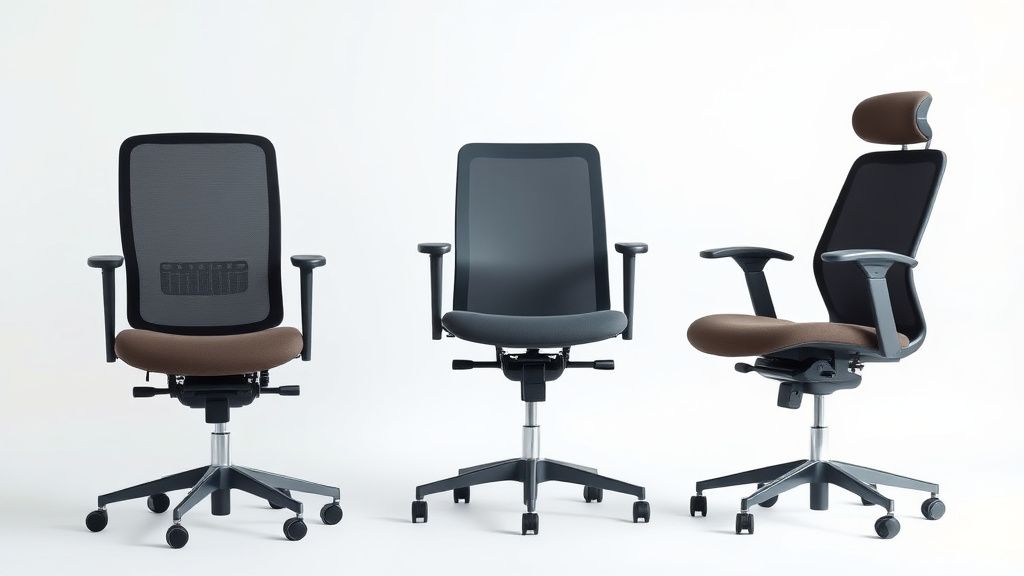
How to Properly Adjust Your Ergonomic Office Chair for Maximum Comfort
A well-adjusted ergonomic office chair can make a significant difference in your comfort, posture, and productivity. Whether you work from home or in an office, improper chair settings can lead to back pain, neck strain, and fatigue. This guide will walk you through the key adjustments needed to optimize your chair for maximum support and comfort.
1. Adjust the Seat Height
The first and most crucial adjustment is setting the correct seat height. Your feet should rest flat on the floor, with your knees bent at a 90-degree angle. If your feet dangle or your knees are higher than your hips, the chair is too high. Conversely, if your knees are lower than your hips, the seat is too low.
How to adjust:
- Most ergonomic chairs have a lever under the seat (either pneumatic or manual).
- Raise or lower the seat until your thighs are parallel to the floor.
- If your feet don’t reach the ground, use a footrest for support.
2. Set the Seat Depth
Seat depth (the distance from the front of the seat to the backrest) affects pressure on your thighs and lower back. If the seat is too deep, it can cut off circulation behind your knees. If it’s too shallow, you won’t get proper back support.
How to adjust:
- Many ergonomic chairs have a seat slider or adjustable seat pan.
- Sit all the way back in the chair—there should be about 2-3 fingers’ width between the seat edge and the back of your knees.
3. Adjust the Backrest Height and Lumbar Support
Proper backrest positioning supports your spine’s natural curve, reducing strain on your lower back. Some chairs offer adjustable lumbar support, while others have a fixed curve.
How to adjust:
- If your chair has a height-adjustable backrest, position it so the lumbar pad fits snugly into the curve of your lower back.
- For chairs with built-in lumbar support, ensure it aligns with your spine’s natural inward curve.
- Recline the backrest slightly (between 100-110 degrees) to reduce disc pressure.
4. Tilt and Tension Controls
Many ergonomic chairs feature tilt mechanisms that allow you to recline or lock the backrest in place. Tension adjustment controls how much force is needed to recline.
How to adjust:
- Set the tilt tension so you can recline with minimal effort but still feel supported.
- If your chair has a locking mechanism, use it to fix the backrest at your preferred angle.
- Avoid excessive reclining (beyond 120 degrees) to prevent slouching.
5. Armrest Positioning
Armrests should support your arms without forcing your shoulders to hunch. If they’re too high or too low, they can cause shoulder or wrist strain.
How to adjust:
- Adjust armrest height so your elbows rest at a 90-degree angle when typing.
- If possible, set the armrests slightly wider than your torso to avoid squeezing your shoulders.
- Some chairs allow armrests to pivot inward or outward—align them with your natural arm position.
6. Headrest Adjustment (If Applicable)
Not all ergonomic chairs have a headrest, but if yours does, it should support your neck without pushing your head forward.
How to adjust:
- Position the headrest so it lightly touches the back of your head when sitting upright.
- Avoid setting it too high or too low, which can strain your neck.
7. Test and Fine-Tune
After making adjustments, spend some time sitting in the chair to ensure everything feels comfortable. Minor tweaks may be needed over time as your body adapts.
What to Look for in an Ergonomic Office Chair
When shopping for an ergonomic chair, consider these key features:
- Adjustability: Look for chairs with multiple adjustment points (seat height, depth, lumbar support, armrests, and tilt).
- Lumbar Support: Built-in or adjustable lumbar support is essential for lower back health.
- Material: Breathable mesh or cushioned seats with good padding prevent discomfort during long sitting sessions.
- Swivel & Casters: A 360-degree swivel and smooth-rolling casters improve mobility.
- Weight Capacity: Ensure the chair supports your body weight for durability.
By properly adjusting your ergonomic chair and choosing one with the right features, you can maintain better posture, reduce discomfort, and enhance your overall work experience. Take the time to fine-tune your settings—your body will thank you!
