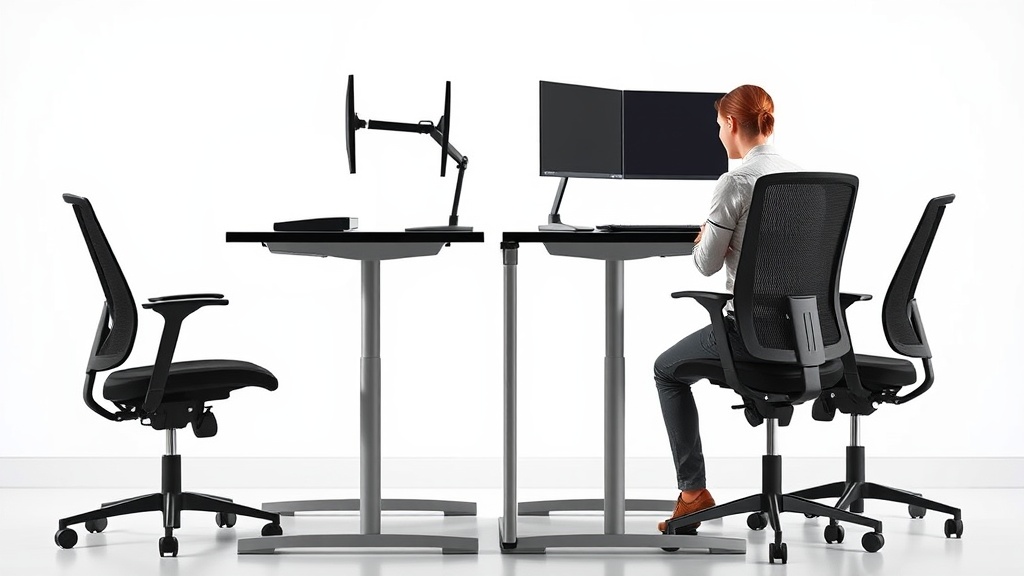
Standing desks have surged in popularity among desk workers searching for ways to stay alert and reduce the mid-afternoon slump. The problem is clear: sitting for prolonged periods often leads to fatigue, poor focus, and discomfort that conventional office chairs and desks don’t fully address. This article breaks down how standing desks can improve concentration and decrease tiredness, explaining the ergonomic details that matter beyond the hype.
What Is a Standing Desk?
A standing desk is a workstation setup designed to allow you to work while standing up, either entirely or intermittently, rather than sitting continuously. This can be a desk with an adjustable height mechanism—manual or electric—that lets you easily switch between sitting and standing positions. For some, it’s a full-height desk that stays standing all day, while others prefer sit-stand desks for flexibility.
Unlike traditional desks paired with ergonomic chairs, standing desks change the static posture paradigm that often contributes to fatigue and poor blood flow.
See also: Impact of Natural Lighting on Workplace Wellness and Output
How Standing Desks Improve Focus and Reduce Fatigue
Standing desks influence the body and mind in several connected ways:
- Enhanced Circulation: Standing encourages better blood flow compared to sitting, reducing pooling of blood in the lower extremities and preventing the sluggish feeling that can impair cognitive function.
- Active Engagement: The very act of standing engages core muscles and small stabilizer muscles in the legs and back, preventing the lethargy that can accompany prolonged sitting.
- Improved Posture: A properly adjusted standing desk promotes an upright posture, especially if your monitor height, keyboard placement, and arm supports are optimized. This alignment contributes to reduced neck and back strain.
- Increased Alertness: Standing raises heart rate slightly above resting levels, which can contribute to heightened alertness and cognitive performance.
- Encourages Movement: Standing desks often motivate users to take micro-movements, weight shifts, and stretch breaks, which cumulatively reduce stiffness and fatigue.
However, the benefits depend on how the desk setup fits your individual ergonomic needs and habits during work hours.
Ergonomics: Fit Matters More Than Standing Alone
Simply standing at a desk is not a magic cure for fatigue or distraction. Key ergonomic features ensure standing delivers on its promise of improved focus:
- Height Adjustability: Your desk height should allow your elbows to be at a 90-degree angle when typing, with wrists straight and forearms parallel to the floor.
- Monitor Position: The top of the screen should be at or slightly below eye level to avoid neck strain.
- Anti-Fatigue Mat: Standing on a cushioned mat reduces pressure on feet, ankles, and knees, improving comfort.
- Foot Rest: Alternating foot placement with a small footrest eases lower back tension.
Comparing Sitting, Standing, and Sit-Stand Desks
Here’s a comparison to understand how these options impact focus, fatigue, and ergonomics during an 8-hour workday:
| Feature / Benefit | Sitting Desk | Standing Desk | Sit-Stand Desk |
|---|---|---|---|
| Posture Flexibility | Limited; prone to slouching | Encourages upright posture | Adjustable for optimal posture |
| Circulation | Reduced circulation from static | Improved circulation | Better circulation via changes |
| Muscle Engagement | Minimal muscle use, passive | Some core and leg muscle activation | Alternates between passive and active |
| Risk of Fatigue / Discomfort | High risk after prolonged periods | Potential leg and foot fatigue if unsupported | Balanced fatigue with movement |
| Recommended for Long Use | Needs frequent breaks | Needs anti-fatigue aids & footrest | Best option when used correctly |
| Impact on Focus | Risk of sleepiness and ‘computer fatigue’ | Potential increased alertness | Balance of alertness and comfort |
How to Use a Standing Desk Effectively
Transitioning to a standing desk is not about standing all day. Here’s how to maximize benefits without fatiguing your body:
- Start Slow: Begin with 15-30 minutes of standing every hour and gradually increase based on comfort.
- Use Adjustable Features: Adjust the desk height to your ergonomic ideal, and consider a 4D adjustable chair or stools for breaks in sitting.
- Incorporate Movement: Shift your weight often, alternate feet on a footrest, and take breaks to walk and stretch regularly.
- Monitor Your Posture: Use pressure-mapping or visual posture checks to ensure your lumbar curve is supported, elbow angles are correct, and wrists are neutral.
- Equip with Supportive Accessories: Use anti-fatigue mats and ergonomic accessories like adjustable armrests with 4D travel (height, pivot, depth, lateral movement) to reduce strain on joints and muscles.
Common Pitfalls When Using Standing Desks
Many users get discouraged when switching to a standing desk because of early discomfort or ineffective setup. Avoid these common mistakes:
- Standing Too Long at Once: Just as sitting all day is harmful, standing all day isn’t advisable. Balance is key.
- Ignoring Desk and Monitor Heights: Without proper height adjustment, standing can lead to hunching, neck strain, or wrist pain.
- Lack of Movement: Standing still for hours can also cause fatigue and circulation problems.
- Poor Footwear: Wearing unsupportive shoes or standing barefoot can result in foot pain and discomfort.
- Skipping Breaks and Stretching: Prolonged static postures in any position cause strain and tiredness.
How Pressure Mapping Can Help Optimize Your Setup
Pressure mapping technology measures how your weight distributes across your seat or standing surface and indicates pressure points that cause discomfort or restrict blood flow. Though more commonly used for seating, standing desk users benefit by evaluating foot pressure distribution on anti-fatigue mats or floor surfaces.
Using pressure mapping data can guide choices in mat thickness, firmness, and footrest use to reduce hotspots that lead to fatigue.
Final Thoughts
Standing desks are not a cure-all, but when integrated thoughtfully into your workspace with proper ergonomic adjustments and movement patterns, they can significantly improve your focus and reduce fatigue during a long workday. The key is measured fit—matching desk height, seat depth when sitting, lumbar adjustability ranges, armrest travel, and movement opportunities—to your unique body dimensions and work style.
Frequently Asked Questions
Q: Can I use a standing desk all day without breaks?
A: No. Prolonged standing without breaks can cause leg fatigue, joint pain, and circulation issues. Alternate between sitting and standing throughout the day.
Q: What ergonomic features matter most for standing desk setups?
A: Adjustable desk height to ensure proper elbow and wrist angles, monitor height at eye level, anti-fatigue mats to cushion feet, and adjustable armrests are critical.
Q: How quickly should I transition to standing desks from sitting?
A: Start gradually, standing 15-30 minutes every hour and increasing as your body adapts. Listen to your body and incorporate movement and stretching regularly.
