
How Proper Lighting Influences Cognitive Performance at Work

By Nate Frost · Senior Editor
Published May 12, 2026 · Last reviewed May 12, 2026
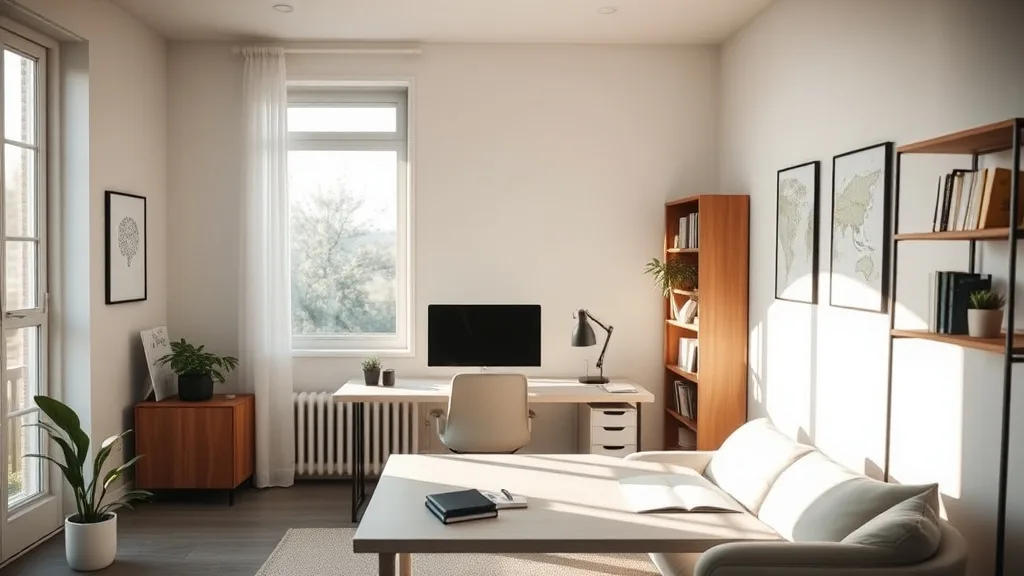
Proper lighting is often overlooked in the quest to optimize workspace ergonomics, yet it has a profound impact on cognitive performance and well-being during long desk hours. If you’re struggling with afternoon slumps, eye strain, or difficulty focusing at your desk, the lighting setup around you might be a key culprit. Understanding how lighting affects your brain function and productivity can help you create a more supportive environment for sustained mental clarity.
What Proper Lighting Is and Why It Matters
Proper lighting in an office context isn’t just about brightness or preventing glare on your screen. It encompasses the quality, intensity, color temperature, and direction of light affecting you throughout your workday. The human brain relies heavily on environmental cues, including light, to regulate circadian rhythms, alertness levels, and cognitive processing.
When lighting is too dim, overly harsh, or imbalanced in color temperature relative to the time of day, it can lead to increased eye fatigue, headaches, reduced attention spans, and impaired memory recall. Conversely, well-designed lighting helps maintain focus, reduce errors, and improve general mood—all crucial for desk workers clocking full eight-hour days or more.
See also: Setting Up Lighting to Reduce Glare on Computer Screens
How Proper Lighting Influences Cognitive Performance
1. Supports Circadian Rhythms and Alertness
Our internal body clock, or circadian rhythm, is highly sensitive to light cues, primarily blue-enriched light found in natural daylight. This type of lighting suppresses melatonin production, the hormone that promotes sleepiness and helps keep the brain alert during work hours. Exposure to cool white or daylight-mimicking light in the morning boosts wakefulness and productivity.
2. Minimizes Eye Strain and Discomfort
Poor lighting conditions can cause your eyes to overwork, resulting in headaches and decreased visual acuity. Proper lighting minimizes glare, reduces shadows, and balances brightness between screen and surroundings. This reduces the effort your eyes make to adjust focus, which helps maintain sustained attention and processing speed.
3. Enhances Mood and Reduces Fatigue
Light with appropriate intensity and warmth can have psychological benefits, including reducing stress and improving mood. Warmer lighting in the late afternoon or evening promotes relaxation, which is essential as you transition out of work mode. A well-lit area decreases the sensation of fatigue making it easier to stay mentally engaged.
4. Improves Task Performance and Accuracy
Cognitive tasks requiring attention to detail (e.g., data entry, editing, coding) benefit from lighting that offers clarity without harshness. Balanced lighting distributes evenly around the workspace and avoids flicker, preventing distraction and improving precision on complex tasks.
When to Use Different Lighting Setups
| Scenario | Recommended Light Intensity (Lux) | Color Temperature (Kelvin) | Notes |
|---|---|---|---|
| Early Morning Work Hours | 400–700 | 5000K–6500K (Cool, Daylight-like) | Boost alertness, mimic morning light |
| Midday Office Environment | 300–500 | 4000K–5000K (Neutral White) | Balance between alertness and comfort |
| Late Afternoon / Early Evening | 200–300 | 2700K–3500K (Warm White) | Promote relaxation, reduce eye strain |
| Task-focused Visual Work | 500–1000+ | 4000K–5500K | Focused illumination without glare |
| Video Calls / Video Conferencing | Moderate, balanced | Neutral White (around 4000K) | Avoid shadows on face, natural look |
How to Optimize Your Desk Lighting for 8+ Hour Days
Step 1: Assess Your Current Lighting Environment
Start by noting the type of natural and artificial light sources you have. Are windows letting in daylight? Is your overhead lighting harsh or dim? Be mindful of reflective surfaces that may cause glare, particularly on screens or glossy desks.
Step 2: Choose Adjustable Lighting with 4D Travel Features
Ergonomics experts emphasize adjustable lighting fixtures, such as desk lamps with multi-axis movement (height, depth, angle, rotation)—akin to 4D travel in ergonomic chairs. This adaptability lets you direct light precisely where you need it and fine-tune intensity to minimize shadows and glare throughout the day.
Step 3: Use Daylight-Mimicking Bulbs or Smart Lighting Systems
When natural light is insufficient, pick bulbs that replicate daylight spectrum (5000K+ Kelvin color temperature) in the morning and switch to warmer tones (2700K-3500K) later to align with your circadian rhythm. Smart lighting with gradual dimming and color shifts can automate this transition, reducing cognitive fatigue.
Step 4: Balance Ambient and Task Lighting
General overhead lights provide ambient illumination but often cause flat and uninspiring workspaces. Supplement these with focused task lighting that illuminates your immediate work area without casting harsh shadows or creating high-contrast zones.
Step 5: Regularly Adjust Your Setup Based on Time of Day and Task
Your lighting needs will change from the start of the workday to the afternoon slump. Actively adjust your light’s angle and brightness as your eyes’ sensitivity and brain alertness fluctuate. This dynamic approach outperforms static lighting setups by reducing strain and sustaining focus.
Common Pitfalls in Desk Lighting for Cognitive Performance
- Overreliance on Single Light Source: Using only one overhead light can cause unbalanced illumination, producing shadows and glare that tire the eyes. Combining ambient and task layers is crucial.
- Ignoring Light Color Temperature: Many workplaces default to neutral white bulbs year-round, but static light temperature disregards biological rhythms and can undermine productivity when misaligned.
- Poor Placement Causing Glare: Desk lights placed behind or above the screen often reflect off monitor surfaces, forcing uncomfortable eye adjustments. Side or front lighting with anti-glare diffusers performs better.
- Neglecting Adjustability: Fixed lighting that cannot be repositioned limits personalized comfort and reduces the ability to respond to nuanced light and shadow changes during different tasks or times of day.
How Lighting Quality Compares to Other Ergonomic Factors
| Factor | Direct Impact on Cognitive Performance | Adjustability | Notes |
|---|---|---|---|
| Lighting (Intensity & Color Temperature) | High | Yes (variable brightness/color) | Key for alertness, eye comfort, mood |
| Seat Depth & Lumbar Adjustability | Medium | High | Supports posture which indirectly impacts focus |
| Armrest 4D Travel (height, depth, width, pivot) | Low | High | Affects comfort but less direct cognitive influence |
| Desk Height & Organization | Medium | Some | Reduces distractions, improves task efficiency |
While ergonomic furniture aids physical comfort and reduces distractions, proper lighting directly influences brain chemistry and visual processing—making it an essential, often neglected pillar in workplace optimization.
Frequently Asked Questions
Q: Can blue light from screens impact cognitive performance?
A: Yes, excessive blue light from screens, especially in the evening, can disrupt circadian rhythms and reduce sleep quality, negatively affecting next-day focus.
Q: How bright should my desk lamp be for optimal productivity?
A: Aim for 500-1000 lux for task lighting during focused work, avoiding harsh glare or flicker that strains the eyes.
Q: Is natural light always better than artificial light at work?
A: Natural light is ideal, especially in the morning, but artificial lighting designed to mimic daylight spectra can effectively support productivity indoors after sunset or in windowless offices.
Optimizing your workspace lighting with attentiveness to intensity, color temperature, and adjustability can transform your daily cognitive experience. When combined with ergonomic furniture considerations, this holistic approach sustains mental agility, reduces fatigue, and supports lasting productivity through your workload.
Top Picks


Sponsored · From our family of brands

Phone Case Gift
Fun finds for every vibe.