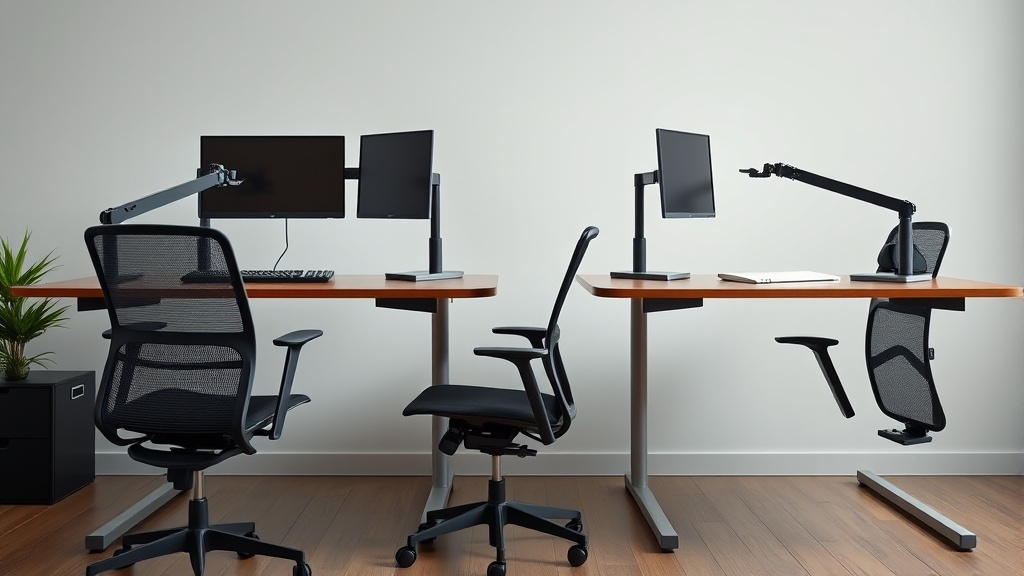
Ergonomic Desk Accessories That Boost Home Office Efficiency
If you’re working from home and find yourself battling discomfort, distractions, or an inefficient workspace, your problem likely isn’t just workload or motivation—it’s your setup. Long hours at a desk designed without ergonomics in mind can lead to neck strain, wrist pain, and general fatigue, undermining productivity and well-being. The right ergonomic desk accessories can transform your home office from a productivity drain into a performance booster.
What Are Ergonomic Desk Accessories?
Ergonomic desk accessories are tools designed to improve comfort, posture, and workflow efficiency during prolonged desk work. Unlike generic office supplies, these accessories consider human anatomy and movement patterns to reduce strain and fatigue. Examples include adjustable monitor stands, wrist rests, under-desk footrests, and document holders.
See also: 29. Logitech MX Master vs MX Vertical: productivity vs pain
How Ergonomic Desk Accessories Improve Efficiency
The main goal of ergonomic accessories is to support healthy posture and minimize repetitive stress while making work tasks easier and more accessible. This support leads to:
- Reduced musculoskeletal discomfort, enabling longer focused work periods
- Smooth workflow transitions, cutting down on wasted time
- Optimized use of desk space, reducing clutter and cognitive distractions
By aligning your body properly and arranging your tools for effortless reach, you feel less exhausted at day’s end and perform tasks more quickly and accurately.
Key Features to Evaluate in Ergonomic Accessories
When selecting ergonomic accessories, prioritize these considerations:
| Feature | Why It Matters | Example Impact |
|---|---|---|
| Adjustability Range | Accommodates different body sizes and postures; critical in seat depth, lumbar support, armrest | A 4D armrest (height, depth, width, pivot) fits a wider user base effectively |
| Material & Padding | Affects comfort during extended use; important in wrist rests and footrests | Memory foam wrist rest reduces pressure points much better than hard plastic |
| Compatibility & Size | Fits your existing desk and equipment | Monitor riser supports your specific screen size without wobbling |
| Ease of Cleaning | Maintains hygiene, especially important in multi-use or pet-friendly homes | Removable, washable covers or smooth surfaces ease maintenance |
| Pressure Mapping Insight | Some accessories leverage pressure mapping data to target high-stress areas | Seat cushions designed with pressure mapping reduce hotspot discomfort over 8+ hours/day use |
When to Use Ergonomic Desk Accessories
In general, any home office user working at least 4 hours per day at a desk benefits from ergonomic accessories. Especially important situations include:
- Experiencing discomfort like neck/shoulder pain, wrist strain, or lower back ache
- Using laptops as main work devices, which promote poor neck and wrist posture
- Small or cluttered desk setups where workflow efficiency suffers
- Multi-device workstations where reaching/switching tools slows productivity
Even if your current setup feels “fine,” often subtle postural misalignments will add up to discomfort over weeks, so preventive ergonomic investments pay off.
Common Pitfalls and How to Avoid Them
- Buying for style over fit. An elegant accessory that doesn’t truly fit your body size or desk height usually creates worse strain. Prioritize measured fit: for example, verify seat depth matches your thigh length, or armrests offer 4D adjustability to suit your elbow height and angle.
- Ignoring sustained use comfort. A wrist rest may feel soft initially but harden after hours. Look for accessories with pressure-relieving materials verified by real-world pressure mapping.
- Over-cluttering or under-integrating. Too many gadgets can distract or limit space, while poorly placed accessories force awkward movements rather than reducing them.
- Relying on marketing claims alone. Many product descriptions boast comfort and “ergonomics” without explaining adjustability ranges or real-user feedback over full workdays.
Recommended Ergonomic Accessories and Their Benefits
| Accessory Type | Key Ergonomic Feature | How It Boosts Efficiency | When It’s Most Useful |
|---|---|---|---|
| Adjustable Monitor Stand | Height and tilt adjustability | Reduces neck strain, aligns screen at eye level | For laptop users, multiple monitors |
| 4D Adjustable Armrests | Height, width, depth, pivot adjustments | Supports forearms, reduces shoulder tension | When using mouse and keyboard extensively |
| Memory Foam Wrist Rests | Pressure-mapped support zones | Minimizes wrist pressure, reduces fatigue | For keyboard and mouse work |
| Under-Desk Footrest | Adjustable height and angle | Supports legs and lower back, improves posture | When feet don’t touch floor comfortably on chair |
| Document Holder | Adjustable tilt and height | Allows easy reference without neck twisting | For data entry, research, referencing documents |
How to Choose the Right Accessories for Your Desk
-
Measure your body and existing desk setup.
- Seat depth: The distance from your back to the back of your knees should match the seat depth of chairs or cushions.
- Lumbar support range: Ideally adjustable to fit the inward curve of your lower back.
- Armrest adjustability: Should allow forearms to rest naturally close to the body without shrugging shoulders.
-
Consider your workflow and dominant tasks.
- Use a keyboard-heavy user’s needs (wrist rest, armrests) differently than a document-heavy user (document holder, monitor riser).
-
Read reviews focusing on sustained-use comfort and adjustability details, not just style.
-
Test when possible, or invest in accessories with trial periods or good return policies.
Conclusion
Optimizing your home office with well-chosen ergonomic desk accessories is less about gadget overload and more about thoughtful adjustments to posture and workflow. Focus on measured fit and pressure-relieving materials validated for day-long use. Don’t trust marketing hype alone—evaluate adjustability, compatibility with your body, and long-term comfort. The right setup can transform 8 hours at your desk from a productivity drain into a sustainable, efficient workday.
Frequently Asked Questions
Q: How often should I adjust my ergonomic accessories during the day?
A: Micro-adjustments every 1-2 hours help maintain comfort as your posture and tasks change. For example, tweaking monitor height or armrest positions can reduce fatigue accumulation.
Q: Can ergonomic accessories prevent repetitive strain injuries?
A: They greatly reduce risk when used correctly by supporting neutral postures and distributing pressure evenly, but should be combined with regular breaks and good overall ergonomics.
Q: Is a single accessory enough to improve my home office setup?
A: Usually, a combination addressing multiple risk factors—such as chair, desk height, and wrist support—is needed for meaningful improvement. Prioritize based on your main discomfort areas and usage patterns.
