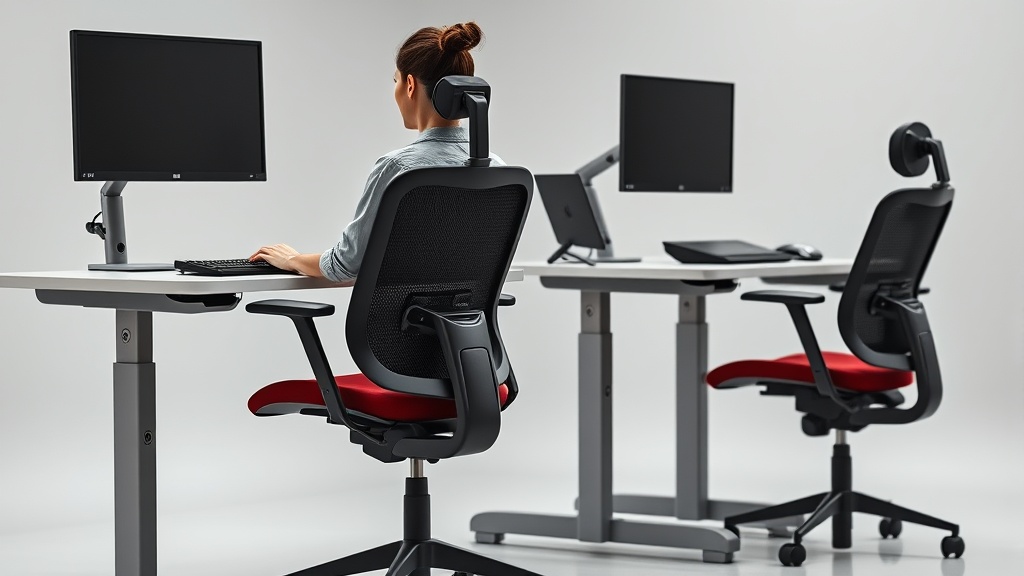
Ergonomic Chair Features to Look for in 2024
If you spend eight or more hours a day at your desk, you know the toll it can take on your body: lower back pain, stiff shoulders, and uncomfortable legs. Many office chairs promise to solve these problems, but marketing buzzwords and sleek designs don’t always translate into real-world comfort for a full workday. The key to lasting comfort and health lies in ergonomic features that genuinely fit your body, support your posture, and adapt to your work habits. This guide breaks down the essential ergonomic chair features to look for in 2024, focusing on measurable fit, adjustability, and pressure management—not just shiny specs or flashy claims.
What Makes an Ergonomic Chair Truly Ergonomic?
“Ergonomic” is a term thrown around so often it risks becoming meaningless. At its core, an ergonomic chair should do three things well:
- Fit your body size and shape: This includes seat depth, backrest height, and armrest positioning.
- Adjust to your seated posture and movements: Good chairs let you fine-tune lumbar support, arm positions, and tilt mechanisms.
- Distribute pressure to avoid discomfort during long hours: Pressure mapping and cushion materials matter here.
Marketing copy often highlights “lumbar support” or “4D armrests” without clarifying how extensive or useful these adjustments really are. What feels comfortable after a 15-minute demo in a showroom will likely feel very different after a full workday.
See also: Choosing the Best Ergonomic Chair for Long Home Office Hours
Key Ergonomic Chair Features to Prioritize
1. Measured Fit: Seat Depth and Width
Why it matters: The right seat depth supports your thighs without putting pressure behind your knees or leaving too much empty space that causes sliding. Seat width should accommodate your hips without excessive room that causes instability.
- Ideal seat depth measurement: Between 15-20 inches, adjustable ideally in at least 1-inch increments.
- Common pitfall: Fixed seat cushions are often too deep for smaller users or too shallow for taller ones.
After 8 hours, even a small mismatch in seat depth causes leg numbness or requires you to adjust your posture frequently.
2. Lumbar Support with a Wide Adjustability Range
Why it matters: The lumbar curve of your lower back varies person to person. Good lumbar supports should be adjustable in both height and depth (in-out) to mold to your natural curve.
- Preferred range: Lumbar support height adjustability should cover at least 4-6 inches vertically. Depth adjustment of 1-2 inches is optimal.
- How this feels: You can set the support to press firmly into your lower back without causing discomfort or forcing you forward.
- Beware marketing claims: Many chairs offer a “lumbar pad” that doesn’t move or only offers very minimal adjustability.
3. 4D Armrests: Travel in Four Directions
What does 4D mean? Armrests that can be adjusted:
- Up and down (height)
- Forward and backward (depth)
- Side to side (width)
- Rotate or pivot (angle)
Why it’s important: Your arms need support that aligns with your keyboard, mouse, or reading position without forcing your shoulders into awkward angles or elevating your elbows.
- Practical example: Pivoting armrests allow you to angle your forearms during typing or relax them when not working.
- Common issue: Fixed or only height-adjustable armrests are not enough for many body types and workstyles.
4. Tilt and Recline Mechanisms with Lock and Tension Control
Purpose: Tilt mechanisms let you shift your seated position to reduce fatigue and load on your spine.
- Recommended features: Multiple recline lock positions and adjustable tilt tension allow you to find comfortable angles and keep the chair stable in the right posture.
- Impact: Encourages movement and weight distribution, which reduces pressure build-up during prolonged sitting.
5. Breathable, Pressure-Relieving Seat Cushioning
Significance: The cushion you sit on needs to balance pressure distribution and temperature regulation.
- Materials to look for: Memory foam with good density (>4 pounds per cubic foot) for long-term support, and mesh or ventilated fabric for breathability.
- Pressure mapping: Some advanced chairs are designed based on pressure mapping studies that identify common high-pressure zones and relieve them through cushion design and padding.
Without this, you’ll likely feel hotspots, numbness, or discomfort after extended use.
Ergonomic Chair Feature Comparison Table
| Feature | Key Benefit | Typical Adjustment Range | What to Avoid | Who Benefits Most |
|---|---|---|---|---|
| Seat Depth | Supports thighs fully without knee pressure | 15-20 inches, adjustable in 1” increments | Fixed seat depth, too deep or too shallow | Users under 5’4” or over 6’2” |
| Lumbar Support | Supports natural spine curve | 4-6” height, 1-2” depth adjust | Static pad, minimal adjustability | Those with existing lower back pain |
| 4D Armrests | Proper forearm positioning and comfort | Height, depth, width, pivot adjustments | Fixed or 1D (height only) armrests | Keyboard/mouse users spending long hours |
| Tilt Mechanism | Encourages movement, pressure relief | Multiple recline locks, tension control | No recline or fixed recline | Users who want to change posture easily |
| Seat Cushioning | Reduces pressure hotspots, keeps cool | Medium to high-density foam or mesh | Thin foam, non-breathable vinyl | Users in warm climates or prone to numbness |
How to Evaluate Ergonomic Features in Practice
1. Test for Measured Fit Over Time
Spend more than a few minutes sitting in the chair if possible. Your goal: can you sit with your back fully supported, feet flat, and knees bent at a 90-degree angle without discomfort? Check seat depth using your fingers: you should have 1-2 inches of space behind your knee.
2. Adjust Lumbar Support and Note Posture Changes
Try moving the lumbar support throughout its full height and depth range. Can it press firmly but comfortably into your lower back? Does it encourage a natural S-curve of the spine? Poor lumbar support leads to slouching or forward head posture as the day goes on.
3. Move the Armrests Through All Dimensions
Set armrest height so your shoulders stay relaxed, elbows near your body, and wrists neutral during typing. Adjust depth and pivot to tailor support for your mouse hand and overall arm position.
4. Engage Tilt and Recline Features
Try reclining while maintaining good lumbar contact. Lock the recline and feel if the chair resists tipping or sinking too easily. Make sure you can adjust the tilt tension to your weight preference for added control.
5. Sit Long Enough to Feel Cushion Comfort
If possible, sit for an hour or more. Notice if pressure points develop under your thighs or buttocks. Does the seat cushion allow airflow? Hot spots or numbness indicate poor pressure distribution or breathability.
Common Pitfalls in Ergonomic Chair Selection
- Purchasing based solely on specs or marketing copy: Manufacturers can exaggerate features; actual adjustability range and comfort may be limited.
- Ignoring body measurements: Chairs with fixed or limited seat depth/width can cause discomfort regardless of other adjustments.
- Overlooking pressure distribution: Thick cushioning doesn’t always mean comfort; the cushion must support without excessive sinking or heat buildup.
- Not testing all adjustments: If you only try one or two features, you might miss crucial discomfort triggers.
- Assuming “ergonomic” means fix-it-all: Even the best chair can’t fully counteract prolonged sitting without breaks and movement.
When Should You Invest in a High-Quality Ergonomic Chair?
- You spend most of your weekdays seated for 8+ hours.
- You experience recurring discomfort, stiffness, or fatigue after work.
- You want to proactively avoid posture-related health issues.
- Your workspace setup (monitor height, keyboard placement) already supports good posture.
- You can budget for quality; ergonomic chairs are an investment in health, not an impulse buy.
Frequently Asked Questions
Q: How do I know if a chair’s lumbar support is adjustable enough?
A: Look for at least 4 inches of vertical adjustment and 1-2 inches of depth adjustability. When you test it, the support should fit snugly into the curve of your lower back without pushing too hard.
Q: Can armrests really make a difference in comfort?
A: Yes, especially if you type or use a mouse for extended periods. Proper armrest height, depth, width, and pivot prevent shoulder strain and wrist discomfort.
Q: Should I prioritize seat cushion softness or firmness?
A: Firmness that supports your weight with minimal sinking and good pressure distribution is best. Medium-firm cushions with breathable fabric tend to balance comfort and durability.
Choosing the right ergonomic chair in 2024 means looking past marketing hype and focusing on measured fit, real adjustability, and long-term comfort. Make room in your budget for a chair you can tailor to your body’s exact needs—and don’t settle for less than daily comfort, even after 8 hours at your desk.
