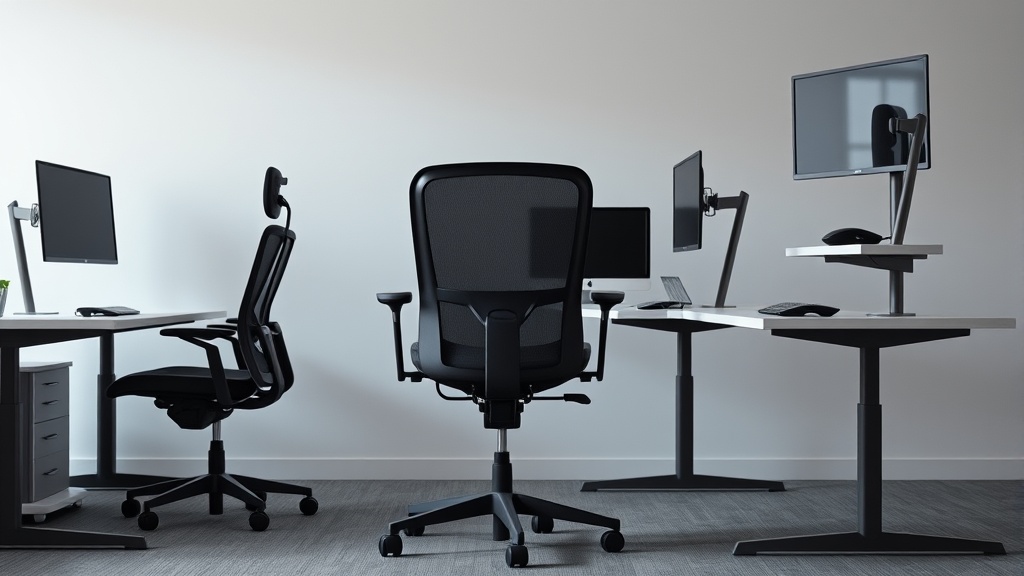
Having suffered from lower back pain after long hours at your desk, you’re likely searching for an ergonomic chair that truly supports spinal health—not just marketing promises. Understanding key ergonomic features and how they impact your spine can help you make a choice that feels sustainable after 8+ hours of daily sitting.
What It Is: Ergonomic Chair Features for Spinal Health
Ergonomics is the science of designing seating and workspace tools to match human body mechanics, minimizing strain and injury risk. With spinal health specifically, ergonomic chair features aim to maintain the natural curves of your spine, distribute pressure evenly, and enable healthy posture adjustments throughout the day.
Key features impacting spinal health include:
- Adjustable seat depth
- Lumbar support with adjustable height and firmness
- Armrests with 4D adjustability (height, width, depth, pivot)
- Dynamic backrests that encourage movement
- Pressure-distributing seat cushions
- Tilt mechanisms promoting a healthy angle
See also: 10. Gaming chairs vs office chairs: what you are actually buying
How It Works: Features that Support Your Spine in Detail
1. Adjustable Seat Depth
Humans vary in leg length and overall torso height. Seat depth refers to the distance from the backrest to the front edge of the chair seat. A seat that is too deep will cause pressure on the back of the knees, while too shallow a seat provides insufficient thigh support, encouraging slouching.
An ergonomic chair should allow you to adjust the seat depth so that approximately 2-4 inches (about 5-10 cm) of space is left between the seat edge and the back of your knees when your back is against the backrest. This measured fit supports proper blood flow and reduces pressure points.
2. Adjustable Lumbar Support
Your lumbar spine has a natural inward curve. A chair’s lumbar support aims to fill the gap between your lower back and the chair backrest, preventing slouching and supporting natural spinal curvature.
Effective lumbar supports will allow you to adjust:
- Height: So the curve fits right into the small of your back.
- Firmness: Too soft won’t support, too hard can feel uncomfortable.
Many chairs include tension or pneumatic adjustable lumbar pads, some even with memory foam. Pressure-mapping studies have verified that proper lumbar support can reduce spinal load and discomfort during extended sitting.
3. 4D Armrests
Armrests seem secondary but are integral in spinal health. If armrests are too low, too high, or fixed, your shoulders may shrug or slump, straining the neck and upper back.
4D armrests move in four directions:
- Height: To align with the height of your desk and elbows.
- Width: To accommodate body width and posture.
- Depth (forward/backward): To support forearm length without pressure on wrists.
- Pivot (angle adjustment): To match natural arm and wrist angles.
This level of adjustability helps balance your upper body and prevent compensatory postures that cascade into spinal discomfort.
4. Dynamic Backrests and Tilt Mechanisms
Static posture is a known culprit for spinal strain. Chairs with backrests that recline or tilt with synchronized mechanisms allow for a change in posture without losing lumbar support.
Tilt functionality often includes:
- Adjustable tilt tension: So you control how easily the chair reclines.
- Tilt lock: For fixing the chair at a preferred angle.
These help shift your spinal loading between sitting upright and reclined safely, encouraging spinal motion and reducing stiffness.
5. Pressure-Distributing Seat Cushions
The seat cushion should evenly distribute your body weight, decreasing localized pressure points that impede circulation and cause discomfort over time.
High-quality foam density (high-resilience polyurethane or memory foam) combined with airflow mesh or breathable materials prevents heat build-up and pressure sores.
Some ergonomic chairs incorporate pressure-mapping data to contour seat cushions optimally for spinal alignment and comfort.
When to Use It: Choosing the Right Features for Your Workday
If you spend more than 6-8 hours sitting at a desk, these features become increasingly important for your spinal health:
- If you notice lower back fatigue or pain: Prioritize adjustable lumbar support and seat depth.
- If you experience neck/shoulder tension: Look for fully adjustable 4D armrests.
- If you tend to remain static: A dynamic backrest and adjustable tilt mechanism can keep your spine moving.
- If you feel pressure on your thighs or sit bones: Check cushion materials and seat ergonomics.
Identify your pain points or pressure areas from previous work setups and match them with the chair features. A chair with excellent marketing but no or minimal adjustability will likely not sustain comfort eight hours daily.
Common Pitfalls When Evaluating Ergonomic Chairs
- Relying solely on marketing language: Terms like “ergonomic” or “spinal support” vary wildly in meaning and effectiveness. Measure actual adjustability ranges.
- Ignoring fit measurements: Seat depth, backrest height, and armrest range should be checked relative to your body dimensions.
- Overlooking material and pressure distribution: Breathable and pressure-relieving cushions matter for long-term comfort.
- Not testing the chair during a full workday: Features that feel fine for 10-15 minutes can cause fatigue or discomfort after hours.
- Skipping pressure-mapping or user reviews focused on fit: Third-party data is invaluable to understand real-world performance vs. glossy spec sheets.
Comparison Table: Key Ergonomic Features for Spinal Health
| Feature | What It Supports | Ideal Adjustment Range / Characteristics | Impact After 8 Hours Sitting | Red Flags to Avoid |
|---|---|---|---|---|
| Seat Depth | Thigh support, circulation | Adjustable approx. 14-18 inches (~35-45 cm) | Prevents knee pressure, reduces numbness | Fixed deep seats causing leg pressure |
| Lumbar Support | Lower back curve maintenance | Height adjustable ~3-6 inches; moderate firmness | Reduces slouching and lumbar fatigue | Fixed or overly firm/soft lumbar pads |
| Armrests (4D) | Shoulder and neck alignment | Height, width, depth, and pivot adjustable | Prevents shoulder shrugging; supports relaxed arms | Non-adjustable or height-only armrests |
| Tilt Mechanism | Movement, spinal loading shift | Synchronized tilt with adjustable tension | Encourages movement, reduces stiffness | No tilt or locked-back designs |
| Seat Cushion Material | Pressure distribution, airflow | High-resilience foam or mesh with breathable design | Reduces seat sores, heat buildup | Thin hard foam or non-breathable fabric |
Frequently Asked Questions
Q: How important is seat depth adjustment for spinal health?
A: Very important. Incorrect seat depth can compress the back of your knees or cause unsupported thighs, both leading to poor posture and circulation issues that negatively affect spinal alignment.
Q: Can lumbar support be too firm or too soft?
A: Yes. Lumbar support that is too firm may cause discomfort and pressure points, while too soft a support won’t maintain the natural lumbar curve, both worsening spine strain over time.
Q: Are armrests essential for spinal health?
A: Yes, especially those with 4D adjustability. Properly adjusted armrests prevent shoulder elevation or slumping, which reduces tension in the upper back and neck, indirectly supporting spinal posture.
Selecting an ergonomic chair that genuinely supports spinal health requires focusing on adjustability, measured fit, and pressure management rather than marketing buzzwords. Prioritizing features like adjustable seat depth, customizable lumbar support, 4D armrests, and dynamic tilt mechanisms will enable healthier sitting habits that last well beyond the first few hours at your desk.
Related reading
- How to Set Up a Home Office for Back Pain Prevention
- Chairwise Chairs with Lumbar Support for Improved Posture
- 39. How to sit for 8 hours without wrecking yourself
- 10. Gaming chairs vs office chairs: what you are actually buying
- 7. The best budget ergonomic chair under 250 dollars across six body types
