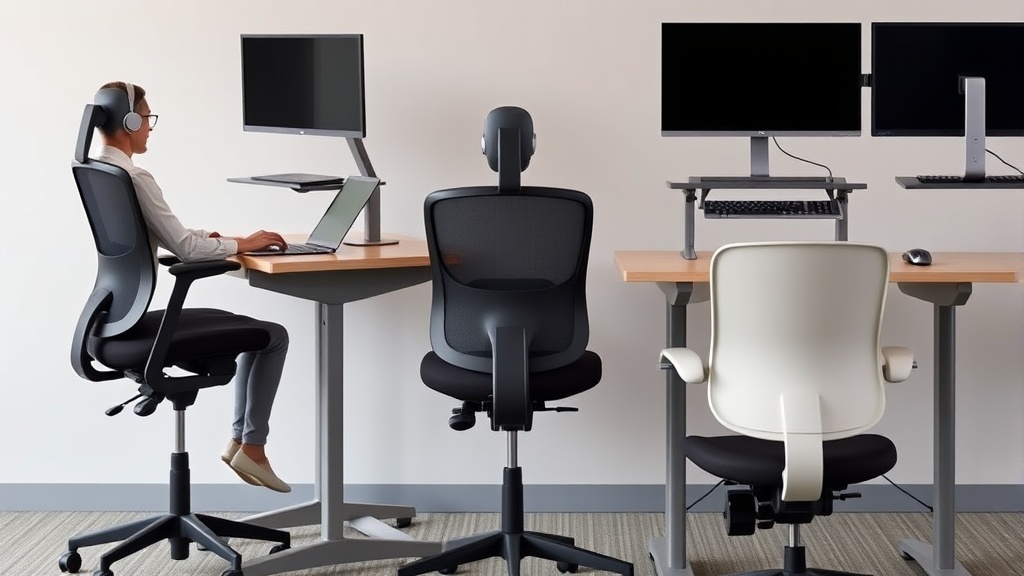
Ergonomic chairs promise comfort and health benefits, but users of significantly different heights often struggle to find an ideal setup. If you’re too tall or too short, standard office chairs can cause discomfort, poor posture, and even pain after hours at a desk. This article explains how ergonomic chair adjustments address these challenges by accommodating a range of body sizes, ensuring better fit, longer-lasting comfort, and true ergonomic support.
What Is Ergonomic Chair Adjustment?
Ergonomic chair adjustments refer to the chair’s customizable features that accommodate different body dimensions and working postures. These typically include seat height, seat depth, lumbar support height and firmness, armrest height and travel, backrest tilt and tension, and sometimes headrest position. Each adjustment helps tailor the chair to fit your unique body shape and size, aligning your spine, reducing pressure points, and supporting efficient movement throughout the day.
See also: Choosing Chairwise Chairs to Prevent Neck and Shoulder Pain
How Ergonomic Adjustments Work for Different Heights
1. Seat Height Adjustment
Seat height is fundamental. When sitting, your feet should rest flat on the floor with knees roughly at a 90-degree angle. Too high a seat means dangling feet and thigh compression under the desk; too low leads to excess hip flexion and pressure under the thighs.
- Short users benefit from chairs with a seat height range starting around 14 inches from the floor.
- Taller users might need chairs with seat height extending beyond 20 inches to avoid knee compression.
2. Seat Depth (Forward/Backward Sliding)
Seat depth affects thigh support. If the seat is too deep for a shorter person, the front edge presses against the back of the knees, restricting circulation and causing discomfort. If too shallow for a taller user, thigh support is inadequate, increasing pressure on the sit bones.
- Ideal seat depth allows 2-4 fingers’ width (~2-3 inches) between the rear of the knees and the seat edge.
- Adjustable seat depth (sliding forward or backward) is critical to match your leg length.
3. Lumbar Support Adjustability
The lumbar region of your lower back naturally curves inward. A lumbar support that can be adjusted vertically and in firmness ensures that this curve is maintained regardless of torso length.
- Shorter users often require lumbar support positioned lower on the backrest.
- Taller users need the lumbar support to move higher, matching the lumbar spine curvature.
4. Armrest Adjustment (4D Travel)
Armrest adjustments in height, width, depth, and pivot (known as 4D) accommodate different arm lengths, shoulder widths, and preferred typing postures.
- For shorter users, armrests must lower sufficiently to avoid shoulder elevation.
- Taller users often benefit from armrests that lift higher and extend farther forward.
5. Backrest Tilt and Tension
A reclinable backrest with adjustable tension lets users shift posture and vary pressure on spinal discs.
- Proper tension prevents excessive reclining for shorter users who may feel unsupported.
- Taller users should find enough resistance to maintain lumbar contact despite longer levers from their torso.
When to Use Which Adjustments
| Feature | Shorter Users | Taller Users | Why It Matters |
|---|---|---|---|
| Seat Height | Lower range (14-17”) | Higher range (18-22”) | Feet flat, proper knee angle |
| Seat Depth | Adjustable, shorter seat depth (15”) | Adjustable, longer seat depth (18”) | Avoid knee strain, support thighs |
| Lumbar Support | Positioned lower on backrest | Positioned higher on backrest | Support native lumbar curve |
| Armrests (4D) | Lower height, narrower width | Higher height, wider width | Relaxed shoulders, proper elbow angle |
| Backrest Tilt | Moderate tilt, less tension | Firmer tension, wider tilt range | Posture variation without loss of support |
Common Pitfalls When Adjusting Ergonomic Chairs
- Over-reliance on seat height: Ignoring seat depth adjustment can cause lingering discomfort. Both must be tuned.
- Static adjustments: Sitting with one fixed setting all day ignores body changes and movement needs — shift intermittently.
- Ignoring armrest dimensions: Armrests too high or too wide cause shoulder strain, too low or too narrow force slouching.
- Assuming ‘one size fits all’: Many chairs claim adjustability, but range and ease of adjustment differ sharply. Test before buying.
- Not factoring desk height: Chair adjustments must complement desk height to maintain neutral wrist and arm angles.
Practical Tips for Ergonomic Fit by Height
- Measure your inseam and torso length: These measurements are your starting points for seat height and lumbar support.
- Adjust seat height for flat feet and comfortable knee angle: Use a footrest if the chair doesn’t go low enough.
- Slide the seat forward or backward: Ensure 2-3 inches between seat edge and knees.
- Fine-tune lumbar support: Adjust vertically and firmness until you feel consistent but gentle lower back support.
- Set armrests to support elbows at 90 degrees: When typing, shoulders should be relaxed.
- Adjust backrest tilt: Find a tension and angle that allow slight recline but without losing lumbar support.
- Test adjustments by sitting for a full hour: The true test is how you feel after prolonged use, not a quick trial.
Why Pressure Mapping and Fit Matter Beyond Marketing
Marketing for ergonomic chairs can be misleading, emphasizing flashy features without discussing how well they accommodate extreme heights or long hours of use.
Pressure mapping studies—using special mats that measure pressure distribution under your hips and thighs—highlight why fit matters. Poor fit concentrates pressure on soft tissue areas, leading to numbness or soreness. For example, a standard chair with fixed seat depth might cause a tall person’s weight to cluster near the knee crease, whereas an adjustable deep seat distributes it more evenly.
Adjustability range should be your key criterion, not just presence of adjustments. A chair with a narrow seat height range (17-20 inches) won’t serve a 5’2” or 6’3” user well despite “adjustable” claims. Similarly, lumbar supports fixed at one height fail taller or shorter users.
Practical comfort over 8 hours requires these adjustments to be intuitive and stable in use. Constant finicking or slippage diminishes ergonomic benefit and work focus.
Frequently Asked Questions
Q: How do I know if my chair seat depth is correct?
A: Sit fully back and check if 2-3 fingers fit comfortably between the seat edge and the back of your knees. If not, adjust forward or backward if possible, or consider a chair with adjustable seat depth.
Q: Can I use a footrest if I’m too short for the chair’s minimum seat height?
A: Yes. A footrest helps your feet sit flat and supports proper posture if you can’t lower the seat enough. It’s better than dangling feet, which strain knees and hips.
Q: How often should I adjust my chair during the workday?
A: At least 2-3 times — once at your initial setup, then periodically to accommodate movement or shifts in posture. Minor adjustments prevent stiffness and pressure buildup.
Getting ergonomic chair adjustments right means respecting the diversity of body shapes, especially height extremes. A chair that truly fits reduces musculoskeletal strain and supports productive, pain-free workdays. Focus less on marketing buzz and more on measurable adjustability and your personal fit assessments for lasting ergonomic benefit.
Related reading
- 3. Secretlab Titan Evo vs Herman Miller Embody for tall users
- 2. The best ergonomic chair under 500 dollars reviewed across 5 body types
- Best Office Chairs for Tall People (6”2”+): Seat Depth, Lumbar Support
- Standing Desk Height Adjustment: Finding Your Ideal Position
- 45. When to spend 1000 dollars on a chair and when 200 is enough
