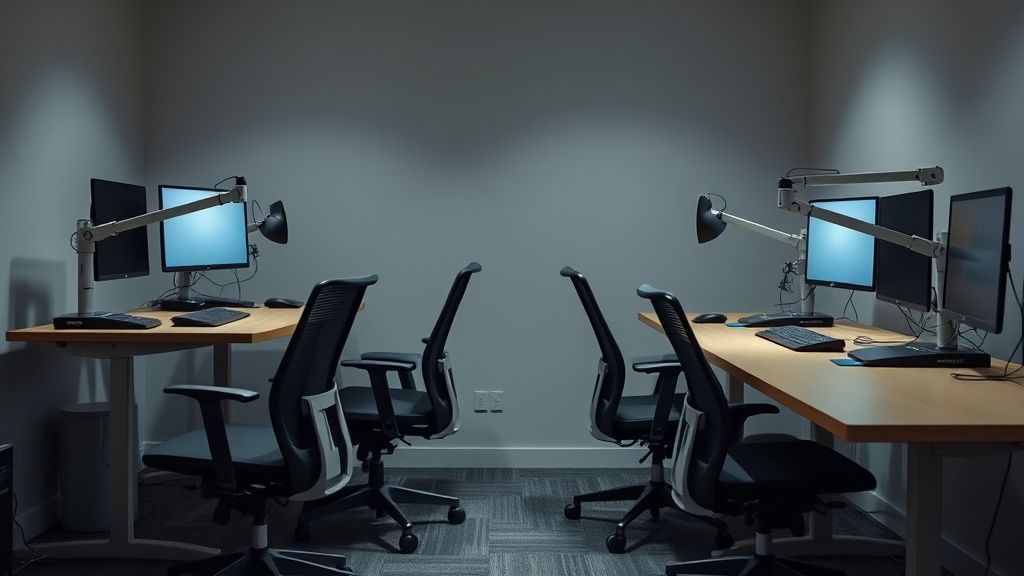
Creating a Productive Ergonomic Workspace in Small Home Offices
If you’re working from a small home office or a compact nook, you’re likely facing the struggle of balancing limited space with the need for a comfortable, ergonomic workspace. Tight quarters don’t mean you have to sacrifice long-term comfort, productivity, or your physical health. Achieving a well-fitted ergonomic setup in a small area calls for thoughtful choices around chair dimensions, desk height, and accessory adjustability—all rooted in how you actually use your space for extended, daily work sessions.
This article breaks down how to create an ergonomic workspace tailored to small home offices, focusing on practical factors like seat depth, lumbar support adjustability, armrest travel, and why pressure mapping and realistic usage scenarios matter more than flashy marketing claims.
What Is Ergonomics in a Small Home Office?
Ergonomics refers to designing a workspace that fits your body’s needs, reducing strain and improving comfort during prolonged sitting and computer use. In small home offices, the challenge is maximizing functionality within tight physical boundaries while still protecting your posture and focus.
Key ergonomic components include:
- Chair fit (seat depth, lumbar support adjustability, armrest travel)
- Desk height compatibility
- Screen position
- Keyboard and mouse placement
- Lighting and noise control
The goal is a setup that encourages healthy posture and minimizes repetitive strain, even when your home “office” may be a corner of a bedroom or kitchen.
How Ergonomics Works in Small Spaces
1. Prioritize Measured Fit Over Marketing Buzz
Many office chairs boast features like “ergonomic design” or “dynamic lumbar support” but offer limited adjustability that truly matters for your body. In small spaces, a chair that’s too large or limited in adjustability can cause discomfort after a few hours.
Key measurements to check:
- Seat depth: This should allow you to sit back fully while maintaining 2-3 inches of clearance behind your knees. For petite users or shallow desks, too deep a seat pushes you forward, losing lumbar support.
- Lumbar adjustability range: Look for chairs with adjustable lumbar height and firmness, so you can target your natural spinal curve.
- Armrest 4D travel: Ideal armrests move up/down, forward/backward, inward/outward, and rotate to support your forearms without shoulder strain.
In a cramped space, fitting the chair snugly under a desk or in a corner without losing these adjustments is crucial.
2. Use Pressure Mapping as a Guide
Pressure mapping technology measures how your weight distributes on a seat, highlighting pressure points that cause discomfort or reduced blood flow. While not usually accessible outside specialized stores or clinics, you can approximate its benefits by:
- Testing chairs for 10+ minutes, shifting positions to feel where pressure builds.
- Choosing seats with high-density foam or gel layers designed to distribute weight evenly.
- Ensuring seat cushions maintain shape and support over time, especially important when there’s less room to reposition.
This contrasts with chairs that only feel cushioned initially but compress unevenly with hours of use.
3. Optimize Desk and Chair Relationship
Your desk height, chair height, and sitting position must work together. Standard desk height (28-30 inches) works well with a chair whose seat height adjusts roughly between 16 and 21 inches. In small spaces, you might compromise between a standard desk and a chair with a narrower seat or lower profile.
Key tips:
- Desk height should let your forearms rest parallel to the floor when typing.
- Feet should rest flat on the floor or on a footrest to reduce thigh pressure.
- Monitor screens should be at eye level without tilting the head down or up, which can require space for risers or adjustable stands.
4. Select Multi-Functional Ergonomic Accessories
Accessory choice can make or break small-space ergonomics:
- Monitor arms: Save desk space and allow height/angle adjustments.
- Compact keyboard trays: Free up desk surface and improve wrist angle.
- Under-desk footrests: Support posture without taking floor space.
- Cable management: Avoid clutter that reduces effective workspace.
When to Use This Approach
This ergonomic setup approach is best for anyone working 6-8 hours daily in a small home workspace where standard office furniture is too large or unsuitable. It suits those prioritizing long-term health and productivity over short-term cost or aesthetics.
- Remote workers in urban apartments.
- Freelancers with corner desk setups.
- Students or creatives balancing multiple uses of a single room.
Common Pitfalls to Avoid
| Pitfall | Why It Happens | How to Avoid It |
|---|---|---|
| Choosing a “one-size” chair | Marketing hype, no measuring actual fit | Measure seat depth, lumbar range, armrest travel relative to your body |
| Ignoring armrest adjustability | Compact chairs often with fixed armrests | Prioritize 4D adjustable armrests for small spaces |
| Overlooking pressure points | Judging chair comfort purely by initial feel | Test for sustained comfort; consider pressure-mapping or extended trials |
| Neglecting desk height | Using too high/low desk with non-compatible chair | Match desk and chair heights practically with adjustable components |
| Sacrificing posture for space | Cramping into spaces without ergonomic support | Use wall-mounted monitor arms, compact desks, and footrests to maximize ergonomics |
Comparison Table: Ergonomic Chair Features for Small Home Offices
| Feature | Low Adjustable Chair | Medium Adjustable Chair | High Adjustable Chair (Ideal) |
|---|---|---|---|
| Seat Depth | Fixed, often too deep or too shallow | Adjustable in 1-2 increments | Fully adjustable 15-20 inches for custom fit |
| Lumbar Support | None or fixed cushion | Adjustable firmness or height | Height, firmness, and contour fully adjustable |
| Armrest Travel | None or 2D (height + width) | 3D (adds forward/backward movement) | Full 4D travel (height, width, depth, rotation) |
| Seat Cushion Material | Basic foam or mesh | Medium density foam with basic support | High-density foam with multiple layers and pressure dispersion |
| Compatibility with Small Desks | Limited due to size or fixed features | Better but might require compromises | Designed for compact spaces with mini profiles and tuck-away features |
Actionable Tips for Your Small Office Setup
- Measure your space and body before shopping: Take seat-to-knee length, forearm length, and desk opening height.
- Test chair adjustability in person or via generous return policies: Adjust for your daily posture and comfort, not just looks.
- Prioritize adjustable lumbar support and armrests: These significantly reduce fatigue during long sit sessions.
- Use vertical solutions: Wall-mounted monitor arms and shelves free up desk space.
- Adjust your work habits: Take short breaks standing or moving every hour to reduce static stress.
Frequently Asked Questions
Q: Can ergonomic chairs really make a difference for long hours in a small space?
A: Yes, chairs that properly fit your body reduce pressure points and support posture, which prevents discomfort and injury during long workdays—even in tight quarters.
Q: Is it necessary to have fully 4D adjustable armrests for a small home office?
A: While not absolutely required, 4D armrests offer better fine-tuning, which is especially helpful in small spaces where fixed armrests often force awkward postures.
Q: How do I know if a chair seat depth is right if I can’t test it in person?
A: Measure your thigh length (from back of buttocks to the back of your knee) and compare it to the chair’s seat depth specs. Ideally, the seat depth should be 2-3 inches shorter than this measurement to allow proper thigh and lumbar support.
