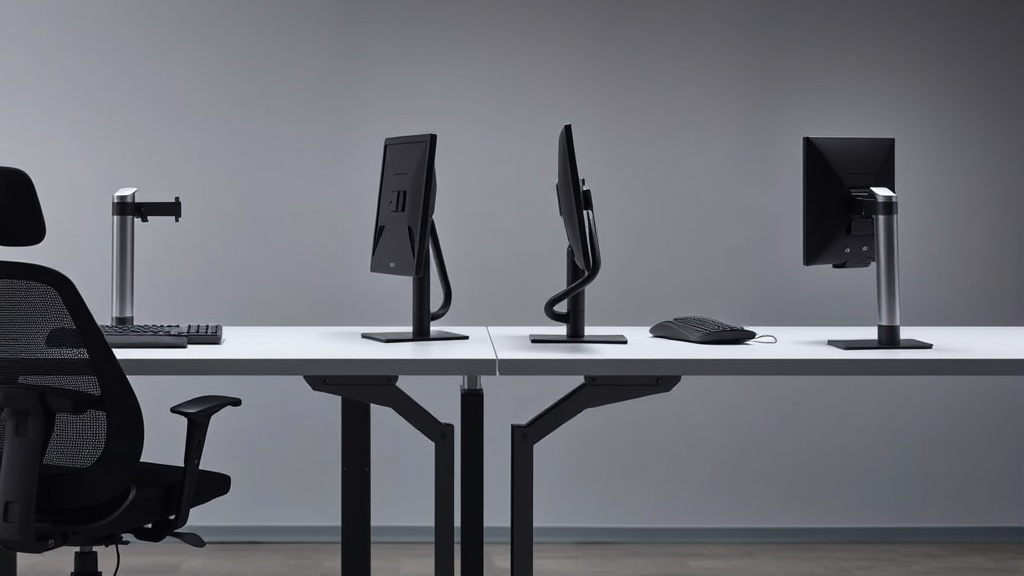
Compact Keyboards for Small Workspace Efficiency
If you’re working at a cramped desk or a shared workspace where space is at a premium, bulky full-sized keyboards can be a major obstacle to comfort and productivity. The problem: standard keyboards and their extended layouts consume valuable desk real estate, forcing you to sacrifice space for other essentials like a mouse, notepads, or an ergonomic chair adjustment. Compact keyboards promise to solve this by reducing size without compromising typing efficiency. But how do you choose one that truly fits your small workspace and your daily workload?
In this article, we explore what compact keyboards are, how they preserve or improve workspace efficiency, when to consider them, and common pitfalls to watch out for. We’ll also cover key ergonomic considerations that relate directly to your daily comfort, beyond marketing buzzwords.
What Is a Compact Keyboard?
A compact keyboard is designed with a reduced footprint compared to traditional full-sized models with numeric keypads, function rows, and sometimes arrow keys removed or rearranged. Typical compact layouts include:
- 75% Keyboard: About 75% the size of a full keyboard. Retains arrow keys and some function keys but eliminates the numeric keypad.
- 65% Keyboard: Removes the number row or some function keys, plus the numpad.
- 60% Keyboard: Removes the function row, arrow keys, and numeric keypad, relying on function layers for those keys.
- 40% Keyboard: Very minimalist layout, usually just letters and a few modifiers.
These smaller layouts reduce lateral size and allow closer mouse placement, often improving wrist posture and desk organization.
See also: Best Standing Desk Converters for Small Home Workspaces
How Compact Keyboards Improve Workspace Efficiency
1. Desk Space Optimization
A smaller keyboard frees up a significant portion of your desk, letting you bring your mouse closer to your body’s centerline, reducing shoulder strain. You’ll also have room for writing, monitor stands, or a laptop docking station.
2. Enhanced Ergonomics
When your keyboard is compact, your forearms don’t have to reach outward as much. This reduces static muscle load and repetitive strain risks during long typing sessions. For desk workers clocking 8+ hours a day, arm and shoulder positioning matters for lasting comfort.
3. Portability for Flexible Workstations
If you move between desks or use a standing desk, compact keyboards are easier to transport and reposition quickly.
4. Customizability with Layered Controls
Advanced compact keyboards leverage function layers accessed via modifier keys, enabling access to missing keys without clutter. This sharpens focus by reducing sensory overload and bolsters workflow efficiency when mastered.
When to Use a Compact Keyboard
- Limited Desk Space: Ideal for small desks, standing desks with limited surface area, and multi-use spaces.
- Mobile or Hybrid Working: When commuting between workstations or working remotely, compact keyboards are easier to carry.
- Comfort Focus: When wrist, shoulder, or neck discomfort arises from poor ergonomics linked to oversized keyboards.
- Minimalist Setup: If you prefer a clean, uncluttered desk environment.
- Task-Specific Workflows: Coding, writing, or general office tasks that benefit from a traditional QWERTY layout without dedicated number pad reliance.
Key Ergonomic Features to Look For
Mounting and Tilt Adjustability
Look for keyboards with adjustable feet or tenting options to align with your natural wrist posture. Fixed flat keyboards can cause wrist extension issues over long hours.
Key Travel and Feedback
Sufficient travel distance and tactile feedback reduce errors and finger fatigue. Mechanical switches, though louder, often provide better pressure mapping of keypresses for prolonged typing comfort.
Thumb Cluster and Modifier Keys
An intelligently designed thumb cluster facilitates frequent modifier keys (Shift, Ctrl, Alt) without awkward finger stretches—critical in compact layouts with limited keys.
Compatibility and Software Support
Key remapping software enables customization of layers and function keys to replicate full-sized functionality. Without such software, workflow interruptions may occur.
Common Pitfalls of Compact Keyboards in Small Workspaces
- Learning Curve: Function layers replacing physical keys can slow workflow initially. Without practice, this becomes frustrating rather than efficient.
- Limited Numeric Input: If your work requires constant numeric entries, lack of a number pad can hinder speed and accuracy.
- Ergonomic Oversimplification: Not all compact keyboards are ergonomic. Some models simply shrink keys without addressing angle, key travel, or wrist alignment.
- Connectivity Constraints: Wireless compact keyboards may introduce latency or require frequent charging; wired options limit portability.
- Key Size and Spacing: Some ultra-compact keyboards cram keys closer together, increasing mistypes and reducing comfort over long use.
Compact Keyboard Layouts Compared
| Layout | Approximate Size (%) | Numeric Keypad | Arrow Keys | Function Row | Best For | Trade-offs |
|---|---|---|---|---|---|---|
| Full (100%) | 100% | Yes | Yes | Yes | Dedicated number input, general use | Large footprint, less desk space |
| 75% | ~75% | No | Yes | Partial | Balance between size reduction and features | Slightly smaller, may lose some keys |
| 65% | ~65% | No | Yes | No | Comfortable size for compact efficiency | Requires function keys for F-row |
| 60% | ~60% | No | No (layered) | No | Maximum portability, minimalist setup | Steep learning curve for layers |
| 40% | ~40% | No | No | No | Extreme compactness, hobbyists, typists | Very high complexity, limited keys |
How to Choose the Right Compact Keyboard for Your Workspace
-
Measure Your Available Desk Space
Before buying, note how much space you can realistically assign to a keyboard + mouse setup. This helps select the right layout category. -
Consider Your Primary Workflow
If numeric data entry is a priority, favor layouts that keep arrow keys and a separate numpad or invest in a separate numeric keypad. Writers and coders might prefer 60% or 65% for speed and ergonomics. -
Test Key Feel and Ergonomics
If possible, test keyboards in person. Check key spacing, travel, tilt, and wrist comfort over at least a 15-minute typing session. -
Evaluate Software and Customization Options
Review the driver or customization software ecosystem. Remapping shortcuts or adding macros can bridge functionality gaps in smaller layouts. -
Plan for the Learning Period
When switching from full-sized to compact, plan a brief adjustment window (usually 1-2 weeks) to retrain muscle memory.
Summary
A compact keyboard can dramatically improve desk space efficiency and ergonomic comfort for desk workers constrained by small workspaces. Understanding the different layouts, how they affect typing behavior and comfort, and what ergonomic factors matter beyond marketing copy can help you make an informed choice. Whether you are a coder, writer, or office worker spending 8+ hours daily typing, a properly chosen compact keyboard helps avoid physical strain and boosts workflow efficiency in ways that often go unnoticed.
Frequently Asked Questions
Q: Can I use a compact keyboard for numeric data entry without a dedicated number pad?
A: Yes, many compact keyboards use function layers or separate number pad accessories. However, if numeric input is frequent and fast, a dedicated numpad might be more efficient.
Q: Are compact keyboards less comfortable for long typing sessions?
A: Not necessarily. When combined with good ergonomics like adjustable tilt, key travel, and proper seating, compact keyboards can reduce strain associated with reaching and poor posture over long hours.
Q: How steep is the learning curve for small layouts like 60%?
A: It varies, but most users adapt within 1-2 weeks. Initial typing speed may be slower due to reliance on function layers and relocation of keys like arrow keys.
By aligning your workspace needs with the right compact keyboard layout and ergonomic features, you ensure your small desk remains a place of productivity, comfort, and efficient use of space.
