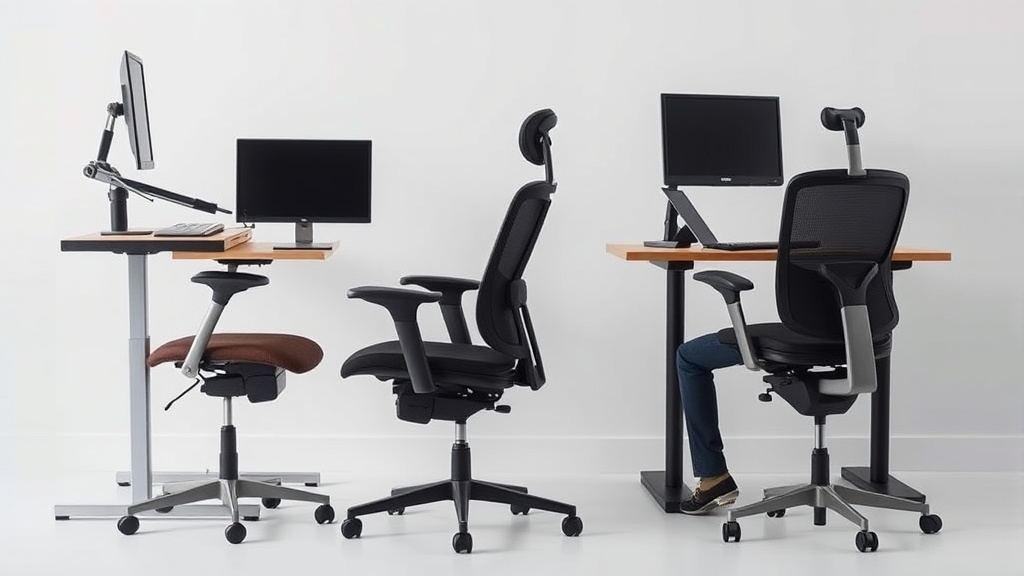
Choosing the Best Ergonomic Chair for Long Home Office Hours
If you’re spending 8 hours or more a day seated at your home office desk, you likely know the discomfort that comes with an ill-fitting chair. Neck stiffness, lower back pain, and numbness in the legs are common problems caused by chairs that don’t support your body properly over prolonged periods. The challenge isn’t just finding a chair labeled “ergonomic,” but identifying one that truly fits your body and work style to maintain comfort and health throughout the day.
What Makes an Ergonomic Chair Truly Effective for Long Hours?
Ergonomic chairs aim to reduce musculoskeletal strain and improve posture by supporting natural body mechanics. However, the term “ergonomic” is often overused in marketing, and not every chair with the label will meet the demands of long-term use. A chair that works well for a few hours may become unbearable by hour four or five of continuous sitting.
Key Fit Factors: Why Size, Adjustability, and Support Matter
-
Seat Depth (Fit to Thigh Length): If the seat is too deep, it can push on the back of your knees, restricting circulation and causing numbness. Too shallow, and you lose thigh support, increasing pressure on your sitting bones (ischial tuberosities) and lower back. The right seat depth usually means your back is fully supported by the backrest while leaving 2-4 inches of space between the seat edge and the back of your knees.
-
Lumbar Support Adjustability: Lower back support must be adjustable in height and firmness to match the curve of your lumbar spine. Many chairs offer fixed lumbar pads or arches that simply don’t line up with your natural spinal curvature, defeating the purpose. A lumbar adjustment range that covers at least 2-3 inches vertically is a good baseline.
-
Armrest 4D Travel (Height, Width, Depth, Pivot): Proper arm support offloads strain from neck and shoulders. Armrests that adjust only for height often force awkward shoulder positions. Armrests should also move sideways (width), forwards and backward (depth), and be capable of pivoting to align with your typing and mouse movements.
See also: Choosing the Best Ergonomic Office Chair for Lower Back Support
How Pressure Mapping Reveals True Comfort
Pressure mapping is a tool designers and reviewers use to measure how body weight distributes on the chair surface. Peaks of high pressure can indicate areas causing discomfort or impairing blood flow over time. While average users won’t have access to pressure mapping technology, keeping its results in mind can help guide your choices:
- Look for chairs with cutouts or breathable cushions designed to redistribute pressure evenly.
- Memory foam or gel padding that adapts to body shape can reduce focal pressure points.
- Contoured seat and back cushions that “cradle” your body tend to perform better than flat or thin padding.
Steps to Choose the Best Ergonomic Chair for Long Home Office Hours
- Measure Your Body Dimensions: Get your thigh length, seat-to-knee measurement, and lumbar curve height. This prevents guesswork in fit.
- Prioritize Adjustable Features: Look specifically for chairs where seat depth adjusts at least by 2 inches, lumbar support that moves vertically, and armrests with 4D adjustments.
- Test for Pressure Comfort: Sit in the chair for a minimum of 15 minutes. Note any hotspots like the back of your legs, tailbone, or mid-back. Chairs that create early numbness or discomfort should be reconsidered.
- Assess Recline and Tilt Mechanisms: A chair that lets you recline smoothly and lock in angled positions encourages microbreaks and variation in posture.
- Check Build Quality: A sturdy base, smooth casters, and robust adjustment levers matter for daily reliability and safety.
- Don’t Overlook Material Breathability: Long hours trap heat and cause sweating; mesh backs or ventilated cushions can improve air circulation.
- Consider Your Desk Height and Workflow: Ensure armrests and seat height align well with your keyboard and mouse positioning to avoid unnatural upper limb postures.
Ergonomic Chair Features Comparison Table
| Feature | Basic Office Chair | Mid-Range Ergonomic Chair | High-End Ergonomic Chair | Ideal Use Scenario |
|---|---|---|---|---|
| Seat Depth Adjustability | Fixed or minimal (~1 inch) | Adjustable 1.5-2 inches | Fully adjustable 2+ inches | Long sessions, especially for taller/shorter users |
| Lumbar Support | Fixed padding | Adjustable height, moderate firmness | Multi-axis adjustable height and firmness | Significant lower back support needed |
| Armrest Adjustability | Height only | Height + width adjustment | 4D full adjustment (height, width, depth, pivot) | Tasks requiring close keyboard/mouse alignment |
| Pressure Mapping | None | Some ergonomic reviews available | Designed with pressure redistribution in mind | Sensitive users prone to numbness or pain |
| Material Breathability | Padded fabric or leather | Breathable mesh back, soft cushion | Advanced mesh with ventilation and cooling tech | Warm environments or long wear comfort |
| Recline & Tilt Lock | Fixed or no lock | Lockable recline with tension adjustment | Multiple recline angles and sync tilt mechanism | Posture variation and dynamic sitting |
Common Pitfalls When Buying an Ergonomic Chair
- Relying Only on Marketing Jargon: Terms like “lumbar support” or “ergonomic design” mean little without specs or actual user fit checks.
- Ignoring Seat Depth and Lumbar Fit: Many buyers focus on lumbar but forget seat depth, which impacts circulation and overall pressure distribution.
- Skipping Extended Trial: Testing a chair for just a few minutes will rarely reveal discomfort that emerges after several hours.
- Overlooking Armrest Adjustability: Poor armrest fit leads to shoulder tension and upper body fatigue, common complaints with home office chairs.
- Purchasing Without Measuring Workspace Compatibility: A chair that’s too tall or doesn’t slide under your desk properly can create awkward seating setups.
When to Consider Replacing Your Current Office Chair
If you’re noticing any of the following regularly during or after your workday, it’s time to upgrade:
- Persistent lower back or neck pain linked to sitting
- Numbness or tingling in legs or arms that resolve after standing or moving
- Fatigue and discomfort despite good desk posture efforts
- Worn out padding and malfunctioning adjustments that limit fit
Upgrading to a chair with the right fit and adjustments will often reduce or eliminate these issues.
Frequently Asked Questions
Q: How important is adjustability compared to padding?
A: Adjustable fit matters more for long-term comfort than padding alone. Padding can wear or cause heat buildup, but proper fit ensures correct posture and pressure distribution.
Q: Can an ergonomic chair completely eliminate back pain?
A: No chair can guarantee elimination of back pain, but a well-fitted ergonomic chair significantly reduces risk and discomfort by supporting natural posture and relieving pressure points.
Q: Are mesh chairs better for long hours compared to cushioned ones?
A: Mesh chairs typically provide better breathability and temperature control, which helps with comfort during extended use. Cushioned chairs with high-quality memory foam or gel can be equally comfortable if breathable materials are used.
Related reading
- How to Set Up a Home Office for Back Pain Prevention
- Chairwise Chairs with Lumbar Support for Improved Posture
- Choosing the Best Ergonomic Office Chair for Lower Back Support
- Ergonomic Office Chairs Designed for Long Hours at Work
- Customizing Chairwise Chairs for Personalized Comfort and Support
Products in this guide
- NOUHAUS +Posture Ergonomic Rolling Office Chair
- Autonomous ErgoChair Pro Ergonomic Office Chair
- Kensington Memory Foam Seat Cushion with Non-Slip Base
- VIVO Dual LCD Monitor Desk Mount Stand for Two Screens
