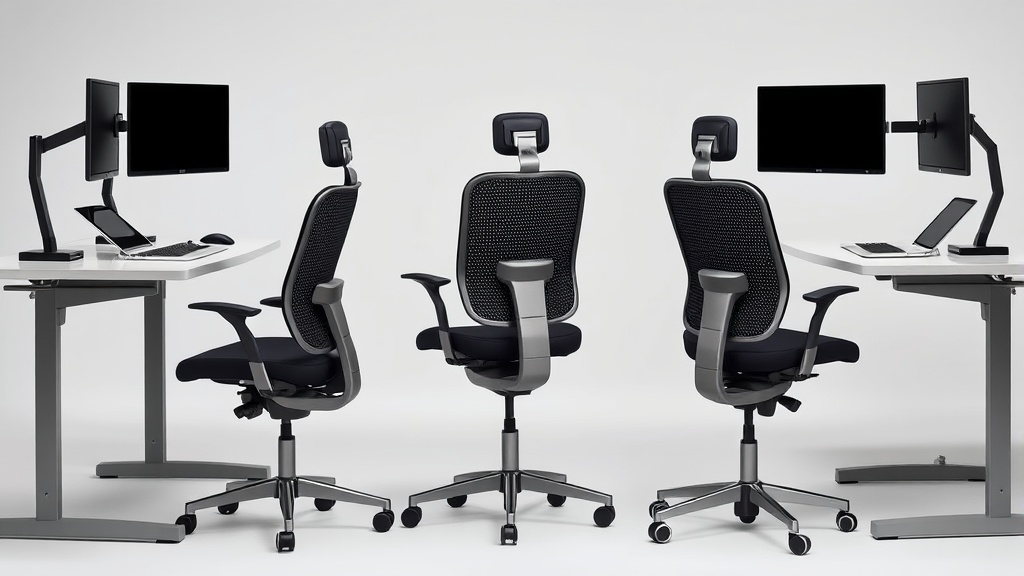
Chairwise Chairs with Lumbar Support for Improved Posture
If you’re spending eight hours or more working at your desk, you might have noticed persistent lower back discomfort, slouching, or fatigue by mid-afternoon. These problems often stem from insufficient lumbar support in your chair, which can lead to poor spinal alignment and long-term posture issues. Choosing the right Chairwise chair with effective lumbar support isn’t just about comfort—it’s about preserving your back health during prolonged desk work.
In this article, we’ll explore what lumbar support means in ergonomic chairs, why it matters for posture, and how to evaluate different Chairwise chair options based on lumbar adjustability, fit, and other ergonomic factors. We’ll also include practical guidance on what to expect versus marketing claims, ensuring you make an informed purchase.
See also: Improving Posture with Ergonomic Home Office Furniture
What is Lumbar Support and Why It Matters
Lumbar support refers to the part of the chair that supports the inward curve of your lower spine, the lumbar lordosis. Without proper support, your lower back tends to flatten against the chairback or curve unnaturally, causing muscle strain and spinal stress.
Improved lumbar support:
- Maintains natural spinal curvature
- Reduces pressure on intervertebral discs
- Encourages upright posture
- Minimizes muscle fatigue during long hours
- Helps prevent chronic lower back pain
Lumbar support comes in different forms: fixed built-in curves, adjustable lumbar pads, inflatable air bladders, or mechanical tension systems. Adjustable lumbar support is generally preferred because it can be tailored to individual body shapes and sizes.
How Lumbar Support Works in Chairwise Chairs
Chairwise models with lumbar support integrate features that allow you to customize fit, including:
- Lumbar height adjustment: This lets you move the lumbar support pad up or down to target the precise area of your lower back.
- Lumbar depth adjustment (or firmness): Controls how far the lumbar support protrudes forward, which influences the pressure and degree of spinal curvature support.
- Pressure mapping design: Many chairs use materials and contours optimized to distribute weight evenly, reducing localized pressure points.
Good lumbar support isn’t just about a bulky or obvious pad pushing against your back; it must align with your natural spinal curve. This can differ significantly between individuals—people with longer or shorter lower backs, different torso lengths, or existing spinal conditions will experience lumbar support differently.
When to Choose a Chairwise Chair for Lumbar Support
You should prioritize Chairwise chairs with fully adjustable lumbar support if:
- You spend more than 6-8 hours per day seated at your desk.
- You have a history of lower back pain or discomfort.
- You notice yourself slouching or experiencing fatigue from poor posture.
- You want to proactively prevent future posture-related issues.
- Your current office chair lacks lumbar adjustability or causes pressure points.
Simply put, if your chair and posture cause persistent aches or you want a healthier seating setup, look for models that offer multiple dimensions of lumbar adjustment instead of generic fixed backrests.
Key Features to Evaluate for Chairwise Chairs with Lumbar Support
| Feature | Description | Why it Matters | Practical Consideration |
|---|---|---|---|
| Lumbar Height Range | Distance lumbar pad can move vertically | Aligns support to individual lumbar curve level | Adjustable range of ~4-6 inches covers most users |
| Lumbar Depth Adjustment | How far pad pushes forward | Controls pressure & spinal curve support | 0.5-1.5 inch adjustment helps fine-tune comfort |
| Armrest Adjustability | 4D adjustability (height, width, depth, pivot) | Supports relaxed shoulder and arm posture | Avoid armrests forcing awkward reach or hunching |
| Seat Depth (Fit) | Distance from backrest to seat front edge | Ensures thigh support without pressure behind knees | Ideal depth matches your thigh length minus 1-2 inches |
| Material/Pressure Mapping | Cushion density & contouring | Affects pressure distribution & comfort over 8+ hours | Look for memory foam or layered high-density foam |
| Backrest Recline & Tension | Allows reclining with adjustable resistance | Reduces static load on spine during seated breaks | Multiple recline settings encourage movement |
Look for a chair with a balance of these features. For example, a chair with excellent lumbar height and depth adjustment but poor armrest adjustment may still contribute to upper back or shoulder strain.
Comparing Chairwise Models with Lumbar Support
| Chair Model | Lumbar Height Adj. | Lumbar Depth Adj. | Seat Depth Adj. | Armrest 4D | Recline/Tension | Pressure Mapping | Recommended Use Case |
|---|---|---|---|---|---|---|---|
| Model A | 5 inches | 1 inch | Yes | Yes | Multi-level | High-density foam | Best for users needing detailed lumbar fit |
| Model B | 4 inches | Fixed | Limited | Limited | Basic | Medium foam | Good budget option, less customization |
| Model C | 6 inches | 1.5 inches | Yes | Yes | Advanced | Layered foam | Long working hours, variations in posture |
| Model D | Fixed | Fixed | No | No | Fixed | Standard foam | Short-term use or occasional desk work |
Managing Expectations: Marketing Vs. Real-World Use
When looking at Chairwise chairs:
- Marketing claims often highlight “ergonomic design” or “lumbar support,” but the range and adjustability may be minimal.
- Real-world use for 8+ hours/day demands precise fit, not just the presence of a lumbar bump.
- Chairs with fixed or limited lumbar support may feel good for short durations but cause discomfort over a full workday.
- Armrests lacking 4D adjustability can indirectly harm posture by forcing shoulder tension or compromised arm positioning.
- Pressure mapping and cushion quality are critical. Cheap foam breaks down quickly, increasing pressure points.
Before purchasing, try these practical steps:
- Measure your torso and thigh length to determine ideal seat depth and lumbar height range.
- If possible, test chairs with extended sitting periods.
- Check reviews focusing on long-term comfort and support, not just initial feel.
- Verify adjustability ranges; some chairs look adjustable but have limited actual travel.
Summary: Choosing the Right Chairwise Chair for Lumbar Support
- Prioritize models with multi-inch lumbar height and depth adjustment for a tailored fit.
- Ensure armrests are 4D adjustable to complement lumbar support by enabling relaxed upper body posture.
- Match seat depth to your leg length to avoid pressure behind knees.
- Consider pressure-mapping and foam quality for all-day comfort.
- Be skeptical of vague ergonomic claims and seek concrete specifications.
The right lumbar support isn’t a luxury; it’s a necessity for anyone committed to preserving spinal health amid long hours of desk work.
Frequently Asked Questions
Q: Why is lumbar support important if I already have a good posture?
A: Even if you maintain good posture, fatigue sets in after hours of sitting. Proper lumbar support helps maintain the natural spine curve effortlessly, reducing muscle strain and preventing slouching over time.
Q: Can I use a lumbar support cushion instead of an ergonomic chair?
A: Lumbar cushions can help temporarily, but integrated adjustable lumbar support combined with seat and armrest fit yields the best long-term ergonomic benefits.
Q: How do I know if the lumbar adjustment on a chair is adequate for me?
A: Measure the height of your lumbar curve (from seat pan to lower back curve) and check that the chair offers at least a 4-inch vertical adjustment. Also, test the depth adjustment (protrusion) to ensure comfort and support without pushing uncomfortably.
