
Best Standing Desk Converters for Small Home Workspaces

By Nate Frost · Senior Editor
Published May 12, 2026 · Last reviewed May 12, 2026
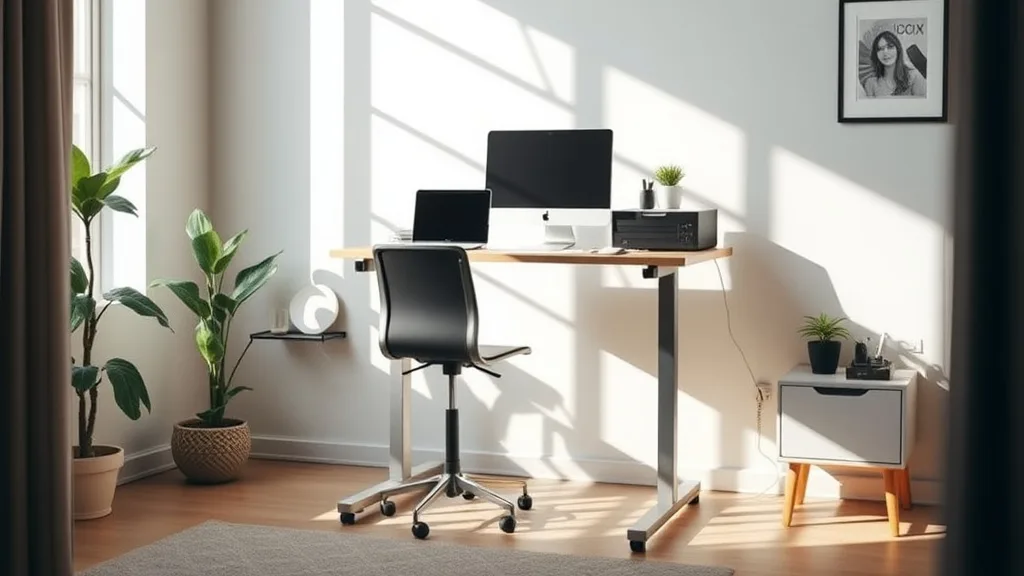
Best Standing Desk Converters for Small Home Workspaces
If you work in a cramped home office or a small corner of your living room, setting up a comfortable and ergonomic workstation can feel like a challenge. Your desk space may be limited, and full-sized standing desks might not fit or feel overwhelming. This is where standing desk converters—compact, adjustable platforms that sit on top of your existing desk—shine. But with so many options marketed as “ergonomic” and “space-saving,” how do you choose one that truly supports long hours of desk work without compromising fit, adjustability, and comfort?
This article breaks down the key features to look for in standing desk converters tailored for small home workspaces, highlights what “ergonomic” really means in this context, and ranks some of the best options based on usability, footprint, and ergonomic flexibility.
See also: Choosing Adjustable Standing Desks for Varied Home Workstyles
What Is a Standing Desk Converter?
A standing desk converter is an adjustable platform that sits on top of your existing desk surface, allowing you to quickly transition between sitting and standing positions. Unlike full standing desks, converters are typically smaller, more affordable, and portable. Ideal for small spaces, they can be placed on a narrow or short desk without the need for replacing your entire setup.
How Standing Desk Converters Work
Standing desk converters use a mechanical lifting system—often gas springs or accordion-style lifts—to raise and lower your monitor, keyboard, and sometimes mouse platform in unison. Many models have dual-tier surfaces: a higher tier for monitors and a lower tier for the keyboard and mouse. The mechanism should allow smooth adjustment with minimal effort, enabling you to move between sit and stand positions multiple times a day.
Key Ergonomic Features for Small Spaces
When workspace is limited, ergonomic considerations become even more important to avoid discomfort during your 8+ hour workdays. Here are critical features to prioritize:
-
Compact Footprint: A converter must fit your desk without dominating it. Look for widths no larger than your existing desk, ideally less than 30 inches wide, and with minimal depth to preserve desk space.
-
Adjustable Height Range: Ensure the converter can raise your screen to eye level (around 48–52 inches from the floor, depending on your height) when standing and lower enough for comfortable typing while seated (typically around 28–30 inches).
-
Stable Platform: The surface should remain stable and not wobble when typing or using the mouse—especially important in smaller, less sturdy units.
-
Keyboard Tray Depth and Size: Check the tray depth (seat depth analogue) to ensure enough space for your keyboard and mouse without feeling cramped. A keyboard tray too shallow will force awkward wrist angles.
-
Weight Capacity: Verify the maximum recommended weight for monitors and peripherals you intend to place. Overloading leads to instability and potential damage.
Why Measured Fit & Pressure Mapping Matter
Many standing desk converters boast “ergonomic design” but overlook the fit for actual users during extended use. Ergonomics isn’t just about adjustability—it’s about how well the height, depth, and positioning of surfaces match your body dimensions and workflow.
For example:
-
Seat Depth Analogue: Just as a chair’s seat depth needs to spread your thighs without pressure behind your knees, a keyboard tray needs appropriate depth to position your hands comfortably without strain or overreach.
-
Lumbar Adjustability Analogue: While converters don’t have lumbar support, ensuring your screen height encourages a neutral neck position reduces strain on your spine, which is a crucial component—screen height adjustability acts similarly to lumbar support in managing posture.
-
Armrest 4D Travel Analogue: Adequate lateral and height adjustment (akin to armrest 4D travel) means your keyboard and mouse should be positioned where your arms naturally rest, preventing shoulder elevation or forward reach.
Some brands leverage pressure-mapping studies or user feedback to enhance these fit parameters; however, third-party user reviews combined with detailed measurements provide more realistic insights than marketing claims alone.
Top 5 Standing Desk Converters for Small Home Workspaces
Here’s a ranked list of converters optimized for tight spaces that emphasize measured fit, stability, and real-world ergonomics rather than flashy marketing hype.
| Rank | Model Type | Max Width (in) | Height Range (in) | Weight Capacity (lbs) | Keyboard Tray Depth (in) | Key Benefits | Drawbacks |
|---|---|---|---|---|---|---|---|
| 1 | Compact gas spring lift | 28 | 4.5 - 17 | 35 | 10 | Smooth height adjustment, stable | Smaller work surface area |
| 2 | Two-tier accordion-style | 30 | 3.9 - 16 | 33 | 9.5 | Easy fold-down for storage | Slight wobble at max height |
| 3 | Single-tier electric lift | 25 | 5 - 18 | 30 | 12 | Electric lift for effortless height | Tiny keyboard space—must use separate tray |
| 4 | Sit-stand desktop shelve | 24 | 3 - 15.5 | 25 | 11 | Small footprint, lightweight | Not ideal for large dual monitors |
| 5 | Foldable spring-assisted | 27 | 4 - 16 | 20 | 9.8 | Portable, quick setup | Limited height adjustability |
How to Choose the Right Converter for Your Space
1. Measure Your Desk and Workspace
Start by measuring your current desk surface, including width and depth. Leave room for your other essential equipment like a lamp, planner, or printer. Choose a converter that fits comfortably without overhanging.
2. Consider Your Monitor and Peripherals
Note the size and weight of your monitor(s) and input devices. Ensure the converter supports their combined weight and has enough surface space to avoid clutter.
3. Prioritize Ergonomic Fit
Use your own body measurements as a guide:
-
Eye level height (standing): Ensure the screen top edge will be at or slightly below eye level to prevent neck strain.
-
Keyboard tray depth: Check that the tray allows a natural arm position without reaching; your elbows should sit roughly at 90 degrees with forearms parallel to the floor.
-
Stability and feel: Test for platform wobble if possible or rely on trusted user reviews that assess sturdiness.
4. Evaluate Adjustability and Ease of Use
Regular position shifts between sitting and standing are ideal. A converter that’s stiff or cumbersome to adjust may discourage this habit. Gas spring or electric lift mechanisms are easier compared to lock-and-lift manual types.
5. Match Your Budget and Durability Expectations
While smaller converters tend to be less expensive than full standing desks, don’t compromise durability and ergonomic quality for cost savings. Look for models with metal frames and reliable lift systems.
Common Pitfalls to Avoid
-
Oversized Converters: Buying a converter that doesn’t fit your desk will make your workspace cramped or unstable.
-
Limited Height Range: Low maximum heights can force you to hunch over, defeating the benefit of standing.
-
Shallow Keyboard Trays: Insufficient depth causes uncomfortable wrist angles or forces awkward arm positions that lead to strain.
-
Ignoring Weight Limits: Overloaded converters become wobbly and wear out faster.
-
Not Testing Adjustability: If a mechanism is too stiff or awkward, it reduces the frequency of sit-stand transitions, lowering the ergonomic benefits.
Frequently Asked Questions
Q: Can standing desk converters support dual monitors?
A: Some compact converters can accommodate dual monitors if the combined weight and width fit within the product specifications. However, dual-monitor setups often require wider and sturdier platforms, which may be less compact.
Q: How often should I switch between sitting and standing?
A: Experts recommend shifting positions every 30 to 60 minutes to avoid fatigue and improve circulation. A converter with smooth and quick adjustment mechanisms supports this routine.
Q: Is there a difference in ergonomics between gas spring and electric converters?
A: Both provide height adjustability, but gas spring models often balance cost and ease of use better for small converters. Electric models offer effortless height changes but tend to be pricier and bulkier.
Choosing the right standing desk converter for a small home workspace hinges on balancing ergonomic fit, compact size, and stable adjustability. Pay close attention to your body’s needs, desk dimensions, and your workflow rhythms. By focusing on these practical details over marketing buzzwords, you’ll create a healthier, more comfortable workstation that supports productive workdays no matter how tight your space.