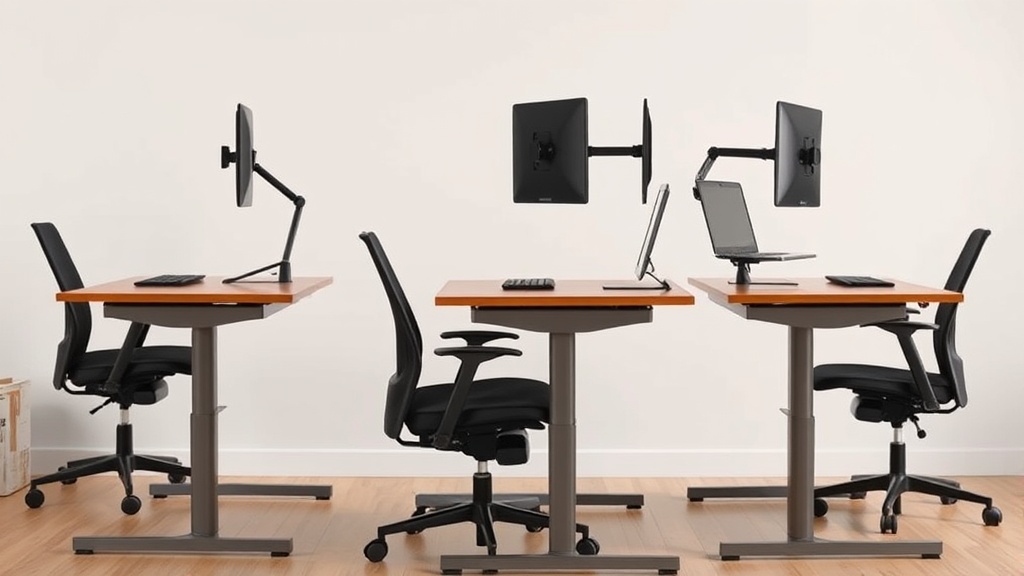
Standing desks have become a popular solution for alleviating the physical strains associated with prolonged sitting during long home office workdays. If you’re dealing with lower back pain, stiffness, or reduced focus after hours at your desk, a sit-stand desk may offer practical health benefits. This article explores the real-world ergonomic advantages, how sit-stand desks function, when and how to use them effectively, and common pitfalls to avoid for sustained comfort and productivity at home.
What Is a Sit-Stand Desk?
A sit-stand desk is a height-adjustable workstation that allows you to alternate between sitting and standing positions while working. Unlike a traditional fixed-height desk, these desks can be raised or lowered to fit your ergonomic needs. This flexibility helps you avoid the physical drawbacks of staying in one posture for extended periods.
Most models enable adjustment through manual cranks, electric motors, or pneumatic mechanisms. They accommodate a variety of body types and work setups, making them well-suited for home offices where space and comfort need to be balanced.
See also: Standing Desk Height Adjustment: Finding Your Ideal Position
How Sit-Stand Desks Work for Home Office Health
The primary health benefit of sit-stand desks stems from encouraging movement and reducing the amount of continuous sitting time, which is associated with negative health outcomes such as poor posture, musculoskeletal discomfort, and increased cardiovascular risk.
Here’s how proper use of these desks promotes health:
-
Improved Posture and Reduced Pressure: Alternating postures allow better spinal alignment. Standing naturally engages core muscles and reduces pressure concentrated on the lower back and hips that occurs with prolonged sitting.
-
Increased Energy and Focus: Periodic standing can enhance blood flow and oxygen circulation, which may increase alertness and reduce afternoon slumps.
-
Muscle Activation and Reduced Stiffness: Standing activates different muscle groups compared to sitting, preventing stiffness and monotony that lead to discomfort and reduced mobility.
-
Potential Caloric Burn: While not a replacement for exercise, standing burns slightly more calories than sitting, which contributes to long-term health when combined with other lifestyle factors.
When and How to Use a Sit-Stand Desk Effectively
Simply owning a sit-stand desk won’t solve all ergonomic issues. To reap full benefits, use these desks deliberately with attention to fit and movement patterns.
Step 1: Get the Fit Right
-
Measure Seat Depth and Height in Sitting: When seated, your chair’s seat depth should support your thighs without pressure on the backs of your knees. Lumbar support should match the natural curve of your lower back.
-
Adjust Desk Height to Elbows: Whether sitting or standing, your desk surface should allow your elbows to bend about 90 degrees, wrists resting straight on keyboard and mouse. Many desks offer micro-adjustment range to accommodate variations.
-
Armrest 4D Travel: If using armrests, they should be adjustable in four dimensions (height, width, depth, and pivot) to maintain relaxed shoulders, especially when transitioning between sitting and standing.
Step 2: Develop a Movement Routine
-
Alternate Every 30 to 60 Minutes: Start by standing for short periods 20-30 minutes per hour, gradually increasing as your body adapts.
-
Incorporate Microbreaks: Use standing periods to stretch calves, ankles, neck, or perform simple mobility exercises.
-
Pressure Map Your Setup (If Possible): Pressure mapping or simply testing discomfort areas in sitting vs. standing can guide desk and chair adjustments.
Step 3: Pay Attention to Flooring and Footwear
- Use anti-fatigue mats or supportive shoes while standing to reduce foot and leg discomfort that could discourage standing breaks.
Common Pitfalls to Avoid
-
Standing Too Long Without Sitting: Standing all day can cause its own issues, such as lower limb fatigue, varicose veins, or plantar fasciitis.
-
Ignoring Desk and Chair Ergonomics: The sit-stand desk is just one part of the equation. A poorly adjusted chair or monitor placement can cause headaches, neck strain, or wrist problems.
-
Rushing Adjustment Without Getting Comfortable: It’s tempting to quickly jump into standing sessions, but gradual adaptation helps prevent stiffness.
-
Neglecting Armrest and Lumbar Support Adjustability: Fixed or non-adjustable armrests and lack of lumbar support reduce the ergonomic benefits and can exacerbate discomfort.
Comparison: Sit-Stand Desk vs. Traditional Desk for Home Office Health
| Feature | Sit-Stand Desk | Traditional Desk | Ideal Scenarios |
|---|---|---|---|
| Posture Options | Flexible sitting and standing positions | Fixed sitting position | Users looking to reduce sedentary behavior |
| Lumbar Support Compatibility | Works best with adjustable ergonomic chair | Compatible with most chairs | Those with lumbar discomfort needing frequent adjustment |
| Armrest Adjustability | Supports four-dimensional armrest travel | Typically limited armrest options | Users needing complete arm support clearance |
| Movement Encouragement | Built-in prompt to alternate postures | No built-in mechanism | Users aiming to build movement habits |
| Pressure Reduction | Alters pressure points actively | Pressure points static when seated | Individuals with lower back and hip discomfort |
| Space & Cost Consideration | Larger footprint and higher cost | Compact and generally lower cost | Budget-conscious or limited space environments |
Conclusion
A sit-stand desk can be an effective ergonomic tool to improve your home office health by breaking up prolonged sitting periods, reducing pressure on key joints, and encouraging movement. However, its benefits depend heavily on proper ergonomic fit, consistent use patterns, and complementary elements such as chair adjustment and flooring support. By paying attention to these factors, you can make your home workstation both more comfortable and healthier over the long term.
Frequently Asked Questions
Q: How often should I switch between sitting and standing?
A: Aim for 20-30 minutes of standing every hour initially, and adjust based on comfort.
Q: Will standing all day be better than sitting all day?
A: No, standing all day can cause fatigue and other issues; alternating postures is key.
Q: What ergonomic features should I look for along with a sit-stand desk?
A: Adjustable lumbar support, 4D armrests, seat depth adjustment, and a properly positioned monitor at eye level.
