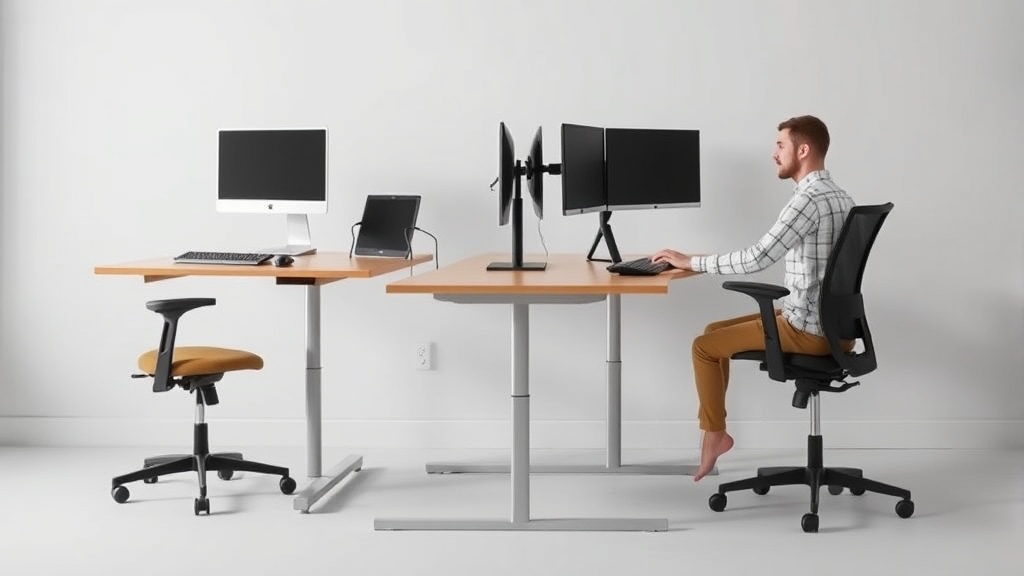
Adjustable standing desks have become a staple recommendation for home office workers looking to improve comfort, focus, and overall health during long workdays. However, many buyers face confusion around whether these desks truly deliver on their ergonomic promises, especially when it comes to fit and practical day-to-day use for 8+ hours seated or standing. This article breaks down the tangible benefits of adjustable standing desks, focusing on how proper ergonomic fit—like adjustable height range and desk surface depth—directly impacts comfort and productivity at home.
What Are Adjustable Standing Desks?
An adjustable standing desk is a workstation with a height-adjustable surface that allows the user to alternate between sitting and standing positions throughout the workday. This flexibility supports a more dynamic posture, reducing physical strain caused by prolonged static positions.
Unlike traditional fixed desks, adjustable models typically feature manual cranks or electric motors that raise or lower the desk surface height. Many also include additional ergonomic features such as spacious desktops for monitors and keyboards, cable management systems, and options for integrated keyboard trays or monitor arms.
See also: Benefits of Sit-Stand Desks for Home Office Health
How Adjustable Standing Desks Work for Ergonomics
The primary ergonomic principle behind adjustable standing desks is to reduce the health risks associated with prolonged sitting, such as musculoskeletal discomfort, poor circulation, and decreased energy. By enabling users to switch postures, these desks encourage movement and muscle engagement, which can improve circulation and reduce fatigue.
However, effectiveness largely depends on precise adjustments tailored to the user’s body metrics—height, arm length, and desk depth preferences. The goal is to achieve ergonomic fit both seated and standing, which can be measured in:
- Desk height range: Should accommodate both sitting and standing postures without forcing wrist or shoulder strain.
- Desktop surface depth: Deep enough to allow comfortable monitor placement at recommended distances (approximately arm’s length) plus room for keyboard and mouse.
- Stability at all heights: The desk must not wobble or shift, which could cause discomfort or reduce work precision.
Without these carefully considered fitting factors, the benefits of a standing desk may be lost, or worse, replaced by new discomforts.
When to Use an Adjustable Standing Desk in a Home Office
If you typically spend over 6-8 hours a day working at a desk, an adjustable standing desk can help:
- Reduce lower back and neck pain commonly caused by static postures.
- Decrease fatigue and improve alertness by promoting better blood flow.
- Enhance focus and productivity through dynamic posture shifts that prevent restlessness.
- Support long-term spinal health by encouraging neutral spine alignment in both sitting and standing.
Additionally, standing desks allow home office workers to tailor their workspace as the day progresses—standing during phone calls or brainstorming, sitting for intensive keyboard work, for example.
Key Ergonomic Considerations Beyond Adjustability
When selecting an adjustable standing desk for prolonged daily use, it’s essential to evaluate the desk in terms of these ergonomic details:
| Feature | Why It Matters | Practical Example |
|---|---|---|
| Height Range (Sitting to Standing) | Must cover your seated elbow height up to your standing elbow height (approx. 90° elbow angle). | A tall person’s desk should raise to about 47-50 inches standing, but lower to 24-26 inches seated. |
| Desktop Depth | Allows proper monitor distance and room for keyboard/mouse without crowding. | At least 24-30 inches depth supports dual monitors placed 20-28 inches away. |
| Stability | Prevents wobble which can strain muscles and distract from work. | Desks with wider legs or crossbars at base usually offer better stability. |
| Surface Material & Size | Larger surfaces reduce clutter and allow better organization, reducing stress. | A surface area around 48” x 30” supports dual screens plus a document stand comfortably. |
| Armrest Compatibility | Adjustable armrests on your chair should align with desk height for proper elbow support. | Armrests that can travel up/down, forward/back, and swivel help maintain neutral wrist and shoulder positions. |
Common Pitfalls When Buying Adjustable Standing Desks
- Ignoring Precise Fit: Buying a desk without measuring your ideal sitting and standing heights leads to compromised posture and discomfort.
- Underestimating Desktop Space Needs: Small desktops force cramped setups, leading to forward leaning or awkward wrist positions.
- Overlooking Stability: Lightweight or mechanically simple models may wobble at higher settings, impacting comfort over long sessions.
- Forgetting Chair Integration: Adjustable standing desks work best when paired with chairs offering 4D armrest adjustability (height, width, depth, pivot) for better ergonomic synergy.
- Relying on Marketing Buzz: Terms like “ergonomic” or “health-focused” don’t guarantee practical comfort for 8+ hour use. Real-world user experience and pressure-mapping studies (where available) are better indicators.
Benefits Recap: Adjustable Standing Desk vs Traditional Desk
| Benefit | Adjustable Standing Desk | Fixed Traditional Desk |
|---|---|---|
| Posture Variation | Enables switching between sitting & standing | Encourages static sitting position only |
| Customizable Height | Adjustable to individual anthropometrics | Fixed height, often not ideal for most users |
| Circulation & Energy | Improves blood flow and reduces fatigue | Circulation decreases with prolonged sitting |
| Productivity & Focus | Dynamic posture can enhance alertness | Static position may increase restlessness or discomfort |
| Long-Term Musculoskeletal Health | Supports spinal alignment and reduces pain | Higher risk of neck/back pain over time |
Practical Tips for Using an Adjustable Standing Desk at Home
- Take measurements before purchase: Use a tape measure to determine your seated elbow height and standing elbow height; ensure the desk’s adjustable range matches these.
- Match your chair: Use a chair with adjustable armrests that can be finely tuned to the desk height for proper forearm support.
- Start slow with standing: Alternate sitting/standing every 30-60 minutes; avoid standing for hours straight initially.
- Use an anti-fatigue mat: When standing, use a supportive mat to reduce foot and leg fatigue.
- Position screens properly: The top of your monitor should be at or slightly below eye level, roughly an arm’s length away.
- Organize your desktop: Keep frequently used items within easy reach and avoid clutter to prevent awkward twisting or leaning.
Conclusion
Adjustable standing desks offer significant ergonomic benefits for home office workers who spend long hours sitting. But these benefits come only with careful attention to fit—height range, desktop depth, and stability—and a realistic understanding of everyday use. Unlike marketing copy that may hype vague advantages, the key to comfort and productivity lies in aligning the desk perfectly with your body and pairing it with well-matched ergonomic chairs and accessories. With the right setup, adjustable standing desks can genuinely transform your home office experience.
Frequently Asked Questions
Q: How high should my adjustable standing desk go?
A: Your desk height while standing should allow your elbows to rest at approximately 90 degrees and wrists to stay neutral while typing, usually around 42-50 inches depending on your height.
Q: Can standing all day be bad for me?
A: Yes, standing continuously can cause fatigue and strain on your legs and feet. It’s best to alternate sitting and standing, starting with short standing periods and gradually increasing.
Q: What else do I need besides a standing desk for good ergonomics?
A: A good ergonomic chair with adjustable 4D armrests, a supportive anti-fatigue mat, properly positioned monitor(s), and regular movement breaks all complement the benefits of an adjustable standing desk.
