35. Monitor distance and the 20-20-20 rule vs the real measurement

By Nate Frost · Senior Editor
Published May 12, 2026 · Last reviewed May 12, 2026
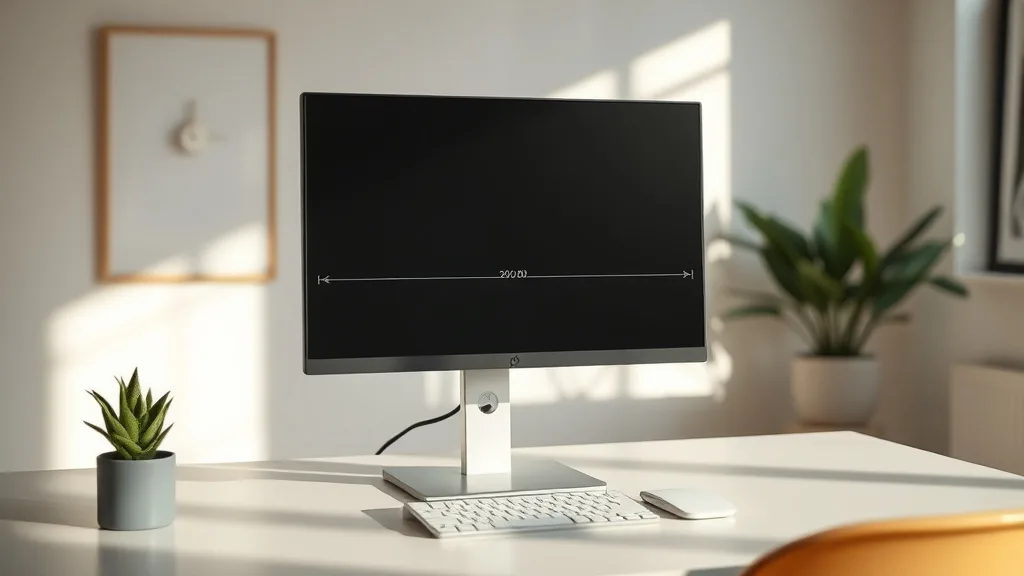
Monitor Distance and the 20-20-20 Rule vs the Real Measurement
If you spend long hours at your desk, you’ve probably heard about the 20-20-20 rule: every 20 minutes, look at something 20 feet away for 20 seconds to reduce eye strain. Paired with advice on monitor distance—for instance, keeping your screen about an arm’s length away—these rules form the backbone of ergonomic recommendations to protect your vision during extended computer use. But how well do these guidelines hold up when you’re actually working an 8-hour shift? And how does the ideal monitor distance connect to your unique needs, office setup, and visual health?
This article unpacks the theory behind the 20-20-20 rule and monitor distance, compares these rules to how your eyes and body behave in real life, and provides practical advice on how to fine-tune your setup for sustained comfort and focus.
See also: Monitor Arms with Swivel and Tilt for Maximum Flexibility
What Is the 20-20-20 Rule and Monitor Distance?
The 20-20-20 Rule
This is a simple, easy-to-remember recommendation designed to reduce digital eye strain. The idea is that every 20 minutes during screen use, you shift your focus to an object at least 20 feet away for at least 20 seconds. This brief eye break is supposed to relax the ciliary muscles controlling your eye’s lens, preventing fatigue.
Monitor Distance Guidelines
Ergonomic guidance often suggests placing the monitor about one arm’s length away from your eyes, roughly 20-30 inches (50-75 cm). This distance is meant to balance:
- Clear focus without straining the eye muscles.
- Minimizing glare and reflections.
- Avoiding the need for excessive head or neck movement.
Some sources specify a distance based on screen size or vision condition, but the key takeaway is that the monitor shouldn’t be too close or too far.
How These Guidelines Work Together
The 20-20-20 rule and monitor distance complement one another: the rule addresses temporally recurring strain by periodically shifting focus, while monitor distance targets continuous strain by setting a baseline viewing distance. Both assume standard visual and ergonomic conditions.
When to Use These Guidelines in Real Life
1. Monitor distance as a baseline setup
When you begin your day, set your monitor distance so your head and neck are comfortable and your eyes can focus clearly without squinting or blurring. This starting point matters far more than an exact 20-30 inch distance.
2. Use the 20-20-20 rule as a habit, not a strict mandate
The rule is a minimum baseline to encourage intentional eye breaks, but it doesn’t mean you need a rigid timer interrupting workflow. Listening to your own visual fatigue signals and adjusting breaks accordingly is more effective.
The Gap Between Marketing and Real Life Experience
Many guides and ergonomic product descriptions tout “perfect” monitor distances and strict adherence to the 20-20-20 rule. The reality is more nuanced. Here are some considerations:
| Aspect | Marketing Recommendation | Real Life Experience |
|---|---|---|
| Monitor Distance | 20-30 inches arm’s length | Varies based on visual acuity, screen size, desk depth, and personal comfort. Some need closer, some farther. |
| 20-20-20 Break Frequency | Strict 20 minutes intervals | Can be adjusted based on task intensity, individual eye strain, and workflow interruptions. |
| Break Duration | 20 seconds per break | Longer or more frequent breaks may be needed, especially if multitasking or in poor lighting. |
| One-Size-Fits-All Advice | “Universal” setup and rule | Every person has unique needs and environmental factors that require adjustments. |
| Focus Distance for Breaks | 20 feet away | Not always practical indoors—focusing on any object at a reasonable distance (even across the room) is beneficial. |
Concrete Steps to Optimize Monitor Distance and Eye Breaks in Practice
Step 1: Measure and Optimize Your Monitor Distance
- Sit comfortably with your back supported and feet flat.
- Extend your arm out and rest your hand on the monitor screen. This is a rough baseline.
- Adjust forward or backward until text on the screen is clear and your eyes feel relaxed. Notice whether you need to squint or lean forward.
- Consider screen size: larger monitors may require slightly increased distance to avoid excessive eye movement and neck strain.
Step 2: Use Pressure-Mapping and Ergonomics to Support Posture
Eye comfort is linked to posture. For instance, improper seat depth can affect forward-leaning, altering eye-to-monitor distance unconsciously.
- Use chairs with adjustable seat depth to support thighs without pressure behind the knees.
- Lumbar support ensures a natural back curve, reducing slumping that can change viewing angles.
- Armrests with sufficient 4D adjustability allow resting elbows and prevent shoulder strain that might impact head and neck position.
Step 3: Integrate Flexible 20-20-20 Breaks
- Set a gentle reminder (not a rigid alarm) every 20-30 minutes to take an eye break.
- Use the break to look beyond your room if possible, or at least 5-10 meters away.
- Blink often and consider simple eye exercises like rolling eyes or focusing on near/far alternately.
- Modify break durations based on how your eyes feel. If you notice dryness or fatigue, increase frequency or break length.
Step 4: Assess Your Environment and Adjust
- Lighting: avoid glare or reflections on the screen that make focusing harder.
- Screen brightness and text size should be adjusted to minimize strain.
- If your workstation is cramped, consider re-arranging to allow at least the minimum monitor distance and eye breaks.
Comparison Table: 20-20-20 Rule Strict vs. Flexible Implementation
| Feature / Aspect | Strict 20-20-20 Rule | Flexible 20-20-20 Adaptation |
|---|---|---|
| Break frequency | Exactly every 20 minutes | Every 20-30 minutes, depending on comfort |
| Break duration | 20 seconds | 20-60 seconds or longer if needed |
| Focus point distance | Exactly 20 feet | Any distant object visible indoors or outdoors |
| Impact on workflow | Frequent interruptions | Blended into natural workflow pauses |
| Suitability for intense focus tasks | Difficult to maintain | Easier to incorporate without distraction |
| Eye strain reduction | Proven in lab conditions | Matches real-world variability better |
Common Pitfalls When Applying These Rules
- Treating 20-20-20 as a strict law: Focusing too much on rigid timing can distract and frustrate.
- Ignoring personal variation: Eye strain and comfort vary widely. Prescription glasses, vision health, and environment change needs.
- Neglecting posture: Monitor distance alone won’t prevent discomfort if seating and armrest adjustments are ignored.
- Underestimating lighting: Poor contrast or glare can negate the benefits of proper distance.
- Not tracking results: Without monitoring how your eyes feel after breaks or adjustments, it’s hard to optimize.
Final Thoughts
The 20-20-20 rule and the recommended monitor distance provide strong foundational advice to reduce eye strain in long hours of screen use. But “one size fits all” doesn’t exist in ergonomics. Instead, use these as starting points to listen to your eyes and body. Combine monitor distance optimization with proper seating ergonomics and flexible eye breaks adapted to your workflow. Over time, this integrated approach will improve visual comfort and help you sustain productivity without burnout.
Frequently Asked Questions
Q: Is 20 feet distance really necessary for the break in the 20-20-20 rule?
A: No, the main benefit is shifting your focus to a distance far enough to relax eye muscles. Indoors, looking at an object across the room generally suffices.
Q: Can I rely solely on the 20-20-20 rule to prevent eye strain?
A: No, it’s one part of a broader approach including monitor distance, posture, lighting, and regular breaks.
Q: How do I know if my monitor distance is wrong?
A: Signs include frequent eye fatigue, headaches, blurred vision, or leaning forward or backward often. Adjust distance until text is comfortably clear and you maintain a natural posture.