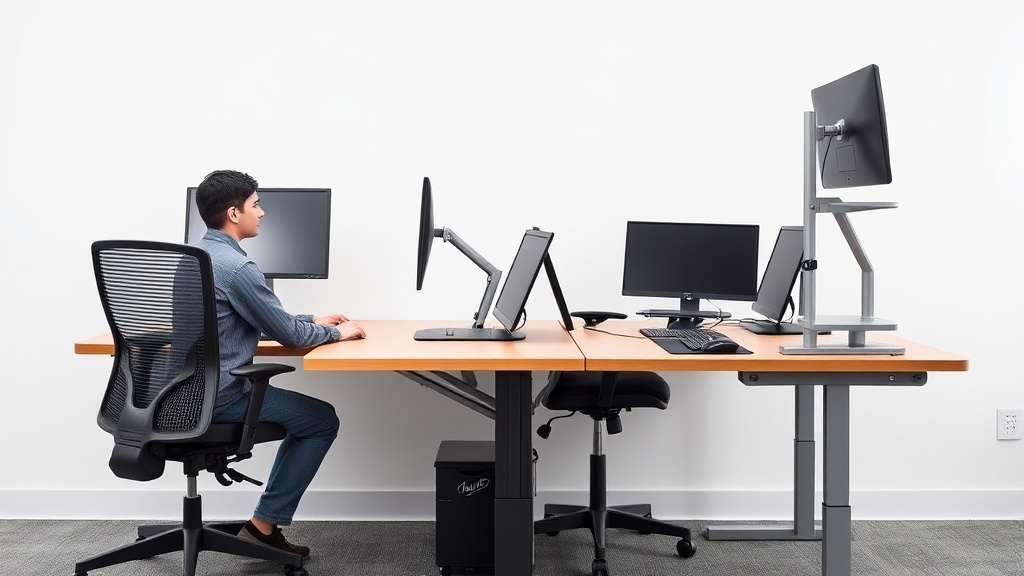
Desk Height vs Keyboard Tray Height: Measure This, Not That
If you’re setting up an ergonomic workstation, you’ve likely encountered conflicting advice about desk height and keyboard tray height — which should you measure, adjust, or prioritize? Getting these wrong can lead to discomfort, strain on your wrists and shoulders, and long-term posture problems. The confusion stems from misunderstanding how desk height and keyboard tray height interact to support proper arm and wrist positioning, especially for long hours of desk work. This article will clarify exactly what you should measure and adjust for ergonomic success, including the critical role of seat depth, armrest adjustability, and pressure-mapping your contact points.
See also: Chairwise Chairs with Lumbar Support for Improved Posture
What is Desk Height vs Keyboard Tray Height?
- Desk Height generally refers to the vertical distance from the floor to the top surface of your main desk. This is where your monitor, mouse, and other workspace essentials often sit.
- Keyboard Tray Height is the vertical distance from the floor to the surface where your keyboard (and sometimes mouse) rests. This is usually adjustable and often separates hand positioning from the main desktop surface.
Many ergonomic setups recommend a keyboard tray to keep your wrists and forearms in a more neutral, comfortable position without forcing the desk height to be too low or high.
Why Focus on Keyboard Tray Height for Ergonomics?
Instead of obsessing over desk height alone, it’s the keyboard tray height that directly impacts your arm and wrist positioning during typing and mouse use. Here’s why:
- Your elbows should be approximately at a 90-degree angle or slightly more open when typing, with forearms parallel or slightly declined relative to the floor.
- Your wrists should rest in a neutral position—neither bent up nor down—when reaching your keyboard.
- Adjusting keyboard tray height allows you to maintain this neutral position independent of desk height, which often has to accommodate other items like monitors, documents, and work tools.
In contrast, focusing solely on desk height means you might have to compromise on your monitor position or chair height, leading to poor posture elsewhere.
How to Properly Measure Keyboard Tray Height (and Why It Matters More Than Desk Height)
- Sit in your ergonomic chair with feet flat on the floor. Adjust the chair height so your thighs are roughly parallel to the floor, and your hips are slightly higher than your knees.
- Measure from the floor to your elbow crease (the bottom of your bent elbow). This is your optimal forearm height for typing.
- Set your keyboard tray height to match this elbow height, or slightly lower by about 1-2 cm (roughly 0.5 inches). This reduces strain on your wrists and shoulders.
- Check armrest adjustability: Your chair armrests should be set to support your forearms without causing your shoulders to elevate or slump.
- Verify seat depth: Proper seat depth supports your thighs without cutting off circulation and allows you to sit fully back with lumbar support engaged.
- Test typing and mousing comfort: Spend 10-15 minutes typing and moving your mouse. Notice if your wrists bend unnaturally or if you have to raise or lower your shoulders.
Desk Height Still Matters — Here’s How to Balance Both
Desk height is critical too, but it is typically constrained by your workflow needs and hardware:
- Your monitor tops should be roughly at or just below eye level to prevent neck strain.
- Desktop height often needs to accommodate writing or other tasks at a comfortable wrist angle when the keyboard tray is retracted.
If desk height is too high for your keyboard tray to be adjusted properly, consider a sit-stand desk or a keyboard tray with a greater vertical travel range. Conversely, if the desk is too low, your armrests and chair height will need compensatory adjustments, which can impact posture.
A Comparison Table: Desk Height vs Keyboard Tray Height
| Feature | Desk Height | Keyboard Tray Height | Practical Takeaway |
|---|---|---|---|
| Primary Measurement | Floor to desktop surface | Floor to keyboard surface | Keyboard tray height measured from elbow height is more critical. |
| Adjustability Range | Limited, often static desktop height | Usually adjustable within a range of 10–15 inches | Keyboard tray’s vertical adjustability accommodates ergonomic typing position. |
| Impact on Posture | Indirect (affects monitor height, space) | Direct (controls wrist and arm angle) | Keyboard tray height directly affects wrist neutrality. |
| Use Cases | Reading, writing, monitor placement | Typing, mousing | Keyboard tray height is optimized for extended typing comfort. |
| Interaction with Chair | Limits chair height & seat depth options | Enables better chair and armrest tuning | Keyboard tray height allows for ergonomic compromises between chair and desk height. |
| Common Pitfalls | Desk too high forces shoulder shrugging | Keyboard tray too low or shallow causes wrist extension | Over-focusing on desk height ignores wrist and arm strain risk. |
The Role of Seat Depth and Armrest Adjustability in This Equation
-
Seat depth matters because it determines how close your body is to the keyboard and desk. Too deep a seat pushes you forward, increasing wrist extension or shoulder reach; too shallow a seat leaves you unsupported, increasing back strain. Your seat depth should allow your back to rest fully on the chair’s lumbar support while maintaining about 2-3 fingers’ width between the seat edge and the back of your knees.
-
Armrests with 4D adjustability (height, width, depth, and pivot) allow you to fine-tune how your forearms rest during typing and mousing. For example, if your keyboard tray is set perfectly but your armrests only adjust vertically, you may still end up hunching or straining your shoulders.
Pressure Mapping and Why It’s Worth Considering
Extended hours typing can mean sustained pressure points, causing discomfort or numbness. Using a pressure-mapping mat or consulting with specialists who use them can show you where your wrists or forearms bear excessive pressure. This data complements the “fit” measurements:
- You might find your keyboard tray height feels good in theory, but pressure mapping reveals excessive wrist pressure, indicating you need better wrist rests or a keyboard tray with a negative tilt.
- Mapping can also show uneven forearm load, suggesting armrests need width or pivot adjustments.
Common Pitfalls in Measuring and Adjusting Desk vs Keyboard Tray Height
- Measuring standing or without your chair: Always measure in the seated position you actually work in with your ergonomic chair adjusted.
- Ignoring forearm angle and wrist neutrality: Measuring just the desk or keyboard tray height without checking how your forearms and wrists actually feel leads to misalignment.
- Thinking desk height alone solves ergonomics: Desk height is often a compromise; keyboard tray height is the key ergonomic actor for your hands.
- Neglecting chair and armrests: Good keyboard tray height can be undermined by poor chair seat depth or rigid armrests.
Summary: Measure Your Elbow Height, Not Just Desk Surface
Ergonomic comfort when typing 8+ hours per day depends largely on keyboard tray height as it sets your wrists and forearms in the most neutral position. Desk height, while still important for monitor placement and general workspace layout, is less critical to evaluate rigorously for keyboard comfort. Instead, measure from the floor to your elbows while seated in your ergonomic chair and adjust the keyboard tray to that height. Factor in seat depth and armrest adjustability to fine-tune your setup. Pressure mapping can provide data-driven insights if you experience discomfort despite good measurements.
Frequently Asked Questions
Q: Can I use my desk surface as my keyboard tray without separate trays?
A: Yes, if your desk height aligns with your elbow height and supports a neutral wrist position. However, many desks are too high or low for this, making keyboard trays valuable.
Q: How much vertical adjustment range should my keyboard tray offer?
A: Around 10 to 15 cm (4 to 6 inches) vertical travel is ideal to accommodate seated height variations and armrest setups.
Q: What if my monitors can’t be lowered to match my keyboard tray height?
A: Consider monitor risers or adjustable monitor arms. Proper monitor height prevents neck strain even when your keyboard tray is set low for wrists.
