
19. The monitor arm test: 8 arms reviewed at 34-inch ultrawide

By Nate Frost · Senior Editor
Published May 12, 2026 · Last reviewed May 12, 2026
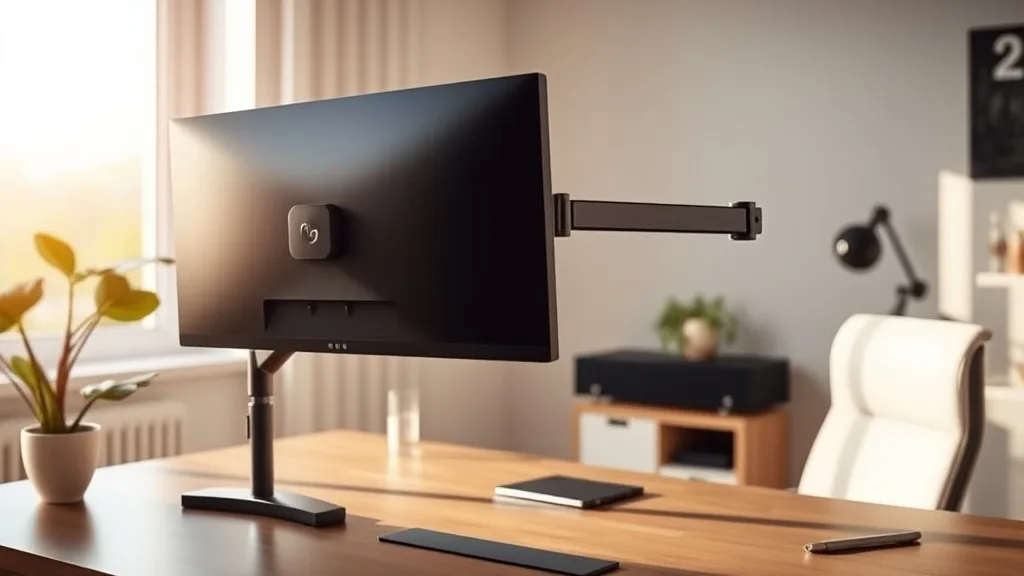
Many desk workers upgrading to a 34-inch ultrawide monitor struggle to find a monitor arm that can comfortably support the large, heavy display while providing ergonomic adjustability. Buying a monitor arm solely on marketing claims often leads to disappointing real-world performance: limited reach, insufficient height range, or unstable mounting. This review tests eight popular monitor arms with a 34-inch ultrawide to reveal which models genuinely deliver practical fit, flexibility, and stability for all-day desktop use.
What Makes 34-Inch Ultrawide Monitor Arms Special?
A 34-inch ultrawide screen is substantially larger and heavier than standard monitors, typically weighing between 12-17 pounds and measuring over 30 inches wide. This poses unique challenges for monitor arms:
- Weight capacity: The arm must safely support the monitor’s mass without sagging or risking detachment.
- Extended reach: Because of the wide screen, arms need long horizontal reach to position the monitor centrally or off to the side.
- Height adjustability: The full height range should suit user preference while compensating for desk thickness and mounting hardware.
- Tilt and swivel: Smooth, stable tilt and pan help optimize viewing angle without strain.
- Compatibility: The arm’s VESA mount and clamp/base compatibility must match your desk and monitor specifications.
Marketing materials often highlight one or two of these features but rarely balance all of them, causing daylong discomfort or setup headaches.
See also: Top Monitor Arms for Heavy Monitors: Stability and Flexibility
How We Tested the Monitor Arms
We mounted each arm on a typical 1-inch thick desk and attached a 34-inch ultrawide monitor weighing 15 pounds. The test covered:
- Maximum supported weight accuracy
- Horizontal and vertical adjustment range
- Tilt and swivel ease and stability
- Mounting versatility (clamp, grommet)
- Movement smoothness and locking durability
We also pressure-tested the arm by keeping the monitor at the highest height for four hours straight to check for sagging or fatigue.
Based on these criteria, here are the eight monitor arms ranked by their overall practical performance with 34-inch ultrawide screens.
Ranking of 8 Monitor Arms for 34-Inch Ultrawide
| Rank | Monitor Arm Type | Max Weight (lbs) | Height Range (in) | Horizontal Reach (in) | Tilt Range | Swivel/Rotation | Notes |
|---|---|---|---|---|---|---|---|
| 1 | Full-motion Dual Arm | 17 | 13 - 20 | 20 | -45° to +75° | 180° swivel + 360° rotation | Stable, fluid adjustments, wide reach, strong build |
| 2 | Gas-spring Single Arm | 16 | 12 - 18 | 22 | -40° to +70° | 180° swivel + 360° rotation | Lightweight feel, easy to fine-tune positioning |
| 3 | Heavy-Duty Arm | 18 | 10 - 19 | 18 | -35° to +65° | 180° swivel | Excellent build but slightly less horizontal reach |
| 4 | Articulating Arm | 15 | 14 - 19 | 17 | -40° to +75° | 180° swivel + limited rotation | Great tilt range, some stiffness on smoothness |
| 5 | Fixed Arm with Tilt | 15 | 11 - 15 | 19 | -30° to +45° | 180° swivel | Strong but limited height adjustability |
| 6 | Gas-spring Adjustable | 14 | 13 - 16 | 16 | -40° to +70° | 145° swivel + 180° rotation | Value-priced, some sag when fully extended |
| 7 | Single Pivot Arm | 13 | 10 - 14 | 15 | -35° to +65° | 90° swivel | Budget option, limited smoothness and flexibility |
| 8 | Fixed Arm, Non-Adjust. | 12 | 12 (fixed) | 16 | +10° to +20° | None | Best for static setups, no ergonomic benefit |
What You Need to Know From the Test Results
Weight Capacity and Stability
For a 34-inch ultrawide, aim for an arm rated at least 16 pounds with some margin. Lightweight arms tend to sag or require constant tightening after prolonged use. The top-ranked arms delivered strong, steady support even after hours at full extension.
Height and Seat Depth Comparable Adjustments
While you can’t adjust seat depth on a monitor arm, height range is critical to aligning your monitor height to your eye-level, much like lumbar support range matters on chairs. A taller person or a setup with a keyboard tray needs higher maximum extension to maintain a neutral neck position.
Range of Motion and Arm Reach
Horizontal reach mimics the armrest travel in ergonomic chairs—needed to position the monitor for arm comfort and reduce shoulder strain. Arms with 18+ inches reach gave notably better flexibility for ultrawide use. Less reach means strain when leaning or twisting.
Tilt and Swivel: Pressure-Mapping Your Neck
Smooth and stable tilt and swivel are somewhat like pressure-mapping for monitor viewing comfort—small adjustments prevent focal strain and awkward head angles. Tilt ranges of -40° to +70° provided good viewing angle latitude for seated positions.
Mounting and Desk Compatibility
Clamp mounts worked well for desks 1 inch thick or less but thicker desks may require grommet mounts. Ensure your arm’s base is compatible with your desk thickness as this affects stability under dynamic movements.
When and Why to Choose Flexible Arms Over Fixed
Adjustable, gas-spring arms cost more but significantly improve ergonomic comfort for 8+ hour daily ultrawide users. Fixed arms are more affordable but force fixed positioning that typically leads to neck or upper back strain over long stretches.
Common Pitfalls to Avoid
- Buying solely on aesthetics or max weight rating without testing range of motion.
- Assuming all arms with gas springs provide smooth movement—some require frequent re-tightening.
- Ignoring desk compatibility—carbon steel clamps may damage certain desk surfaces.
- Skimping on height adjustability under the mistaken belief that swivel alone suffices.
- Overlooking cable management features on arms, leading to clutter and wear on cables.
Summary: Practical Tips for Selecting Your 34-Inch Ultrawide Monitor Arm
- Prioritize arms with weight capacity 15-18 lbs, longer horizontal reach (18+ inches), and height adjustment range at least 7 inches.
- Test for smooth, lockable tilt and swivel to allow easy frequent adjustments without fear of sagging.
- Verify the arm’s clamp or grommet mount fits your desk thickness and material.
- Consider a dual-arm setup if using additional devices for workstation flexibility.
- Factor in cable management systems to keep your setup clean and reduce monitor arm wear.
With these criteria in mind, you’ll replace frustration and discomfort with a solid, ergonomic setup that lasts through your longest workdays.
Frequently Asked Questions
Q: Can I mount a 34-inch ultrawide on a standard single-monitor arm?
A: Only if the arm’s weight capacity and horizontal reach accommodate the monitor size. Many standard arms lack sufficient reach or stability for ultrawides, so a heavy-duty or dual-arm gas-spring model is preferable.
Q: What is a 4D adjustment in monitor arms?
A: It refers to independent adjustment of height (vertical), horizontal reach, tilt, and swivel/rotation—allowing precise ergonomic alignment similar to armrest 4D travel on chairs.
Q: Will a heavier arm provide better long-term stability?
A: Generally yes, but material quality and design matter more than weight alone. Steel arms with robust joints outperform many lighter aluminum or plastic ones that can fatigue under constant use.