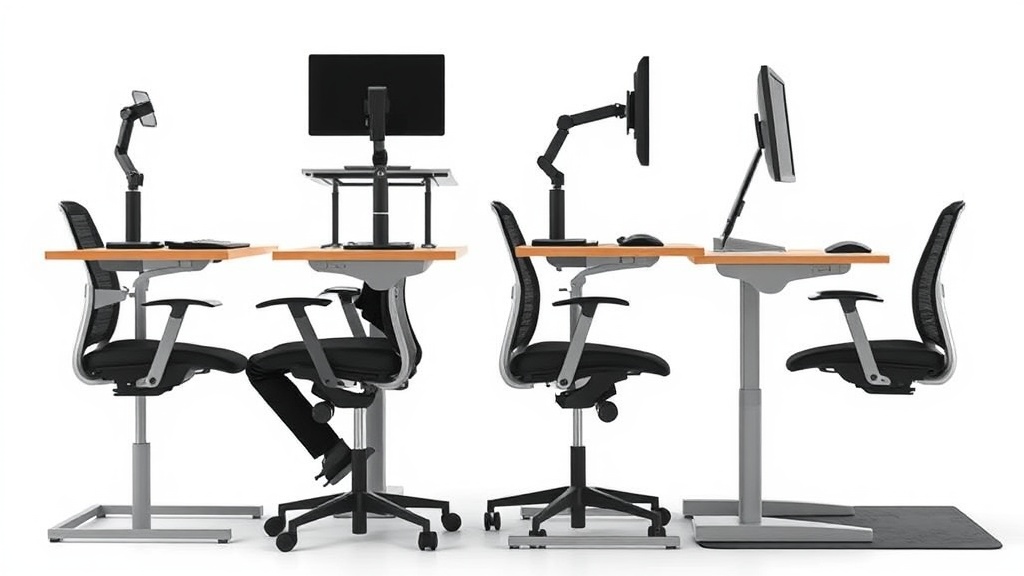
Standing desks are increasingly popular for reducing sedentary time, but many users report new discomfort in their backs after hours standing on hard floors. The wrong anti-fatigue mat can actually worsen back pain or fail to provide meaningful relief, especially in prolonged desk work sessions. If you want to protect your spine and maintain ergonomic posture with a standing desk, you need to choose an anti-fatigue mat that specifically helps reduce back strain—measured by factors like cushioning, pressure distribution, and material responsiveness—not just generic comfort.
This guide ranks anti-fatigue mats by their effect on back comfort during extended standing desk use. It breaks down the key features and how to critically evaluate claims versus real-world ergonomic benefits, so you can make a practical, lasting choice.
What is an Anti-Fatigue Mat?
Anti-fatigue mats are cushioned floor pads designed to reduce discomfort and fatigue for people who stand for extended periods. By introducing a resilient, forgiving surface underfoot, these mats encourage subtle leg and foot muscle movement, improving circulation and reducing strain on the feet, legs, and lower back.
Unlike simple floor rugs or area carpets, anti-fatigue mats often have specific features like closed-cell foam cores, gel inserts, or layered composites engineered to optimize pressure relief and promote posture changes.
See also: Standing Desk Exercises to Complement Your Work Routine
How Anti-Fatigue Mats Affect Back Comfort
Standing still on hard floors transmits pressure and shocks directly through your feet to your legs and spine, potentially leading to lower back stiffness, muscle tightness, and pain. Anti-fatigue mats mitigate this through:
- Pressure Absorption: Softer mats distribute foot pressure more evenly, reducing localized discomfort and spinal compression.
- Micro-movement Encouragement: A slightly springy surface encourages subtle weight shifts and calf muscle flexing, reducing muscle fatigue that can radiate to the lower back.
- Posture Support: High-quality mats aid in maintaining ergonomic alignment by preventing restricted ankle movement and discomfort that often leads to slouching or spinal misalignment.
However, the mat’s thickness, density, and resilience must balance cushioning with stable support—too soft can cause instability and poor posture, too hard offers minimal relief.
Ranking Criteria for Back-Effect Focused Anti-Fatigue Mats
When choosing an anti-fatigue mat to reduce back pain during standing desk use, look for:
-
Material Composition and Density
High-density closed-cell foam or dual-layer gels reduce standing pressure without bottoming out. Medium-firm mats typically score higher for spinal support. -
Thickness and Resilience
Mats between 3/8” to 1/2” thickness provide better shock absorption. Thickness beyond 1/2” can cause balance issues. -
Surface Texture and Grip
A lightly textured, non-slip surface prevents fatigue-causing micro-adjustments or slips that destabilize posture. -
Size and Shape for Proper Foot Placement
Mats that accommodate natural shifting stance without forcing feet together promote better weight distribution and spinal alignment. -
Pressure Distribution and Feedback
Mats designed for pressure-mapping validated by ergonomic testing indicate a more even distribution, key for back comfort.
Anti-Fatigue Mats Ranked by Back Comfort Effect
| Rank | Mat Type | Thickness | Material Type | Surface Grip | Back Comfort Impact | Suitable For | Trade-offs |
|---|---|---|---|---|---|---|---|
| 1 | Medium-density dual-layer gel/foam | 0.5” | Gel + Closed-cell foam | Micro-textured | Excellent: pressure evenly spread, encourages micro-movements | Users standing 6+ hours daily | Higher price, heavier than pure foam |
| 2 | High-density closed-cell foam | 0.375” | High-density EVA foam | Fine texture | Very good: firm support with cushioning | Moderate daily standing (3-6 hours) | May feel too firm for those preferring softer mats |
| 3 | Low-density memory foam | 0.5” | Memory foam | Smooth | Good: Soft and cushioned but can sag and reduce stability | Short standing bouts (<3 hours) | Can cause ankle fatigue and poor posture if used long-term |
| 4 | Anti-slip cushioned rubber | 0.25” | Rubber | Deep grip | Moderate: good grip but limited cushioning | Standing in areas with risk of slip | Less cushioning means more load on spine |
| 5 | Thin gel inserts | 0.25” | Gel | Smooth | Limited: cushions feet but minimal spinal relief | Occasional standing or supplement | Less durable, minimal pressure distribution |
When to Use an Anti-Fatigue Mat for Back Relief
- Long Standing Hours (6+ hrs/day): Prioritize mats with medium firmness and dual-layer gel/foam composites that promote micro-movements and reduce spinal compression.
- Moderate Standing Sessions (3-6 hrs/day): High-density closed-cell foam mats balance comfort and stability well.
- Short Standing or Frequent Sitting Breaks: Softer mats like memory foam or thin gel inserts can provide occasional relief but may hinder posture if used exclusively.
- Different Body Weights: Heavier individuals may benefit from firmer mats that maintain shape, while lighter users might prefer softer options that cushion more.
Common Pitfalls and How to Avoid Them
-
Too Soft or Thick Mats
Overly cushioned mats can cause foot instability, ankle fatigue, and promote slouching—worsening rather than easing spinal discomfort. -
Neglecting Mat Size
A mat too small restricts movement, forcing unnatural standing postures; overly large mats may be cumbersome and encourage standing in the same place without shifting. -
Ignoring Surface Grip
Mats lacking proper traction cause micro-adjustments to prevent slipping, increasing fatigue and back strain. -
Discounting Personal Ergonomics
An anti-fatigue mat cannot compensate for poor desk height, monitor placement, or foot posture—those must be addressed alongside mat selection.
How to Choose and Maintain Your Anti-Fatigue Mat for Optimal Back Health
- Measure your standing desk area, ensuring enough room to move feet naturally on the mat.
- Test for firmness and thickness—ideally, try mats before buying or check for flexible return policies.
- Look for third-party ergonomic testing or pressure mapping info when possible.
- Consider your standing hours, weight, and health conditions—seek specific firmness levels accordingly.
- Use in combination with ergonomic desk and chair setup: Adjust desk height, screen levels, and footwear to support overall posture.
- Keep mat clean and dry, replacing if it wears down or loses firmness to maintain consistent back support.
Frequently Asked Questions
Q: Can an anti-fatigue mat alone prevent back pain from standing desks?
A: No, while a good mat reduces pressure and improves comfort, overall ergonomics including desk height, footwear, and movement breaks are critical for back health.
Q: How thick should an anti-fatigue mat be for back support?
A: A thickness between 3/8” and 1/2” generally provides balanced cushioning and stability. Thicker mats can reduce balance and encourage poor posture.
Q: Are gel mats better than foam mats for back comfort?
A: Dual-layer gel plus foam mats often outperform pure foam or gel-only mats by offering even pressure distribution and encouraging micro-movements that ease spinal load.
Choosing the right anti-fatigue mat for your standing desk is a balance between cushioning, support, and promoting natural movement—all crucial for reducing back fatigue through long workdays. Evaluating mats with a focus on pressure relief and ergonomic response rather than marketing buzz will yield the best results for your spinal comfort.
Related reading
- Standing Desk Exercises to Complement Your Work Routine
- Standing Desk vs. Ergonomic Chair: Which Actually Prevents Back Pain (Real Data)
- Standing Desk Mats That Improve Comfort and Reduce Fatigue
- How to Set Up an Ergonomic Standing Desk at Home
- Standing Desk vs. Chair: The Ultimate Ergonomic Showdown
