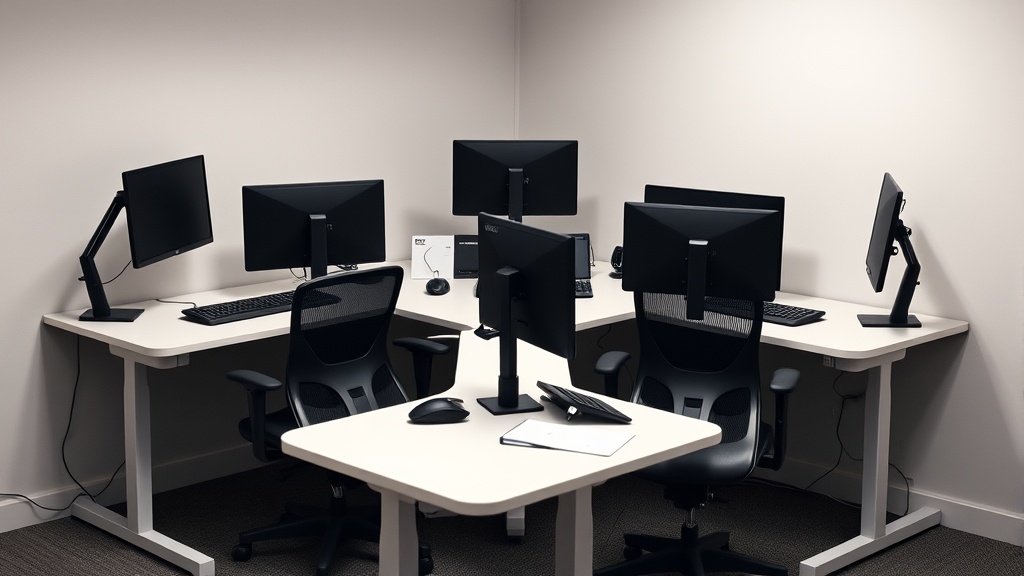
17. L-Shaped Corner Desks: The Hidden Ergonomic Trap
If you’ve recently purchased or are considering an L-shaped corner desk to maximize your workspace, you might think you’ve solved problems of space and multitasking ease. However, what often goes unnoticed until long hours at the desk have passed is that these setups can create serious ergonomic challenges. Discomfort, poor posture, and increased muscle strain are common complaints that stem less from the desk’s shape itself and more from how it interacts with your body mechanics, adjustment options, and workflow.
In this article, we unpack the ergonomic realities behind L-shaped corner desks: what makes them tricky, how their features intersect with your chair and monitor placement, and practical strategies to avoid ending your workdays stiff or achy. We’ll focus on measured fit—like seat depth and armrest adjustability—that matter far more than flashy corner space. Read on to learn why an L-shaped desk might be a hidden ergonomic trap and what you can do about it.
See also: Chairwise Chairs with Lumbar Support for Improved Posture
What Is an L-Shaped Corner Desk?
L-shaped desks are designed with two rectangular work surfaces joined at a right angle, forming an “L” shape. They’re prized for fitting into room corners, offering two continuous surfaces without needing a separate table or a disjointed setup. The theory is simple: one side can hold your computer essentials while the other provides extra space for documents, secondary monitors, or writing.
They come in varying sizes and depths but usually maintain that right angle that creates the “corner” workspace. Some are height adjustable, but most remain fixed-height, which can create mismatches with chair and monitor alignment.
How the L-Shaped Design Impacts Ergonomics
1. Reach and Armrest Fit
One of the biggest ergonomic risks with L-shaped desks is uneven reach distances. The corner itself can force your dominant arm or both arms to hover at awkward angles or distances, especially if your keyboard or mouse sits on the shorter arm but monitors are on the longer side.
For chair users, armrests play a crucial role in preventing shoulder strain. Armrests with 4D adjustability (height, width, depth, and pivot) can compensate somewhat, but many chairs with limited adjustability paired with a mismatched desk depth force unnatural arm positions — elbows too high or too low, or wrists bent outward.
2. Seat Depth and Lumbar Support Challenges
With an L-shaped desk, your chair must fit precisely so you can sit close to your preferred working area without compressing the backrest or bottoming out in the seat pan. Seat depth matters: too shallow, and your thighs don’t get adequate support, leading to pressure points behind your knees; too deep, and you can’t sit fully back and engage lumbar support, which is key to a healthy posture during prolonged sitting.
Since corner desks tend to have different depths on each leg of the “L,” finding one consistent chair position is tricky.
3. Monitor Placement and Neck Angles
Monitor ergonomics are often compromised with L-shaped desks. The corner design encourages multiple monitors or dual work zones, but that often sets up uneven viewing distances or forces twisting of the neck to look at one screen over the other. Even small angles of neck rotation over 8 hours/day increase risk for muscle fatigue and cervical strain.
4. Pressure Mapping—Why It Matters
Pressure mapping technology helps visualize how your weight distributes through your seat and backrest. When sitting near an L-shaped corner, uneven pressure is common: you might lean slightly toward one desk arm, compressing one hip more than the other. Without adjustable lumbar support and measured chair fit (including seat pan depth and angle), prolonged pressure points cause discomfort and reduce productivity.
When Is an L-Shaped Desk Appropriate?
Despite the ergonomic caveats, L-shaped desks can work well in certain scenarios:
- Multitasking Workflows: If your job requires frequent switching between paper documents, reference books, and computer work, having distinct surfaces can help organize tasks and reduce clutter.
- Multiple Monitors: With proper setup, placing monitors along the longer side and input devices on the adjacent surface can improve efficiency.
- Limited Room Space: When space is tight and a rectangular desk would crowd the room or block traffic flow, an L-shaped corner desk might maximize usable area.
The key word is proper setup. Without paying close attention to chair-desk compatibility, armrest adjustability, and monitor positioning, you risk the hidden ergonomic trap.
How to Avoid the Hidden Ergonomic Trap in L-Shaped Desks
Here are concrete steps to improve your setup:
1. Measure Your Fit Precisely
- Seat Depth: Choose a chair with adjustable seat depth typically ranging from 15 to 18 inches. Make sure you can sit with your back against the lumbar support and have 1–2 inches of clearance between seat edge and the back of your knees.
- Lumbar Adjustability Range: Chairs with adjustable lumbar support height and firmness help maintain natural spinal curves even when slightly rotated toward the desk corner.
- Armrest 4D Travel: Find chairs offering height, width, depth, and pivot adjustments to align support with desk edges and your sitting posture.
2. Position Monitors Correctly
- Place your primary monitor directly in front at eye level, about an arm’s length away.
- If using dual monitors, angle secondary screens so the neck doesn’t twist more than 15 degrees.
- Use monitor arms or stands to compensate for the varied depths along the desk.
3. Optimize Keyboard and Mouse Placement
Set keyboards and mice on the desk section that allows your elbows to stay close to the body with forearms parallel to the floor. Avoid stretching or reaching, especially toward the corner’s apex.
4. Perform Regular Pressure Mapping and Self-Checks
If possible, use pressure mapping cushions or seat pads to visualize pressure points and adjust sitting position or support accordingly. In absence of tools, self-check every hour for discomfort or numbness and adjust posture or take breaks.
5. Consider Desk or Chair Alternatives
If ergonomic challenges persist despite adjustments:
- Try a desk with an adjustable height to allow sit-stand variability.
- Explore ergonomic chairs with highly customizable features to better match your workspace.
- Reconsider the “L” and test a rectilinear desk combined with a rolling side table or adjustable mobile cart for secondary surfaces.
L-Shaped Desk vs Rectangular Desk: Ergonomic Feature Matrix
| Feature | L-Shaped Corner Desk | Rectangular Desk | Ergonomic Considerations |
|---|---|---|---|
| Workspace Area | Larger, corner-focused | Uniform, often smaller | L-shaped offers more space but irregular depths |
| Monitor Positioning | Flexible but risks neck twisting | Direct, easier for neck alignment | Rectangular easier for ergonomic single-monitor setups |
| Reach and Arm Placement | Uneven distances, may cause awkward reaches | Consistent depth, simpler reach | Rectangular reduces asymmetric strain |
| Chair Compatibility | Requires high adjustability in chair | More standard compatibility | L-shaped demands chairs with seat depth/lumbar/armrest flexibility |
| Space Utilization in Room | Fits corners, saves floor space | Better for open layouts | Depends on room shape and personal workflow |
| Multitasking Efficiency | Supports multiple zones nicely | Limited zones | L-shaped aids task separation but risks posture compromises |
Common Pitfalls to Avoid
- Ignoring chair adjustability: Buying a fixed armrest chair and assuming it will fit all desk angles leads to shoulder discomfort.
- Placing monitors incorrectly: Not aligning screens forces neck rotation and eye strain.
- Sitting too far or too close: Poor seat depth adjustment causes pressure points or lack of back support.
- Using fixed-height desks without adjustability: This rigidity may mismatch your chair and body dimensions.
To summarize: the L-shaped corner desk can create ergonomic hazards because its configuration interacts unpredictably with your chair fit and work habits. Failing to address armrest adjustability, seat depth, lumbar support, and monitor alignment turns what should be increased workspace into a pain trap.
Frequently Asked Questions
Q: Can an L-shaped desk be ergonomic with a standard office chair?
A: Often not ideal. Standard chairs with limited adjustability can’t compensate for the uneven reach distances and varying desk depths typical of L-shaped desks. A chair with 4D armrests, adjustable seat depth, and lumbar support is recommended.
Q: How important is monitor placement with L-shaped desks?
A: Very important. Monitors set at the wrong height or angle cause neck twisting and strain, especially over 8 hours/day. Primary screens should be centered in front of you with secondary screens angled gently.
Q: What seat depth range is best for use with corner desks?
A: Aim for an adjustable seat depth between 15 and 18 inches, allowing you to sit fully back with support while keeping about 1-2 inches of clearance behind your knees. This helps maintain comfort on varying desk depths along the “L.”
