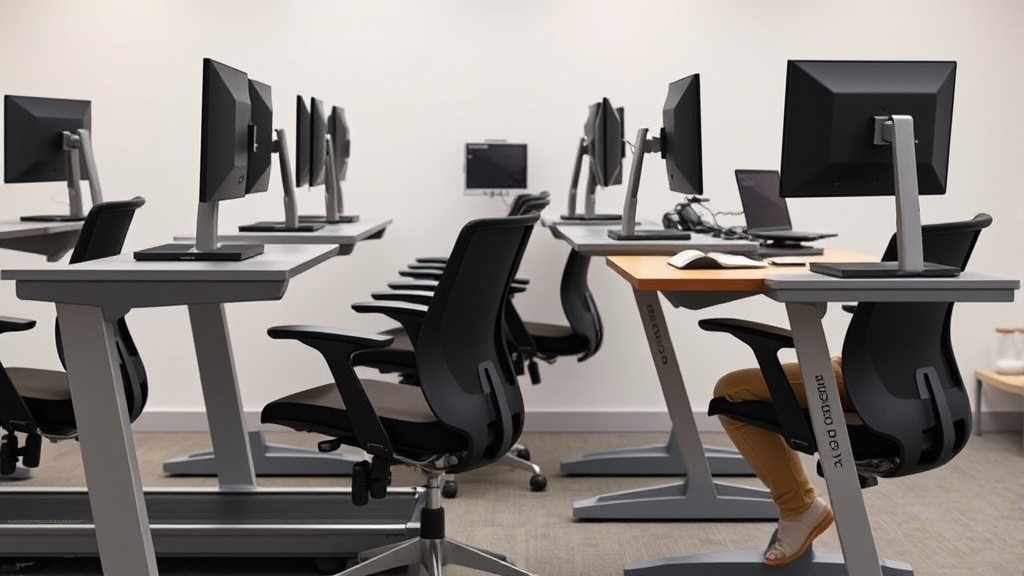
Treadmill Desks: Who They Work For and Who Should Skip
Sitting all day at a desk is tough on your body — it causes stiffness, back pain, and reduces overall health. The idea of a treadmill desk seems like a perfect solution: walk while you work, burn calories, and avoid the pitfalls of prolonged sitting. But treadmill desks aren’t magic for everyone, and their effectiveness largely depends on personal fit, work habits, and ergonomic factors. This article breaks down how treadmill desks actually work, who benefits from them, who should approach with caution, and what to consider before investing.
See also: Benefits of Sit-Stand Desks for Home Office Health
What is a Treadmill Desk?
A treadmill desk combines a treadmill with a standing-height desk surface to allow walking while performing typical desk tasks like typing, reading, or calls. Instead of sitting in a traditional ergonomic office chair, the user walks slowly—usually between 0.5 and 2 miles per hour—while engaging with a laptop or monitor.
The goal is to reduce sedentary behavior without radically interrupting workflow. Users often walk for several hours total but at a gentle pace that doesn’t overly fatigue.
How Treadmill Desks Work: Ergonomics and Practicality
Key Ergonomic Features
The actual benefit of a treadmill desk hinges on fit and adjustability—for both your body and your work setup.
-
Desk Height Adjustability: Essential for matching standing posture and accommodating walking gait. Your elbows should rest comfortably at approximately 90 degrees while typing, and your monitor should be positioned to prevent neck tilt.
-
Treadmill Speed Control & Cushioning: Choose a model with smooth speed adjustment. A softer running surface reduces joint impact during longer use.
-
Monitor Positioning and Stability: The monitor must stay steady as you walk, minimizing distracting motion or neck strain.
-
Footwear and Matting: Appropriate shoes and anti-fatigue mats can help reduce strain, improve grip, and encourage longer walking sessions.
Your Daily Task Compatibility
Tasks differ in complexity and the degree of fine motor control required; this affects how well you can combine them with walking.
- Simple tasks like listening to calls or reading documents work well.
- Typing-intensive work can be fine but may require acclimation.
- Precision work (graphic design, data entry) is often hampered unless treadmill speed is very slow.
- Video conferences can be easier than expected but note background noise from treadmill motors or footfalls.
Pressure Mapping and Movement
While pressure mapping technology isn’t usually applied to treadmill desks, understanding weight distribution and joint loading is relevant.
Walking distributes your body weight over foot strikes, differing dramatically from seated positions that concentrate pressure on the pelvis and thighs. This can relieve pressure points endemic to prolonged sitting but introduces demands on lower limbs. Gradual increases in treadmill desk use give your joints a chance to adapt.
When to Use a Treadmill Desk
Ideal Candidate Profiles
| Profile | Why a Treadmill Desk Helps | Suitability |
|---|---|---|
| Sedentary Desk Worker | Wants to reduce sitting time and increase daily activity | High |
| Someone with Lower Back Pain | Walking improves spinal circulation and strengthens core | Moderate (consult health professional) |
| Multi-tasking with Low-Precision | On calls, reading, planning | High |
| Typists Comfortable Standing | Those who can touch type without excessive errors | Moderate to High |
| Weight Management Focus | Increases general calorie burn compared to sitting | High |
People who benefit most tend to be those who already prioritize movement and are motivated to break sedentary patterns during work hours—not someone looking for a shortcut to fitness while still fully immersed in a demanding desk environment.
Recommended Usage Patterns
- Start with 15-30 minutes/day and gradually increase.
- Use slow speeds (~0.5 mph) initially to maintain typing accuracy.
- Alternate treadmill walking with seated ergonomic breaks (an ergonomic chair and desk setup for proper posture).
- Aim for cumulative goal of 1-2 hours walking throughout the workday.
Who Should Skip a Treadmill Desk
Cases Where It May Do More Harm Than Good
| User Scenario | Why It’s Problematic |
|---|---|
| Tasks Requiring Precision Keying or Detailed Mouse Work | Walking motion can cause typing inaccuracies or cursor drift |
| Balance Issues or Joint Problems | Risk of falls or joint irritation increases |
| Limited Workspace or Cluttered Areas | Additional equipment footprint may cause tripping hazards |
| High Workload with Concentration Need | Divided focus can reduce productivity and increase error rates |
| Lack of Prior Regular Movement | Overuse injuries or muscle soreness may develop with sudden change |
If your work demands constant typing speed and accuracy, or you have a history of musculoskeletal challenges affecting gait or balance, a treadmill desk is likely less practical and possibly counterproductive.
Balancing Treadmill Desk Use with Other Ergonomics Principles
Importance of Fit and Adjustability
For long-term comfort and efficacy, adjustable desk height paired with personalized treadmill settings (speed, cushioning) is essential. Seat depth, lumbar support range, and especially armrest adjustability (4D armrests that can move height, width, depth, and pivot) remain critical for any seated phases of work, especially during breaks or meetings.
Pressure and Muscle Activation
Walking while working redistributes pressure from sitting bones to the feet. This generally reduces chronic pressure points and improves lower-body muscle activation, reducing stiffness and improving circulation. However, this demands compensatory ergonomics for your upper body—monitor height, keyboard placement, and arm support—to avoid new strains.
Comparison Table: Treadmill Desk vs. Ergonomic Standing Desk vs. Traditional Desk Setup
| Feature | Treadmill Desk | Ergonomic Standing Desk | Traditional Desk Setup |
|---|---|---|---|
| Sedentary Time Reduction | High (~2-3 hrs walking/day) | Moderate (stand intermittently) | Low (mostly sitting) |
| Fit/Adjustability | Moderate (desk height, treadmill speed) | High (height, monitor, accessories) | Variable (chair adjustability key) |
| Impact on Typing Accuracy | Can decline initially | Usually stable | Stable |
| Joint Impact | Low impact walking | Potential for leg fatigue | Pressure on pelvis/thighs |
| Space Requirements | High (treadmill footprint) | Moderate | Low |
| Learning Curve | Moderate to high | Low to moderate | Low |
| Ideal For | Increasing movement during simple tasks | Alternating sitting/standing | Sedentary work only |
Common Pitfalls and How to Avoid Them
- Overestimating Work Compatibility: Expect no miracles—increase treadmill use gradually; don’t expect full typing precision from day one.
- Neglecting Proper Adjustments: Desk height and monitor position must be adjusted every time user height or treadmill speed changes.
- Ignoring Footwear and Surface: Avoid hard-soled shoes or walking barefoot to prevent foot discomfort; consider anti-fatigue mats.
- Skipping Seated Breaks: Standing or walking all day can be just as taxing as sitting. Use an ergonomic chair with adjustable lumbar support and 4D armrests for breaks.
- Failing to Listen to Your Body: Joint pain or balance issues signal it’s time to pause or modify treadmill desk use.
Conclusion
Treadmill desks offer a promising way to reduce sedentary time and improve health during desk work, but they don’t suit everyone. Careful attention to ergonomic fit, slow ramp-up usage, and task compatibility are key. They excel for workers wanting to reduce sitting and able to perform walking-compatible tasks but should be skipped by those needing precise typing, joint stability, or working in cramped spaces. Pair treadmill desks thoughtfully with other ergonomic practices for the best blend of comfort and activity.
Frequently Asked Questions
Q: Can I do all my work while walking on a treadmill desk?
A: Most people can perform light, low-precision tasks while walking, like calls or reading. Complex typing or detailed mouse work may require slower speeds or seated time.
Q: How quickly should I start walking at the treadmill desk?
A: Begin with 15-30 minutes at a slow pace (0.5 mph) and gradually increase duration and speed over weeks to avoid fatigue and typing errors.
Q: Are treadmill desks better than standing desks?
A: They reduce sedentary time more effectively by adding movement but come with a higher learning curve and space requirements. Standing desks are simpler and usually better for precision tasks.
