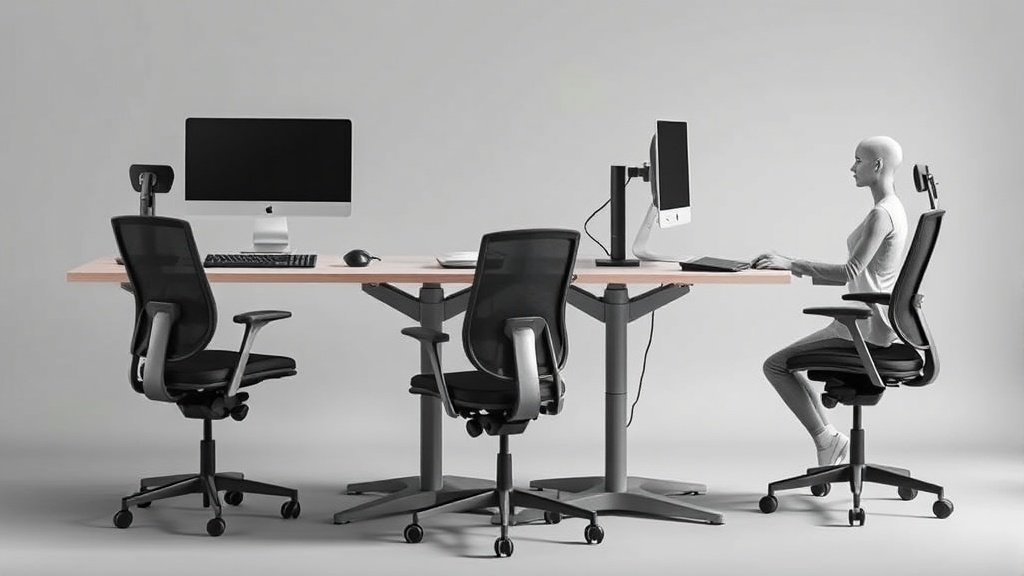
How Tall Should Your Desk Be? A Chart by Height and Workflow
If you spend 8+ hours a day at your desk, the wrong desk height can lead to discomfort, strain, and even long-term musculoskeletal issues. Many office workers pick desks based on aesthetics or rough estimates, not knowing that even a few centimeters off can affect posture, shoulder tension, and wrist health. This article will clarify how desk height should be tailored to your actual body dimensions and workflow type, ensuring that ergonomic benefits go beyond marketing claims and truly support your daily routine.
What Is the Ideal Desk Height?
Desk height isn’t a fixed number; it is a dynamic measure relative to your body, especially your seated elbow height. Proper ergonomics means your forearms rest comfortably on the desk with shoulders relaxed, wrists in a neutral position, and feet flat on the floor or on a footrest. Correct desk height minimizes pressure points and supports good posture over an 8-hour workday.
Key ergonomic considerations for desk height include:
- Elbow Height: Typically, your desk surface should be at or slightly below your seated elbow height when your elbows are bent roughly 90 degrees.
- Seat Depth and Lumbar Support: Desk height goes hand-in-hand with chair fit. If your seat depth (distance from backrest to chair edge) or lumbar support is off, optimal desk height alone won’t fix discomfort.
- Workflow type: Typing-heavy workflows need a lower, more ergonomic desk height, while writing or drawing may require slightly different heights or adjustable surfaces.
How Desk Height Works With Your Body Dimensions and Workflow
The connection between desk height, body dimensions, and your tasks at the desk is crucial. Below is an explanation of how these elements interplay:
- Body Height and Limb Length: Taller individuals typically have longer arms and legs, which means a higher desk surface is necessary. However, arm length relative to torso length varies, so elbow height is a more direct measure.
- Workflow Type:
- Typing on a keyboard requires neutral wrist positioning to avoid strain. A lower desk height that supports elbows at 90 degrees helps.
- For writing or sketching, ideal desk height might be slightly higher or inclined for visibility and ease.
- Dual workflows may require an adjustable desk to optimize positioning between tasks.
- Chair and Desk Coordination: Chairs with adjustable seat height and seat depth can help tune the vertical and horizontal reach, refining what desk height feels comfortable.
Desk Height Chart by User Height and Common Workflows
The following table summarizes recommended desk heights (from floor to desktop surface) based on user height and typical desk workflows. Desk height is measured in centimeters (cm).
| User Height (cm) | Seated Elbow Height (approx.) | Suggested Desk Height for Typing (cm) | Suggested Desk Height for Writing/Drawing (cm) | Notes |
|---|---|---|---|---|
| 150 - 160 | 58 - 62 | 58 - 62 | 60 - 65 | Use adjustable chairs with seat depth 38-42 cm |
| 161 - 170 | 62 - 66 | 62 - 66 | 64 - 68 | Consider 4D armrests for better wrist and shoulder support |
| 171 - 180 | 66 - 70 | 66 - 70 | 68 - 72 | Adjustable desks recommended for mixed workflows |
| 181 - 190 | 70 - 74 | 70 - 74 | 72 - 76 | Lumbar support adjustments critical due to seat depth range |
| 191 - 200 | 74 - 78 | 74 - 78 | 76 - 80 | Ergonomic footrests may enhance posture |
Notes on the Chart:
- Seated elbow height was estimated based on typical anthropometric data and may vary by shoulder width and torso length.
- Typing desk height aims for an elbow angle close to 90°, wrists flat and relaxed.
- Writing/drawing desk height is slightly higher to reduce forward arm extension and shoulder tension.
- Workflow variability may require flexible height desks with memory presets or manual adjustment capability.
Why Adjustability Matters More Than Marketing Labels
Manufacturers often tout “ergonomic” desks without clear measurement ranges or consideration of individual differences. If you base desk height only on brand guidelines or aesthetics, you risk developing pressure points, upper back tightness, or wrist pain after several hours.
- Pressure Mapping Insight: Research in pressure-mapping reveals that even subtle mismatches between elbow height and desk surface can cause uneven weight distribution in the forearm and shoulder, increasing fatigue.
- Seat Depth Consideration: If the chair’s seat is too deep, your legs may not support your weight properly, affecting your overall posture and thus the effective desk height.
- Armrest 4D Travel: Adjustable armrests that move in four dimensions (height, width, forward-back, rotation) complement proper desk height by ensuring wrist and elbow positions stay neutral.
How to Find Your Ideal Desk Height Step-by-Step
- Measure Your Seated Elbow Height:
- Sit on your ergonomic chair with your feet flat on the floor.
- Bend elbows to about 90°, relax shoulders.
- Have someone measure from the floor to your lateral elbow.
- Select Desk Height Matching Your Workflow:
- Use the desk height chart above to decide based on whether you mainly type, write, or alternate.
- Check Chair and Armrest Settings:
- Adjust seat height so your feet are flat with thighs parallel to the floor.
- Set seat depth so there’s a 2-3 finger gap between chair edge and back of knees.
- Adjust armrests to support elbows gently under the desk.
- Test for Pressure Points and Comfort:
- Spend 15-30 minutes doing your usual tasks.
- Adjust desk height in 1-2 cm increments as needed to relieve shoulder or wrist stress.
- Plan for Breaks and Movement:
- Regardless of perfect desk height, incorporate microbreaks and standing routines to reduce static load.
Common Pitfalls When Picking Desk Height
- Choosing Desk Height by User Height Alone: User height is just one factor; elbow height and leg length more accurately predict comfort.
- Ignoring Seat Depth and Chair Fit: An ergonomic desk height isn’t effective without corresponding chair adjustments.
- Overlooking Workflow Differences: Desk height optimal for typing isn’t automatically right for sketching or paperwork.
- Expecting Fixed Desk Height to Work for All: Adjustable standing/sitting desks can be better for those with variable tasks.
Desk Height Recommendations Summary
| Factor | Recommendation | Reason |
|---|---|---|
| Desk height based on elbow height | Use seated elbow height as primary guide | Supports neutral wrist, relaxed shoulders |
| Adjustable desk preferred | Choose desks with height adjustability | Accommodates multiple users and tasks |
| Workflow-specific height | Slightly higher for writing/drawing vs typing | Improves shoulder ergonomics and reach |
| Chair and armrests | Match with 4D adjustable armrests and correct seat depth | Base posture support impacts upper body alignment |
| Breaks | Incorporate regular movement breaks | Prevents fatigue, improves circulation |
Frequently Asked Questions
Q: Can I use a desk that is not adjustable if my height falls between categories?
A: You can, but ensure your chair offers sufficient seat height and depth adjustments. A chair that fits well can compensate to some extent, but long-term comfort may improve with a height-adjustable desk.
Q: Is standing desk height the same as sitting desk height?
A: No. Standing desk height corresponds roughly to your standing elbow height, which is higher than seated. Adjustable sit-stand desks allow switching between ideal heights for both postures.
Q: How often should I re-evaluate my desk height setup?
A: Review your setup whenever you notice discomfort, after chair changes, or annually. Adjustments can also be seasonal as clothing and footwear thickness may influence posture subtly.
Finding the right desk height tailored to your actual body metrics and type of work is a foundational step toward reducing fatigue and maintaining ergonomic health over long days at your workstation. Using the guidelines above, measurement, and appropriate furniture adjustments, you can bridge the gap between marketing copy and what really feels comfortable during those 8+ hours at your desk.
Related reading
- Ergonomic Chair Adjustments for Users of Different Heights
- 40. How to set up a second screen without looking down all day
- 23. Desk height vs keyboard tray height: measure this, not that
- Standing Desk Height Adjustment: Finding Your Ideal Position
- How to Position Dual Monitors Ergonomically in Your Home Office
