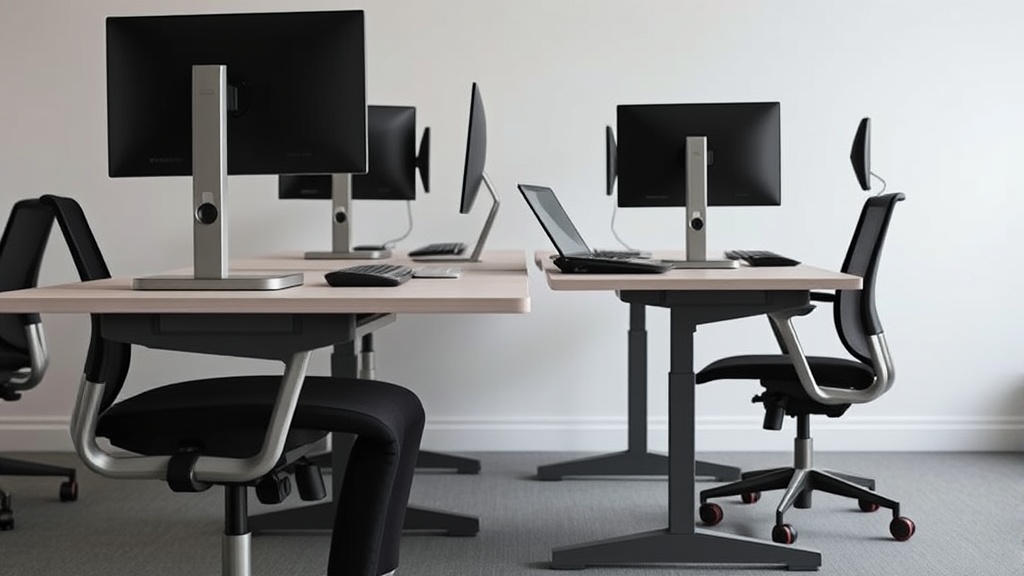
Uplift V2 vs Fully Jarvis Three Years Later: What Really Matters After Extended Use
If you’ve been sitting at a desk for eight or more hours a day, you know that an ergonomic chair and desk setup can make or break your daily comfort and productivity. Two of the most popular standing desk frames on the market are the Uplift V2 and the Fully Jarvis. But which one holds up better after three years of heavy use? This comparison isn’t about flashy marketing claims or initial impressions—it focuses on real-world durability, ongoing ergonomic adjustability, and what sitting/standing eight hours daily really feels like over time.
What Are the Uplift V2 and Fully Jarvis?
Both the Uplift V2 and Fully Jarvis are height-adjustable standing desk frames designed to promote healthier work habits by alternating between sitting and standing positions. Each desk frame adjusts via electric motors, lifting a desktop surface to your preferred heights with smooth operation.
Both brands have prided themselves on:
- Solid build quality with steel frames
- Dual-motor motors for stability and speed
- Wide adjustment ranges to support a variety of body sizes and postures
After three years, however, the nuances of design—like ergonomics, motor longevity, and customizable features—become more evident. So how do they stack up when you’re facing a full workday and demanding ergonomic needs?
See also: Choosing the Best Ergonomic Office Chair for Lower Back Support
How They Work: Adjustability and Ergonomics
Both desks operate with dual motors, allowing height changes between approximately 24.5 to 50 inches. This range generally covers sitting and standing heights for people from roughly 5’ to 6’4”. However, small differences in frame design affect the precision and feel of ergonomic fit:
Frame Stability and Range
- Uplift V2: Offers a slightly wider frame width and has reinforced crossbars for stability. Notably, it includes an optional XL frame for desktops wider than 72 inches.
- Fully Jarvis: Comes with a slightly narrower base that can feel less stable with very heavy desktops but integrates swivel casters on certain models for mobility.
Ergonomic Fit
Fit is more than height. Ergonomic comfort depends heavily on adjustability in armrest positioning, keyboard tray ergonomics, and the chair complement.
| Feature | Uplift V2 | Fully Jarvis | Notes |
|---|---|---|---|
| Height Range | 24.5” - 50” | 25.5” - 50.5” | Similar height ranges with Jarvis slightly taller max |
| Frame Width Options | 42” - 80” (standard + XL) | 48” - 72” | Uplift caters better to wider desktops |
| Stability | Very stable with heavy desktops | Slightly less stable with >100 lbs | Crossbar design difference |
| Motor Noise | Quiet but audible under load | Very quiet | Minor difference, less noticeable Jarvis motor |
| Control Options | Digital keypad, Bluetooth, App | Digital keypad, programmable buttons | Both support programmability |
| Accessory Ecosystem | Extensive (wire trays, monitor arms) | Strong (monitor arms, keyboard trays) | Both offer compatible accessories |
When to Use Each: Real-World Scenarios After 3 Years
Use Case 1: Heavy Desktop with Multiple Monitors
- Uplift V2 is better suited for heavier desktops (75+ lbs) especially if you have multiple large monitors and accessories. The wider frame and reinforced steel crossbars provide the needed stability without wobble.
- Fully Jarvis, while generally stable, can feel less sturdy with very heavy or oversized desktops long term, leading to some frame flex that alters ergonomic desk height.
Use Case 2: Small or Medium Desktop With Focus on Quiet Operation
- Fully Jarvis wins in environments where minimal noise is critical. After 3 years, most users report quieter motor operation compared to Uplift V2.
- If you don’t need wide desktop sizes, Jarvis’s base width options handle standard desk sizes well, with sufficient stability.
Use Case 3: Frequent Height Adjustments and Customizability
- Both desks can be programmed for multiple height presets—ideal for alternating between sitting, standing, and varied postures.
- Uplift V2’s optional Bluetooth app control makes it easier to operate presets remotely.
- The Uplift V2 also supports a wider range of installed accessories like adjustable monitor arms and under-desk trays, which encourages better ergonomic fit for prolonged sitting/standing.
Use Case 4: Ergonomic Fit for Taller or Shorter Users
- Both frames support a broad height adjustment.
- Taller users (~6’2” and above) report slightly better fit with Fully Jarvis’s taller max height.
- Shorter users appreciate Uplift’s slightly lower height adjustment range for comfortable sitting posture.
Common Pitfalls After Long-Term Use
- Motor Wear: After 3 years, some users report the Uplift V2 motors can become less smooth with heavy lifting, developing a buzzing noise under heavy load, especially if the desk is frequently adjusted multiple times per day.
- Material Fatigue: Fully Jarvis users find the frame paint finishes prone to minor chipping after consistent movement and transporting the desk.
- Limited Armrest Compatibility: Neither brand includes chairs or armrests, so you must ensure your chair’s 4D adjustable armrests have enough range (for height, depth, width, and pivot) to work well with the desk height – a critical factor for reducing shoulder and neck strain.
Pressure-Mapping and Seating Comfort – Why Desk Choice Matters
An often overlooked factor is how desk height integrates with your chair and seating comfort. Ergonomic pressure-mapping studies show:
- Slight seat depth misfit (too shallow or too deep) causes undue pressure behind thighs, restricting circulation during long seated periods.
- Lumbar support must be adjusted within a certain vertical range to support natural spine curvature without forcing a rigid posture.
- Armrest 4D adjustability (height, depth, angle, width) is critical because you need shoulder relaxation while your forearms rest at desk height. A desk that doesn’t allow for micro ergonomic adjustments may necessitate compromises that cause muscle fatigue after 8+ hours.
Both Uplift V2 and Fully Jarvis desks provide ample height range, but the difference comes in how well you pair them with an ergonomic chair that allows custom fit in seat depth and lumbar support. Your desk alone won’t solve pain points — it’s the ecosystem.
Summary Comparison Table: Uplift V2 vs Fully Jarvis After 3 Years
| Criteria | Uplift V2 | Fully Jarvis | Notes |
|---|---|---|---|
| Height Range | 24.5” - 50” | 25.5” - 50.5” | Jarvis slightly taller |
| Frame Width | 42” - 80” (XL available) | 48” - 72” | Uplift better for large desktops |
| Motor Noise | Quiet but audible under high load | Very quiet | Jarvis preferred in quiet spaces |
| Stability | Very stable, minimal wobble | Slight flex with >100 lbs desks | Based on material & crossbar design |
| Control Options | Keypad, Bluetooth, app control | Keypad, programmable buttons | Uplift has better app integration |
| Accessory Ecosystem | Extensive (trays, monitor arms) | Strong (monitor arms, trays) | Comparable |
| Durability & Finish | Robust but minor motor buzzing after 3 years | Paint finish chips over time | Maintenance recommended |
| Ergonomic Fit for Tall Users | Good but sometimes limited max height | Better height range | Taller users prefer Jarvis |
| Overall Long-Term Comfort | Requires compatible chair & armrest | Same | Chair fit is key for comfort |
Final Takeaway
Both the Uplift V2 and Fully Jarvis desks are excellent standing desk frames with solid build quality and long adjustment ranges. After three years of daily 8-hour use, your choice depends on specific priorities:
- Choose Uplift V2 if you want the widest desktop stability, extensive accessory options, and Bluetooth control.
- Choose Fully Jarvis if you prioritize quieter motor operation, a higher maximum desk height, and slightly less noisy performance.
Neither desk alone guarantees ergonomic success. Your chair’s 4D adjustable armrests, the seat depth and lumbar support fit, and how well you integrate your desk setup into your natural sitting and standing postures are what prevent discomfort after long days.
After all, true ergonomic value isn’t marketing copy—it’s what your body feels hour after hour, day after day.
Frequently Asked Questions
Q: Can I use any desktop with either the Uplift V2 or Fully Jarvis?
A: Both frames support desktops from about 42” to 80” wide, but stability depends on your desktop’s weight and size. Heavier desktops require the Uplift V2 for better long-term stability with XL frames.
Q: How important is motor noise in daily use?
A: If you’re in a quiet office or shared environment, lower motor noise can reduce distractions. Fully Jarvis has a quieter motor on average, but both are fairly quiet during height adjustments.
Q: Is it better to focus on desk features or ergonomic chair fit?
A: Desk features help but can’t compensate for a chair with poor lumbar support or armrests that don’t adjust properly. A balanced investment in both chair ergonomics and desk adjustability provides the best comfort for long-term workloads.
Related reading
- Standing Desk vs. Chair: The Ultimate Showdown for WFH Productivity
- Standing Desk vs. Chair: A Comprehensive Comparison for WFH Professionals
- The 5 Best Ergonomic Chairs Under $500: Comfort on a Budget
- 5. HON Ignition 2.0: the 300 dollar chair that beats chairs at three times
- Standing Desks and Their Role in Combating Sedentary Lifestyle
