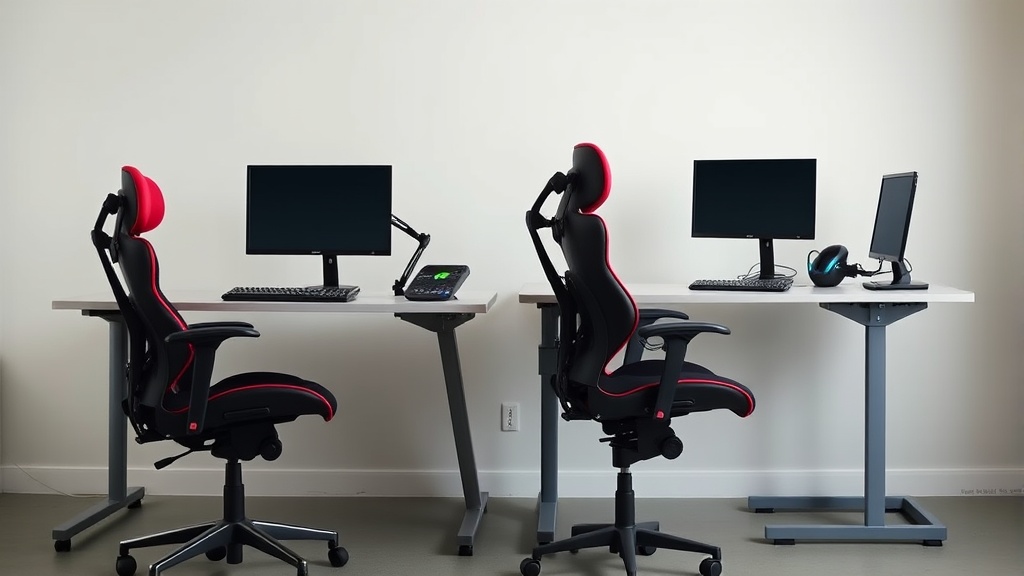
Gaming Chairs vs Office Chairs: What You Are Actually Buying
If you spend a significant part of your day sitting at a desk, whether for work or gaming, you’ve likely faced the dilemma: should I invest in a gaming chair or an office chair? Both promise comfort and support, but the experience of using them for 8+ hours daily can be worlds apart. Understanding what these types of chairs truly offer—and what their limitations are—is crucial to making a choice that supports your health and productivity over time.
See also: Choosing the Best Ergonomic Office Chair for Lower Back Support
What It Is: Gaming Chairs and Office Chairs Defined
Gaming Chairs
Gaming chairs are designed with aesthetics and immediate comfort in mind, often featuring bold colors, racing-style bucket seats, and extra cushions. They target gamers who might spend several hours playing and want a visually striking chair with some ergonomic features like adjustable armrests and lumbar pillows.
Office Chairs
Office chairs, by contrast, prioritize ergonomic adjustability and long-term support over style. Built for extended use (think 8-hour shifts), they focus on features like seat depth adjustability, lumbar support that matches the natural curvature of the spine, and armrests with multiple axes of adjustment (4D armrests). They tend to have a more subtle design, intended to fit into professional environments.
How It Works: Ergonomic Features Matter Differently
It’s easy to get seduced by marketing visuals and buzzwords. But the critical difference lies in adjustability and fit: these determine whether the chair supports your body correctly over prolonged use or ends up creating discomfort.
| Feature | Gaming Chair | Office Chair | Why It Matters for All-Day Use |
|---|---|---|---|
| Seat Depth Adjustability | Often fixed or minimally adjustable | Usually adjustable (15-20 cm range) | Allows popliteal support and proper thigh alignment, preventing pressure under the knees. |
| Lumbar Support | Typically includes a removable cushion or basic height adjustment | Tailored lumbar adjustability (height + depth) | Ensures natural spinal curve support, reducing lower back strain over hours. |
| Armrest Adjustment | Normally 2D (height + width) or 3D (adds forward/back) | 4D (height, width, depth, pivot) | Proper armrest positioning reduces shoulder and neck tension during keyboard/mouse use. |
| Seat Cushion Firmness | Softer cushion, sometimes plush | Balanced firmness for both comfort and support | Too soft cushions compress under long periods; firmer but ergonomically contoured cushions distribute pressure better. |
| Backrest Recline & Lock | Often reclines fully to a near-lie-flat position | Reclines with locking at multiple angles | Office chairs focus on slight recline angles that promote good posture; gaming chairs sometimes encourage lying back for relaxation. |
| Build & Materials | Synthetic leather, foam padding, plated steel frame | Breathable mesh or high-quality fabric, durable aluminum/plastic frame | Breathable materials help with temperature regulation; longevity of materials matters for daily intensive use. |
When to Use Each: Practical Scenarios
Gaming Chairs
If your primary sitting sessions are 1-3 hours mainly focused on gaming or casual use, and you value the style along with moderate comfort, a gaming chair can be suitable. For streaming or entertainment-centric setups, their aggressive styling and extra cushioning can enhance the vibe and immediate comfort experience.
Office Chairs
For those working at a desk 6-8+ hours daily—typing, video conferencing, writing, or designing—the priority shifts to a chair that offers long-term ergonomic support. Office chairs reduce the risk of repetitive strain injuries, cervical tension, and lower back pain, thanks to their nuanced adjustability and attention to fit dimensions.
Common Pitfalls: Marketing vs Daily Reality
-
“One Size Fits All” Claims – Many gaming chairs have a fixed seat depth and limited lumbar range, meaning they might fit average-sized users but fail tall or petite users badly. Without seat depth adjustment, thighs can either dangle or get compressed behind the knees, causing circulation problems.
-
Overemphasis on Looks – Leatherette or PVC materials frequently used on gaming chairs can feel sticky and heat-retentive in long sessions, while some mesh office chairs promote airflow and temperature control.
-
Fixed or Inadequate Armrests – Armrests that don’t adjust in all directions might cause awkward shoulder positions and can’t accommodate different desk heights or body frames, leading to strain that builds up over hours.
-
Cushion Firmness Mis-match – Plush gaming chair cushions may feel good initially but will compress unevenly with prolonged use, causing hotspots and squashing support, while office chairs tend to maintain shape due to better foam density and contouring.
-
Recline Too Far Back – Gaming chairs often allow full recline to a near-flat surface, but this posture is not ideal for desk work and can encourage slouching. Office chairs limit recline angles to support active sitting and spinal alignment.
How to Choose the Right Chair for Desk Work
-
Measure Your Body and Desk
Check your seated leg length against the chair’s seat depth range. Ideal seat depth lets you sit back with lumbar support, plus a 2-3 finger gap behind your knees. -
Evaluate Lumbar Adjustability
Look for chairs where the lumbar support can move vertically at least 5-10 cm and adjust in depth. This lets you dial in a comfort zone supporting your lower back’s natural curve. -
Test Armrest 4D Adjustments
Can you adjust height, width, depth (forward/back), and pivot? Adjust armrests so your elbows rest at approximately 90 degrees, shoulders relaxed—not shrugged. -
Assess Seat Cushion Quality
Sit for a few minutes and pay attention to how the cushion feels after pressure builds. The cushion should offer firm but forgiving support, not feel mushy or hard. -
Consider Recline and Tilt Mechanisms
If your work involves varied tasks, having a slight recline lock at about 100-110 degrees promotes better spinal health. Avoid chairs that recline fully flat if you plan on working while sitting.
Summary Comparison Table
| Criteria | Gaming Chair | Office Chair | Recommended For |
|---|---|---|---|
| Aesthetic | Bold, aggressive styling | Minimalist, professional | Gaming setups, casual use vs Professional work environments |
| Ergonomic Adjustability | Limited (usually 2D armrests, no seat depth adjust) | Extensive (4D armrests, adjustable seat depth & lumbar) | Extended desk work (6+ hours) |
| Comfort Over Time | Good short-term (1-3 hours) | Designed for all-day comfort | Long working sessions |
| Materials Breathability | Typically synthetic leather | Mesh/fabric options available | Climate and perspiration management |
| Recline Functionality | Full recline, lounging style | Controlled, tilt with locks | Task-focused sitting |
| Price Range | Moderate | Moderate to high depending on features | Budget-conscious vs investment in health |
Frequently Asked Questions
Q: Can I use a gaming chair for office work if I only sit for a few hours a day?
A: Yes, gaming chairs can be comfortable for shorter sessions, but for prolonged sitting, their lack of fine ergonomic adjustment may lead to discomfort.
Q: What’s the importance of seat depth in a chair?
A: Proper seat depth ensures your thighs are supported without pressure behind the knees, improving circulation and reducing fatigue over long periods.
Q: Are armrest adjustments really that crucial?
A: Absolutely. Adjustable armrests help maintain neutral shoulder and wrist positions, preventing tension and the risk of repetitive strain injuries during prolonged computer use.
Choosing between a gaming chair and an office chair hinges on your typical daily use and ergonomic needs. Prioritize fit and adjustability over looks to maintain health and productivity when sitting at a desk all day.
